
ghosty232 - Minecraft Skins & Skin History
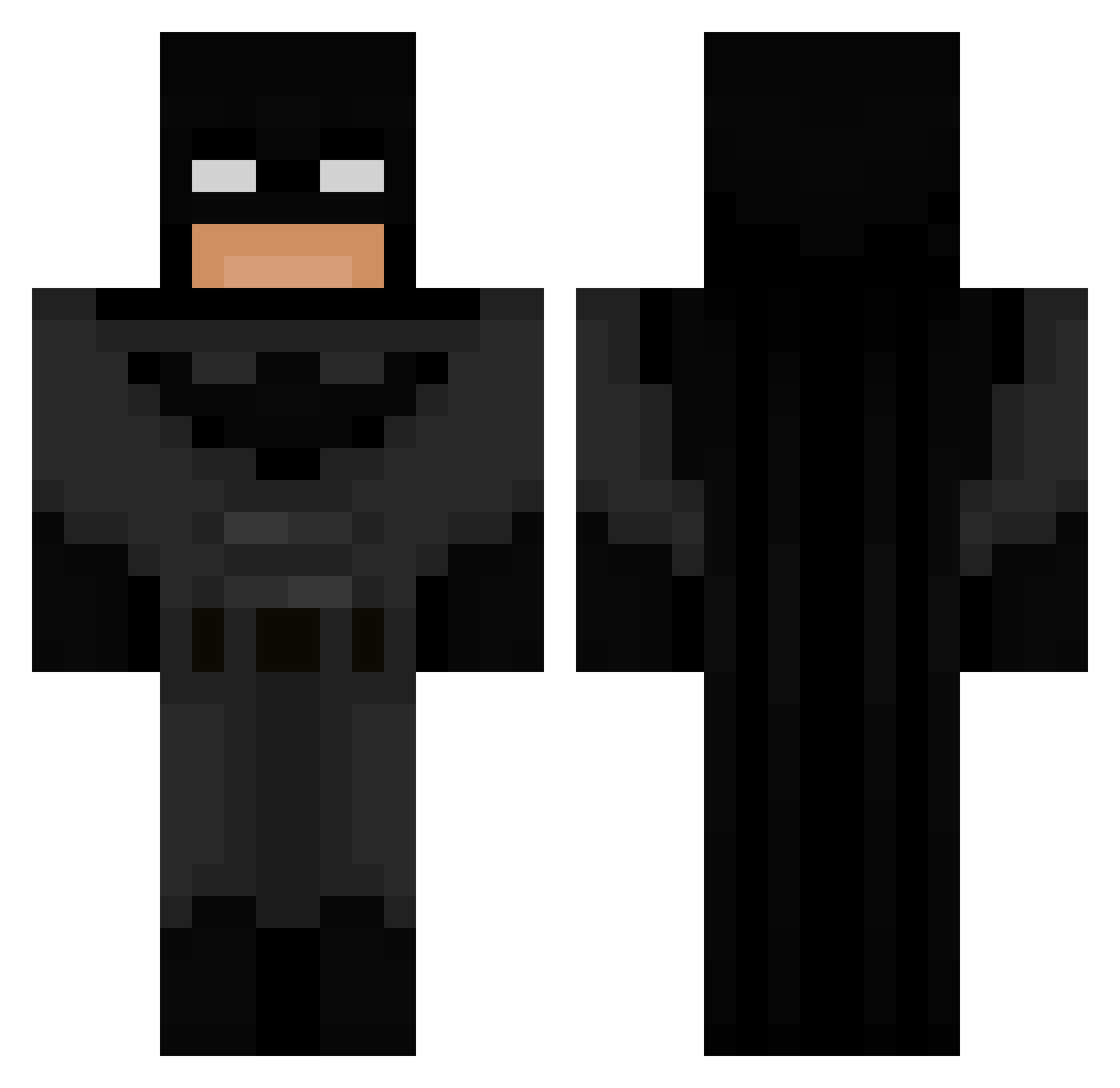
Current Minecraft skin of the player ghosty232, loaded from the official Mojang API. Rotate the 3D model with your mouse or finger, then download the skin as a PNG file and use it in Minecraft: Bedrock Edition or Java Edition for free. When ghosty232 changes their skin, this page updates automatically and the old skin stays in the history below.
Other players with this skin (849)
ghosty232 was the 735th player we have seen with this skin, first spotted on 06.11.2026. The same skin was seen on these players. Open a nickname to see their current skin and skin history.
 lucasp08 hyochiro Dxdnz LOGGGGGGGGGGGG TERTU3 drummerboy0519 dookiecookie1 Speegull Vicki_Pedia VOXIS420 PUNKG0G JINXZ99 chimipicanton vhx_shortex schmoice The_Sild cbgDerek adun228 Tojvo DizzyGames Vowix_ Matches_Malone99 JONTETOMTE69 PhoenixDev12 Socraos grayrest27 Saligiaa ARSms gallo1718 fluffffffl IHaveNoEnemies Pumpkin_S2 Iliccc 2AMBATMAN_ JorgePradoP VinkeSwedish Bakemono2k20 Evangabean rafa3123 Salgadios WATMAN_ Jockeboifan1342 ahq117 BATMAN987654321 Vaxx99 FUNNYxxx Kaptanprays chilla_fans Absolom1983 gwapawapa WishCOM69 q76q8 OfficialAquarius SNOWNOV4 V1tnez demisestare Rolletot Sawgx Illegals_ xerofixx
More Batman Minecraft skins
How to install the ghosty232 skin
- Press the Download button above to save the skin as a PNG file.
- Minecraft: Bedrock Edition (PE): open the Dressing Room from the main menu (or tap your character → Edit Character), go to Classic Skins → Owned, press the + (new skin) button, choose the downloaded PNG and pick the Classic (Steve) model. Works on PC and mobile; consoles cannot import custom skins.
- Minecraft: Java Edition: open the Minecraft Launcher, go to the Skins tab, click New Skin, load the PNG, pick the Classic (Steve) model and press Save & Use. You can also upload it at minecraft.net → Profile → Change Skin.
The skin does not show up after import - what should I do?
Restart Minecraft and open the Dressing Room again - imported skins sometimes appear only after a restart. Also make sure you selected the imported skin and picked the Classic (Steve) model.
Which model should I choose, Classic or Slim?
This skin is designed for the Classic (Steve) model. If you pick the wrong model, the arms of the skin will look stretched or squeezed.
Is the skin of ghosty232 free to download?
Yes. Press Download, save the PNG file and use it in Minecraft: Bedrock Edition or Java Edition - no payment or registration needed. The skin also works on multiplayer servers and Realms.
More skins
Looking for more? Go back to all Minecraft skins and check the top skins of the week, month and all time, or find any player's skin by nickname.