
gatolive - Minecraft Skins & Skin History
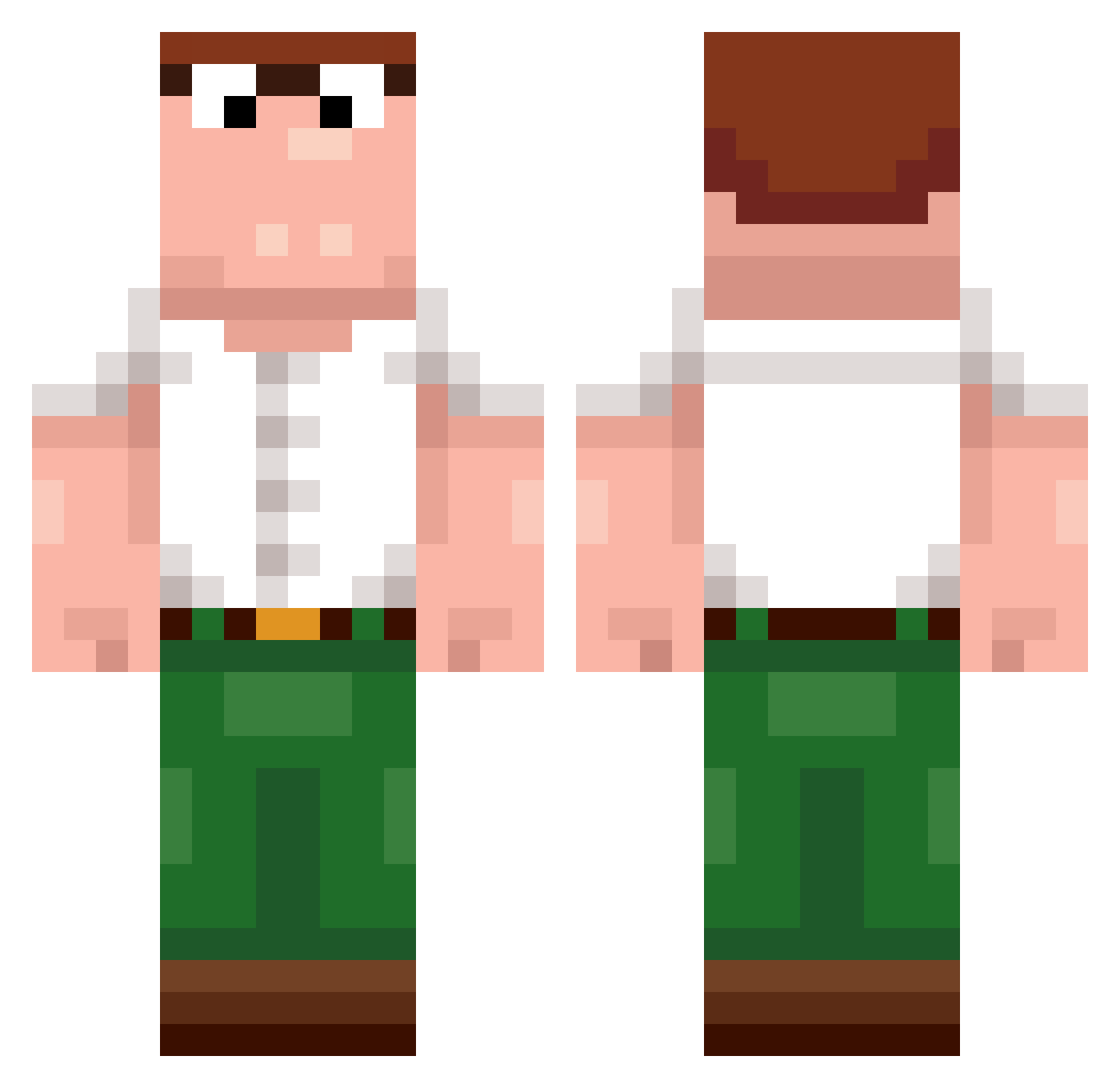
Current Minecraft skin of the player gatolive, loaded from the official Mojang API. Rotate the 3D model with your mouse or finger, then download the skin as a PNG file and use it in Minecraft: Bedrock Edition or Java Edition for free. When gatolive changes their skin, this page updates automatically and the old skin stays in the history below.
Other players with this skin (489)
gatolive was the 270th player we have seen with this skin, first spotted on 25.09.2026. The same skin was seen on these players. Open a nickname to see their current skin and skin history.
 o0gz jrs2776 u8v_Abdou_d2u Not_Centic AlexSaniol V1S1ION qMood_ Mejmarr dewier_qwq no4htc expiredche3se T3NG13A AtlasB0T a_badHacker trinchu dogonbutter Eugeshaaaaa zclownZ3951 SINNERWOLF11 RevolveRHD Reesey_triplet1t AfricanJxrdy HzConnexion Kazoktnemom yunzhou_ Takemuro_ ilyDewier mellonssss teemixs EmanIosifMihai_ Ubside skywalff Ferahenri FlatGPT sulovych sakobaka NikudaNeUydu Mahchezz stan20man07 Monnlight_TW Ielitz noedison Gustavo_Brumatti HamburgarMaster unlucky_jayjay MUCHmonkey santema sebass2232 BradleyBax tzi_IJUxN_1026 EMIDIO08 Aminoso DaddyJaike schezwxn saigonnaymua Se1ryu CoffeeDrinker0 DaddyNorwxy fritte02 dewmier
More Peter Griffin Minecraft skins
See all 229 Peter Griffin skins
How to install the gatolive skin
- Press the Download button above to save the skin as a PNG file.
- Minecraft: Bedrock Edition (PE): open the Dressing Room from the main menu (or tap your character → Edit Character), go to Classic Skins → Owned, press the + (new skin) button, choose the downloaded PNG and pick the Classic (Steve) model. Works on PC and mobile; consoles cannot import custom skins.
- Minecraft: Java Edition: open the Minecraft Launcher, go to the Skins tab, click New Skin, load the PNG, pick the Classic (Steve) model and press Save & Use. You can also upload it at minecraft.net → Profile → Change Skin.
The skin does not show up after import - what should I do?
Restart Minecraft and open the Dressing Room again - imported skins sometimes appear only after a restart. Also make sure you selected the imported skin and picked the Classic (Steve) model.
Which model should I choose, Classic or Slim?
This skin is designed for the Classic (Steve) model. If you pick the wrong model, the arms of the skin will look stretched or squeezed.
Is the skin of gatolive free to download?
Yes. Press Download, save the PNG file and use it in Minecraft: Bedrock Edition or Java Edition - no payment or registration needed. The skin also works on multiplayer servers and Realms.
More skins
Looking for more? Go back to all Minecraft skins and check the top skins of the week, month and all time, or find any player's skin by nickname.