
fredi1697 - Minecraft Skins & Skin History
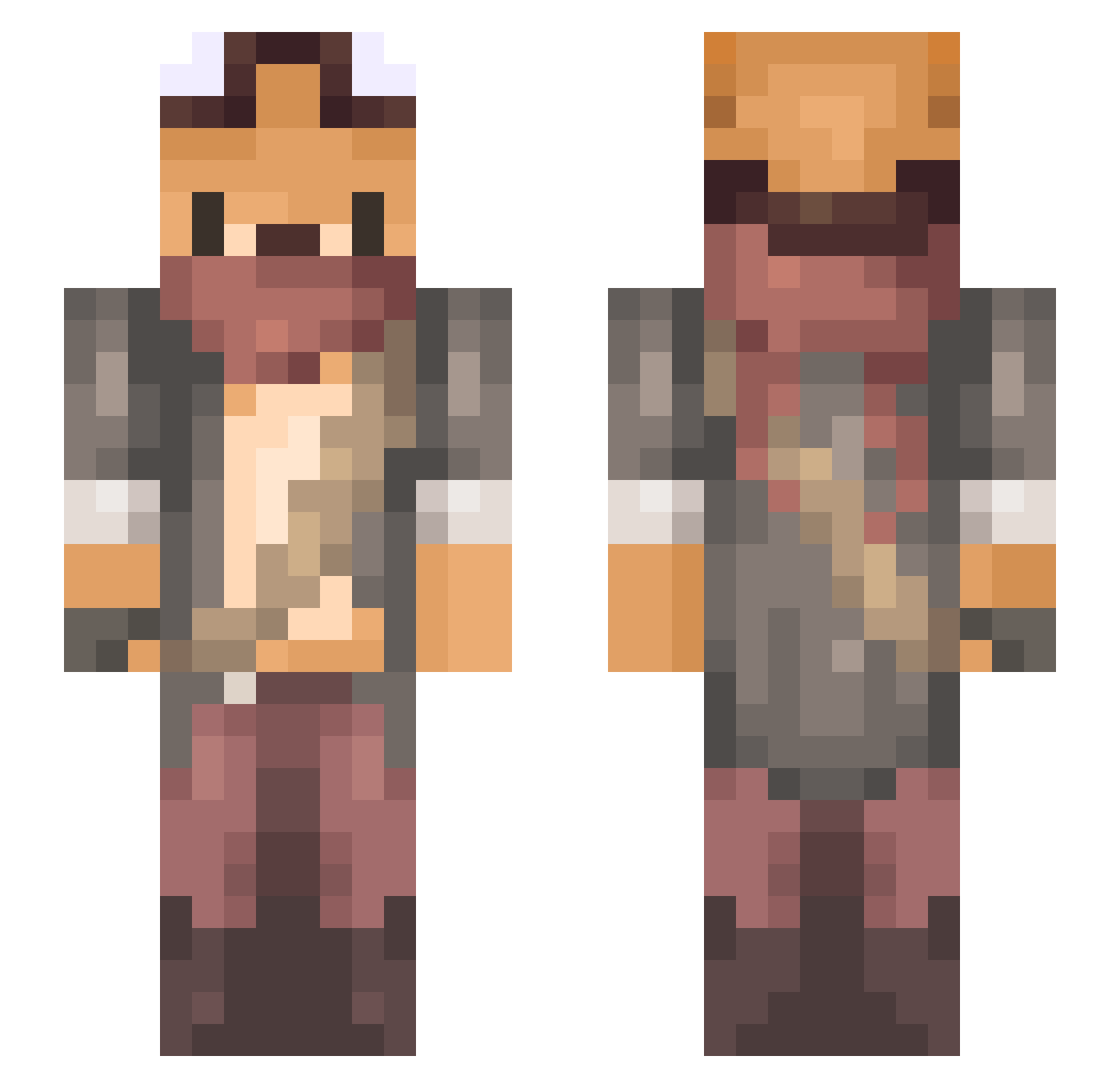
Current Minecraft skin of the player fredi1697, loaded from the official Mojang API. Rotate the 3D model with your mouse or finger, then download the skin as a PNG file and use it in Minecraft: Bedrock Edition or Java Edition for free. When fredi1697 changes their skin, this page updates automatically and the old skin stays in the history below.
Other players with this skin (734)
fredi1697 was the 190th player we have seen with this skin, first spotted on 23.08.2026. The same skin was seen on these players. Open a nickname to see their current skin and skin history.
 Windows97_ Shake_nn_Bake Soroleaf CLDrucky Yoshi137 zhzyj Ardeniarz DiBimba Dowwin GnarInLive TheMoonlightWolf Piiggycake on__line capncrush mikcio341 Raikiri__ fumfum25 eff3Ctive BedfastGnu Lystaraf Brezsnyew WoodPanCake Aarrietty Kazuto44 TimmyDevito sona27 Picc_zz AwesomeGamerCE9 nounja Bennyhahmeen satoimoimoi Steveennn MitsunariMiku Me0w0300 Akaere_Api Foxyflew eragonX789 K_Cyberpunk dea_hXxn Lureta 0202028 Ouniy aiman47 jmunchie Enmydog TCMmin TheHeadChopper ShadowReaper_96 Aia83 Crab_Magik DreamBua ImVolpeh Walla_bee Calum_dl oribeat Hungry_GH Esperanzaesq poomse ticr NekoonVR
More Scavenger Minecraft skins
How to install the fredi1697 skin
- Press the Download button above to save the skin as a PNG file.
- Minecraft: Bedrock Edition (PE): open the Dressing Room from the main menu (or tap your character → Edit Character), go to Classic Skins → Owned, press the + (new skin) button, choose the downloaded PNG and pick the Slim (Alex) model. Works on PC and mobile; consoles cannot import custom skins.
- Minecraft: Java Edition: open the Minecraft Launcher, go to the Skins tab, click New Skin, load the PNG, pick the Slim (Alex) model and press Save & Use. You can also upload it at minecraft.net → Profile → Change Skin.
The skin does not show up after import - what should I do?
Restart Minecraft and open the Dressing Room again - imported skins sometimes appear only after a restart. Also make sure you selected the imported skin and picked the Slim (Alex) model.
Which model should I choose, Classic or Slim?
This skin is designed for the Slim (Alex) model. If you pick the wrong model, the arms of the skin will look stretched or squeezed.
Is the skin of fredi1697 free to download?
Yes. Press Download, save the PNG file and use it in Minecraft: Bedrock Edition or Java Edition - no payment or registration needed. The skin also works on multiplayer servers and Realms.
More skins
Looking for more? Go back to all Minecraft skins and check the top skins of the week, month and all time, or find any player's skin by nickname.