
franfik - Minecraft Skins & Skin History
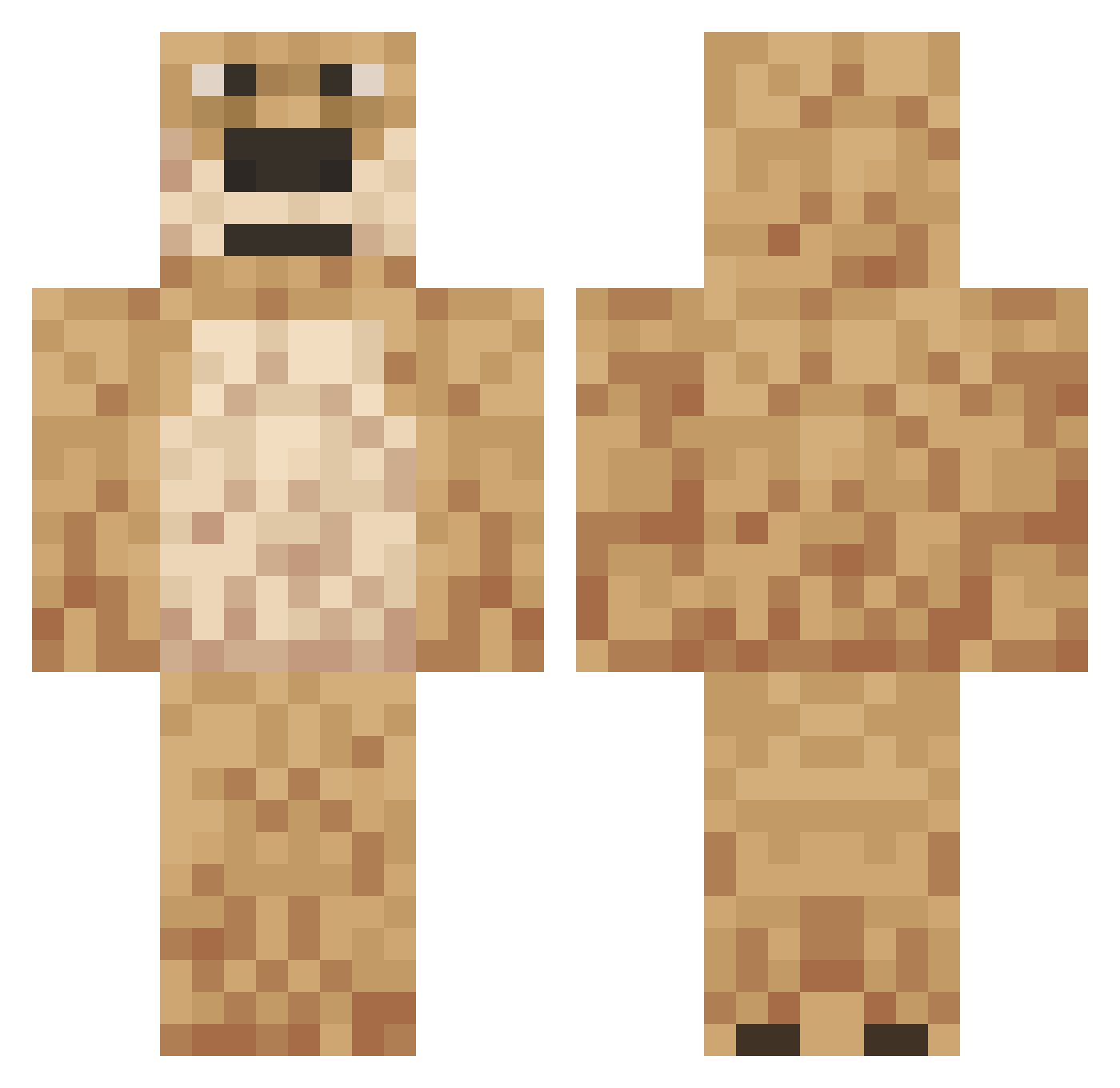
Current Minecraft skin of the player franfik, loaded from the official Mojang API. Rotate the 3D model with your mouse or finger, then download the skin as a PNG file and use it in Minecraft: Bedrock Edition or Java Edition for free. When franfik changes their skin, this page updates automatically and the old skin stays in the history below.
Other players with this skin (558)
franfik was the 362nd player we have seen with this skin, first spotted on 06.10.2026. The same skin was seen on these players. Open a nickname to see their current skin and skin history.
 theshotgunkb klickssy keeoa Versusiwo DaddyBennV16 DaBurrgir bigdoga Beenjo21 DaddyBennV15 Kacia1661 Lentox flo_cracked IShowedSpeed SpyGo incompetentsquib broesenTV Prophased lordmang0themonk luisgzz Essamm DJ_D_DJ Jackelyn54 rgb1123 Zottelnase Fleetfoot75 city_goi 115dylan prettygase poole69party AngryCat12 Christian910 Pedronix Haywani3000 aninha_sacana lolbadlollapV126 B0TO1 BR1CK3d_UP BabySnappy _6rieves SupaFunk523 CatJammin AdamuzPrimez SWAT_Leon avzyn TheRealBen32 bILLYJACKBOOM yookieeeeeeee KaydenC UnbannableBenV49 CryptoMillionare sploogMcduck55 juckminecraft LUKETO39 Khalediscoolboy Paynftw DoggyLover69420 Carlos_Nieto ElSenorDeLaNoche Pin4era luscasxz7
More Talking Ben Minecraft skins
How to install the franfik skin
- Press the Download button above to save the skin as a PNG file.
- Minecraft: Bedrock Edition (PE): open the Dressing Room from the main menu (or tap your character → Edit Character), go to Classic Skins → Owned, press the + (new skin) button, choose the downloaded PNG and pick the Classic (Steve) model. Works on PC and mobile; consoles cannot import custom skins.
- Minecraft: Java Edition: open the Minecraft Launcher, go to the Skins tab, click New Skin, load the PNG, pick the Classic (Steve) model and press Save & Use. You can also upload it at minecraft.net → Profile → Change Skin.
The skin does not show up after import - what should I do?
Restart Minecraft and open the Dressing Room again - imported skins sometimes appear only after a restart. Also make sure you selected the imported skin and picked the Classic (Steve) model.
Which model should I choose, Classic or Slim?
This skin is designed for the Classic (Steve) model. If you pick the wrong model, the arms of the skin will look stretched or squeezed.
Is the skin of franfik free to download?
Yes. Press Download, save the PNG file and use it in Minecraft: Bedrock Edition or Java Edition - no payment or registration needed. The skin also works on multiplayer servers and Realms.
More skins
Looking for more? Go back to all Minecraft skins and check the top skins of the week, month and all time, or find any player's skin by nickname.