
flashtime361 - Minecraft Skins & Skin History
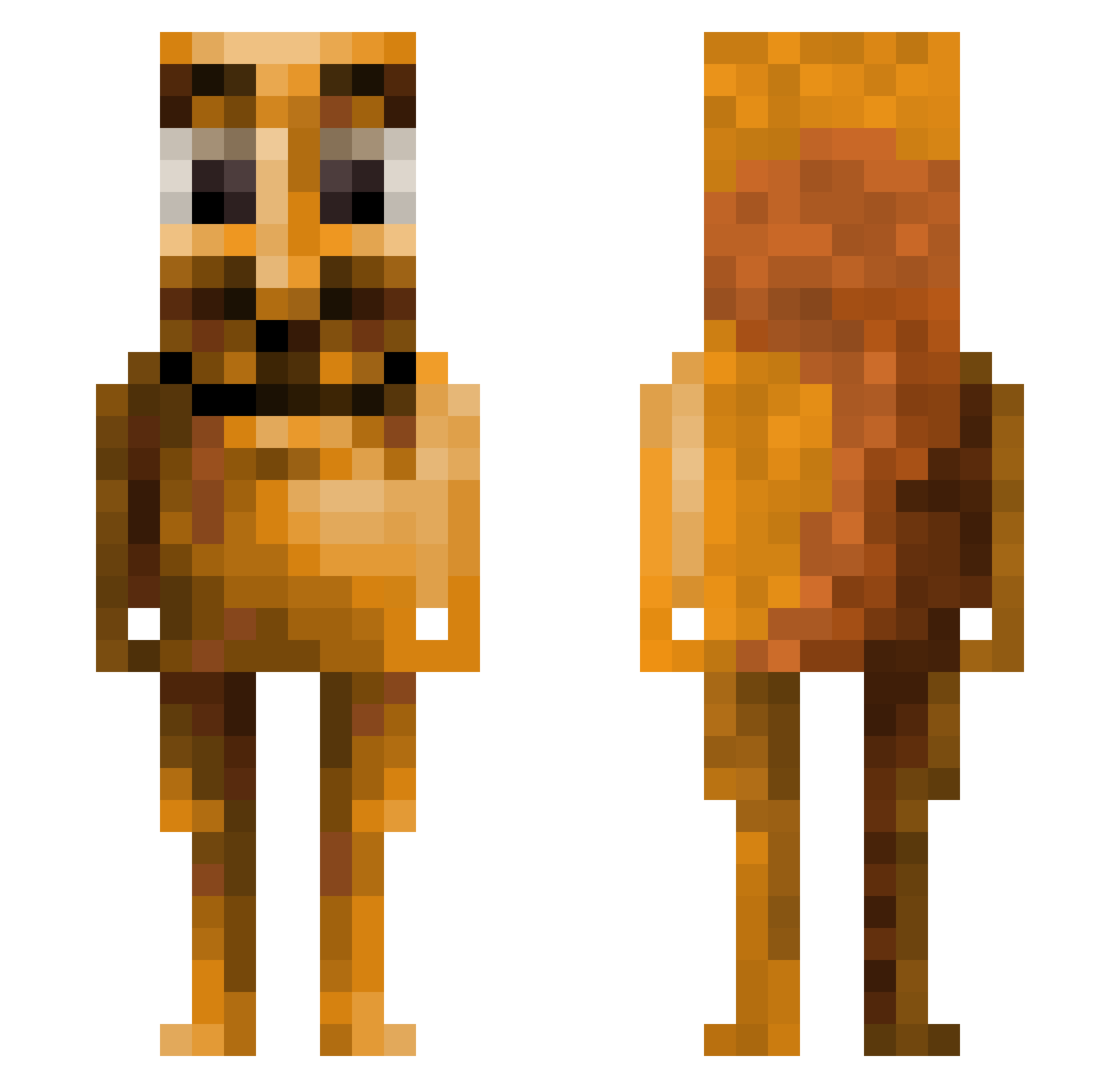
Current Minecraft skin of the player flashtime361, loaded from the official Mojang API. Rotate the 3D model with your mouse or finger, then download the skin as a PNG file and use it in Minecraft: Bedrock Edition or Java Edition for free. When flashtime361 changes their skin, this page updates automatically and the old skin stays in the history below.
Other players with this skin (211)
flashtime361 was the 167th player we have seen with this skin, first spotted on 29.10.2026. The same skin was seen on these players. Open a nickname to see their current skin and skin history.
 qxz_ferlex AestheticJAVA99 atzsvt vampirefai Arian2k Xnyr0X_ CrocoGaming63 DuartzZz Tendo678 Paszkins LivingZombz Mouceman22 xulnn 678F Multi_800 snonks arKzyyy x7broski Sampagnex GoDZilla3K2 MrObamaCare420 OsViVe Froomeren23 haanz0 MRSOCKEMZ TECO0 monkeymoment720 Steakini_Fattini katbriar ramonhdzG Takota_ L1ntery beefstew07 Frostyy15 pcairsoftfreak1 loocapooca Disarray905 Juul0_0 FURYMASTEROZ swoupr L3554U715M yaseeem alejandrofuria margotdacow megapoopie69 Shwahogelmunglem benitez_2512 aharper2025 Bnugs03 Galore69 molinillo93 auther365 CloakedPuma123 haallluuu _HamKaChan_ sebbi09 MoreMai popiopie nutbut69420 phil_ds
More Squirrel Minecraft skins
How to install the flashtime361 skin
- Press the Download button above to save the skin as a PNG file.
- Minecraft: Bedrock Edition (PE): open the Dressing Room from the main menu (or tap your character → Edit Character), go to Classic Skins → Owned, press the + (new skin) button, choose the downloaded PNG and pick the Classic (Steve) model. Works on PC and mobile; consoles cannot import custom skins.
- Minecraft: Java Edition: open the Minecraft Launcher, go to the Skins tab, click New Skin, load the PNG, pick the Classic (Steve) model and press Save & Use. You can also upload it at minecraft.net → Profile → Change Skin.
The skin does not show up after import - what should I do?
Restart Minecraft and open the Dressing Room again - imported skins sometimes appear only after a restart. Also make sure you selected the imported skin and picked the Classic (Steve) model.
Which model should I choose, Classic or Slim?
This skin is designed for the Classic (Steve) model. If you pick the wrong model, the arms of the skin will look stretched or squeezed.
Is the skin of flashtime361 free to download?
Yes. Press Download, save the PNG file and use it in Minecraft: Bedrock Edition or Java Edition - no payment or registration needed. The skin also works on multiplayer servers and Realms.
More skins
Looking for more? Go back to all Minecraft skins and check the top skins of the week, month and all time, or find any player's skin by nickname.