
firecompanion - Minecraft Skins & Skin History
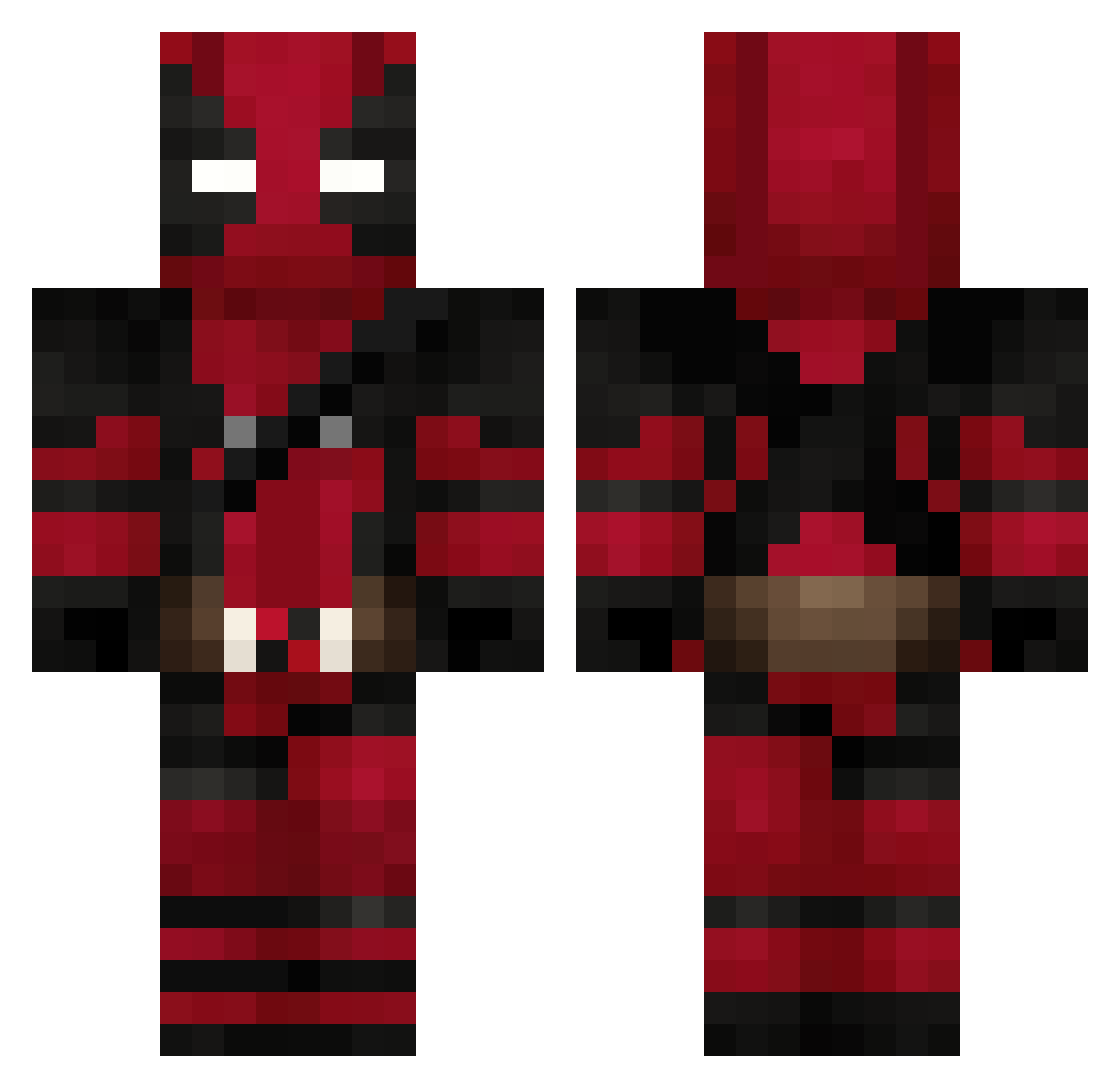
Current Minecraft skin of the player firecompanion, loaded from the official Mojang API. Rotate the 3D model with your mouse or finger, then download the skin as a PNG file and use it in Minecraft: Bedrock Edition or Java Edition for free. When firecompanion changes their skin, this page updates automatically and the old skin stays in the history below.
Other players with this skin (625)
firecompanion was the 318th player we have seen with this skin, first spotted on 10.09.2026. The same skin was seen on these players. Open a nickname to see their current skin and skin history.
 KristianAguila Vraxoq Citron1560 A_Kid_Who_Games Tentacle_T Swappleex MustafaBerk Eclipse6980 ahahahaha1111 CommanderFire ThieuPvP_VN Ravenx35 FreakyJ69 EL_MATO431 BadBoyBobby yarahyper Koponya25 Uelfol_BR SrayzYT Klauss00 fell08 Dionisiox Crazymon1O1 mertkaanma BeruBeyY
 strPianta snipingpure LeitoSanti EyezOnYou RyanBM19 MoonKnight667 KUBIGAMINGX2024 iiHades_x Manoeli Cigarettekid captainesquare plasannnn MrDuck983 chikka28 mexsteel slmkru StillInvincible1 tpr9 bootybanditmat Brando25 YeSuGaR38 wutek4 _A_R_Y_ Exxantrick0 Pinguim_J BlackBulleT26 xndr1447 TGCDENOVO Lezt14 QuietExit Dyllax RodneyKushDaddy oofthedragon Swoak poczek1
More Deadpool Minecraft skins
How to install the firecompanion skin
- Press the Download button above to save the skin as a PNG file.
- Minecraft: Bedrock Edition (PE): open the Dressing Room from the main menu (or tap your character → Edit Character), go to Classic Skins → Owned, press the + (new skin) button, choose the downloaded PNG and pick the Classic (Steve) model. Works on PC and mobile; consoles cannot import custom skins.
- Minecraft: Java Edition: open the Minecraft Launcher, go to the Skins tab, click New Skin, load the PNG, pick the Classic (Steve) model and press Save & Use. You can also upload it at minecraft.net → Profile → Change Skin.
The skin does not show up after import - what should I do?
Restart Minecraft and open the Dressing Room again - imported skins sometimes appear only after a restart. Also make sure you selected the imported skin and picked the Classic (Steve) model.
Which model should I choose, Classic or Slim?
This skin is designed for the Classic (Steve) model. If you pick the wrong model, the arms of the skin will look stretched or squeezed.
Is the skin of firecompanion free to download?
Yes. Press Download, save the PNG file and use it in Minecraft: Bedrock Edition or Java Edition - no payment or registration needed. The skin also works on multiplayer servers and Realms.
More skins
Looking for more? Go back to all Minecraft skins and check the top skins of the week, month and all time, or find any player's skin by nickname.