
fidgetspinn - Minecraft Skins & Skin History
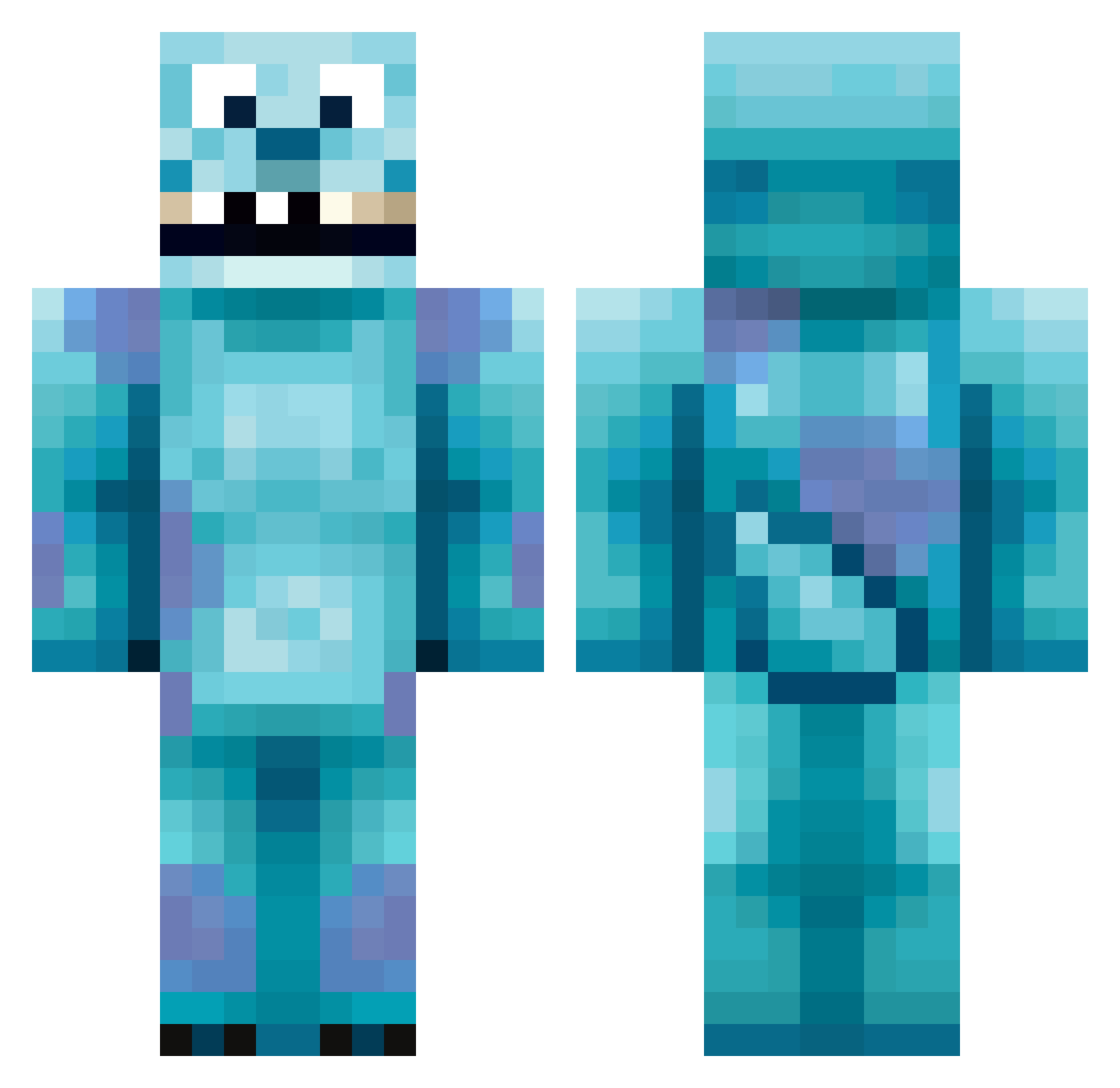
Current Minecraft skin of the player fidgetspinn, loaded from the official Mojang API. Rotate the 3D model with your mouse or finger, then download the skin as a PNG file and use it in Minecraft: Bedrock Edition or Java Edition for free. When fidgetspinn changes their skin, this page updates automatically and the old skin stays in the history below.
Other players with this skin (418)
fidgetspinn was the 49th player we have seen with this skin, first spotted on 05.08.2026. The same skin was seen on these players. Open a nickname to see their current skin and skin history.
 Cassuee Jacedean Kozminek spectrl Fegs BBOONA jellybeans_yum Aequi _Gummie_Bear_ CocoRiley PrzyAlex Pez_A Macadelic15 Imawizzardlol minerdee Laon313 iiDominatorii fifabuddie123 Saru46 GoopySword dongdong_15 sa11y Austxn blake505050 fortyfire54 qasim98 blakers4 WagwanPigeon Lucahof pinkllamaa Hasenbuster AyeBelieve Danger_Boy55 Trevor112001 Yoshi898 zitatoro kimkimouo nick2469 Auggie1000 noah385 DepravedPixi skazhy akboyum p_murphy Zelzius FRESHPOTS69 Sno0p82 Gaeliwiss Albin0005 AHO_ UnratedCR junky145 BartMan33387 GetRektPvP chef2000 BigBishh stevensgoat quezzle22 BigBloo9 xPingwing
More Sulley Minecraft skins
How to install the fidgetspinn skin
- Press the Download button above to save the skin as a PNG file.
- Minecraft: Bedrock Edition (PE): open the Dressing Room from the main menu (or tap your character → Edit Character), go to Classic Skins → Owned, press the + (new skin) button, choose the downloaded PNG and pick the Classic (Steve) model. Works on PC and mobile; consoles cannot import custom skins.
- Minecraft: Java Edition: open the Minecraft Launcher, go to the Skins tab, click New Skin, load the PNG, pick the Classic (Steve) model and press Save & Use. You can also upload it at minecraft.net → Profile → Change Skin.
The skin does not show up after import - what should I do?
Restart Minecraft and open the Dressing Room again - imported skins sometimes appear only after a restart. Also make sure you selected the imported skin and picked the Classic (Steve) model.
Which model should I choose, Classic or Slim?
This skin is designed for the Classic (Steve) model. If you pick the wrong model, the arms of the skin will look stretched or squeezed.
Is the skin of fidgetspinn free to download?
Yes. Press Download, save the PNG file and use it in Minecraft: Bedrock Edition or Java Edition - no payment or registration needed. The skin also works on multiplayer servers and Realms.
More skins
Looking for more? Go back to all Minecraft skins and check the top skins of the week, month and all time, or find any player's skin by nickname.