
BigBishh - Minecraft Skins & Skin History
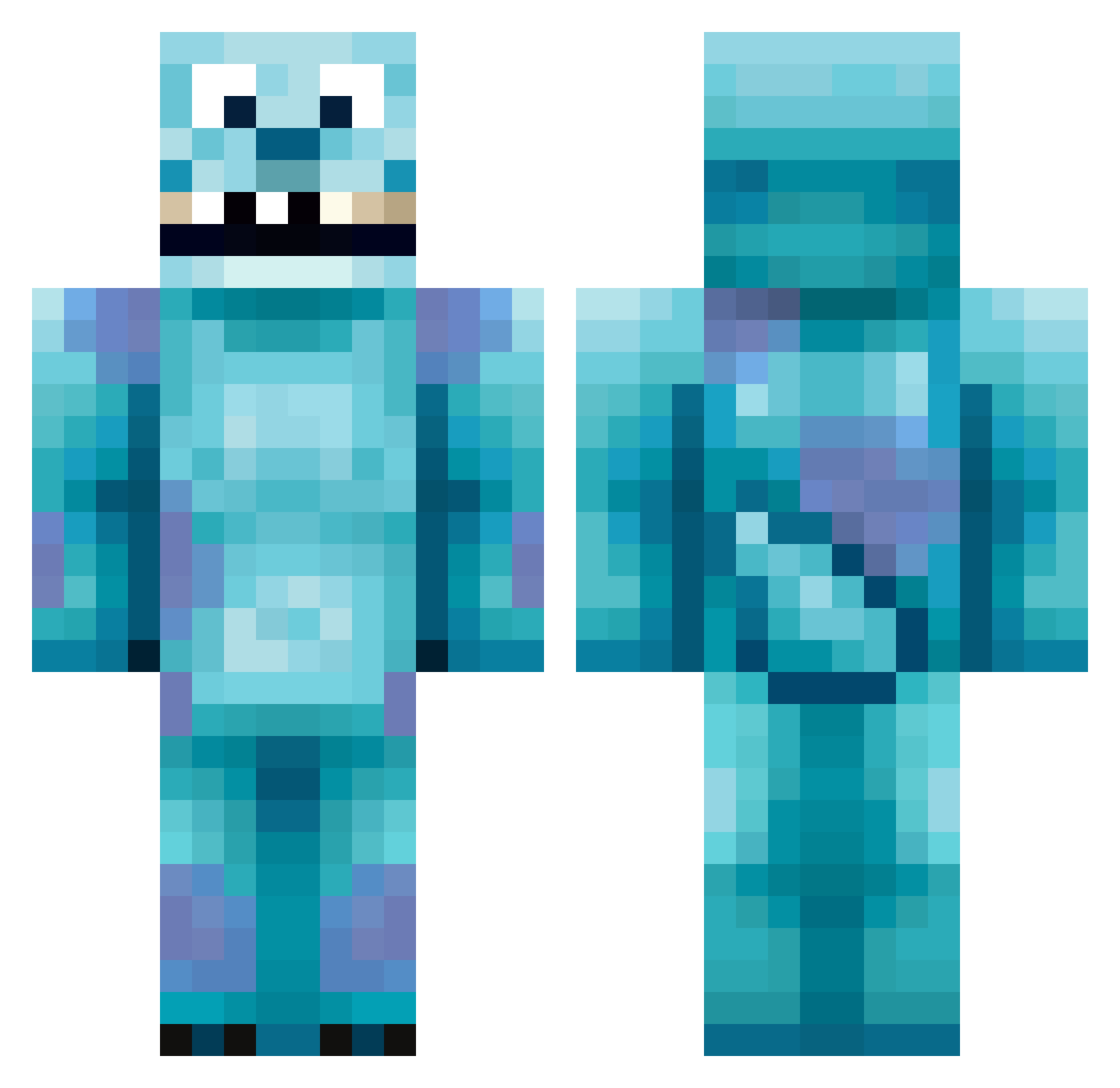
Current Minecraft skin of the player BigBishh, loaded from the official Mojang API. Rotate the 3D model with your mouse or finger, then download the skin as a PNG file and use it in Minecraft: Bedrock Edition or Java Edition for free. When BigBishh changes their skin, this page updates automatically and the old skin stays in the history below.
Other players with this skin (417)
BigBishh was the 75th player we have seen with this skin, first spotted on 14.08.2026. The same skin was seen on these players. Open a nickname to see their current skin and skin history.
 stevensgoat BigBloo9 BartMan33387 junky145 Albin0005 BZX Gaeliwiss Sno0p82 FRESHPOTS69 davidbreennexus karebear2001 RoyalEditz p_murphy Mixmojo porks1 Jemster2000 PrincessHjort tomg99 LucasSmith03 DepravedPixi InsaneWarlord kimkimouo bento313 decdogs Yoshi898 joshkiller108 A_Man_DA pinkllamaa snuffybear qasim98 fortyfire54 Supreme_Stewart cp11385 GoopySword fifabuddie123 KuoNdayo iiDominatorii Laon313 StayLowGetHigh Dave3178 Imawizzardlol Karennn228 Macadelic15 navajocrafter PrzyAlex chwayi OfflinerWei gladiati Professor_Ligma aznsuperman jellybeans_yum V3sica RugratMC BBOONA spectrl Jacedean bloodycraft AlexSetzer Cassuee freddiemaw111
More Sulley Minecraft skins
How to install the BigBishh skin
- Press the Download button above to save the skin as a PNG file.
- Minecraft: Bedrock Edition (PE): open the Dressing Room from the main menu (or tap your character → Edit Character), go to Classic Skins → Owned, press the + (new skin) button, choose the downloaded PNG and pick the Classic (Steve) model. Works on PC and mobile; consoles cannot import custom skins.
- Minecraft: Java Edition: open the Minecraft Launcher, go to the Skins tab, click New Skin, load the PNG, pick the Classic (Steve) model and press Save & Use. You can also upload it at minecraft.net → Profile → Change Skin.
The skin does not show up after import - what should I do?
Restart Minecraft and open the Dressing Room again - imported skins sometimes appear only after a restart. Also make sure you selected the imported skin and picked the Classic (Steve) model.
Which model should I choose, Classic or Slim?
This skin is designed for the Classic (Steve) model. If you pick the wrong model, the arms of the skin will look stretched or squeezed.
Is the skin of BigBishh free to download?
Yes. Press Download, save the PNG file and use it in Minecraft: Bedrock Edition or Java Edition - no payment or registration needed. The skin also works on multiplayer servers and Realms.
More skins
Looking for more? Go back to all Minecraft skins and check the top skins of the week, month and all time, or find any player's skin by nickname.