
fever_cow - Minecraft Skins & Skin History
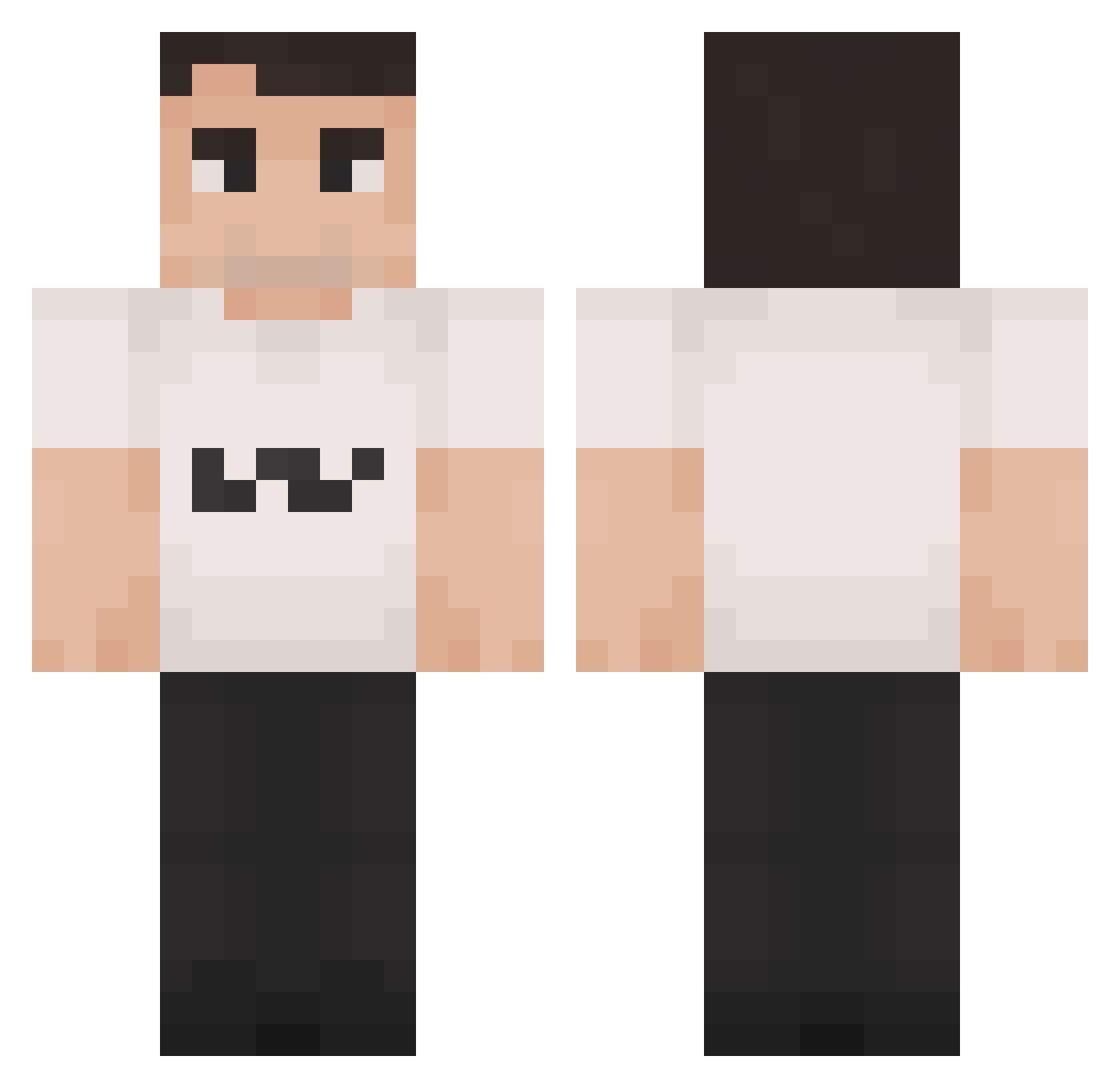
Current Minecraft skin of the player fever_cow, loaded from the official Mojang API. Rotate the 3D model with your mouse or finger, then download the skin as a PNG file and use it in Minecraft: Bedrock Edition or Java Edition for free. When fever_cow changes their skin, this page updates automatically and the old skin stays in the history below.
Other players with this skin (1420)
fever_cow was the 411th player we have seen with this skin, first spotted on 23.08.2026. The same skin was seen on these players. Open a nickname to see their current skin and skin history.
 zHurricane_ 2LatE__ rawbbb gigakaka123_ papapuum nono_mb Jowyck yesu5 orsopeloso69 NuggetsFritos TrumpTouchedMe Brigmizer coomsockjustin HoboJoe3218 Hachapala1097 charlie_perk AsalNax Monkey_Sherlock charliekirk600 isaacplayzyt Lennon451 KingOfTSville
 CavaloRosa EnderDragon1718 blakew_69 Yugh1 ThomasYorkshire
 fmonsta Ark_Not_Found BabkaBezRenty_ charlie_clanker Narbeh ojkos Puyopac01 idcarx SUGKUKENMIN69 Kroccs_ hi_im_chris1 EliasRush Caspir123 Wiklundarn21 JoshyJams Licent aardappelsnuiver Surferfire bedroomgamer Fiatza2452 humblestefan dansksvine
 Bordys S0yTuMama iamInno Loganio213 Asra7 CaptainJackSoori Drayzzz1 reuks SpionPoelse thewall2929
 ForkEater21
More Schlatt Minecraft skins
How to install the fever_cow skin
- Press the Download button above to save the skin as a PNG file.
- Minecraft: Bedrock Edition (PE): open the Dressing Room from the main menu (or tap your character → Edit Character), go to Classic Skins → Owned, press the + (new skin) button, choose the downloaded PNG and pick the Classic (Steve) model. Works on PC and mobile; consoles cannot import custom skins.
- Minecraft: Java Edition: open the Minecraft Launcher, go to the Skins tab, click New Skin, load the PNG, pick the Classic (Steve) model and press Save & Use. You can also upload it at minecraft.net → Profile → Change Skin.
The skin does not show up after import - what should I do?
Restart Minecraft and open the Dressing Room again - imported skins sometimes appear only after a restart. Also make sure you selected the imported skin and picked the Classic (Steve) model.
Which model should I choose, Classic or Slim?
This skin is designed for the Classic (Steve) model. If you pick the wrong model, the arms of the skin will look stretched or squeezed.
Is the skin of fever_cow free to download?
Yes. Press Download, save the PNG file and use it in Minecraft: Bedrock Edition or Java Edition - no payment or registration needed. The skin also works on multiplayer servers and Realms.
More skins
Looking for more? Go back to all Minecraft skins and check the top skins of the week, month and all time, or find any player's skin by nickname.