
extazz951 - Minecraft Skins & Skin History
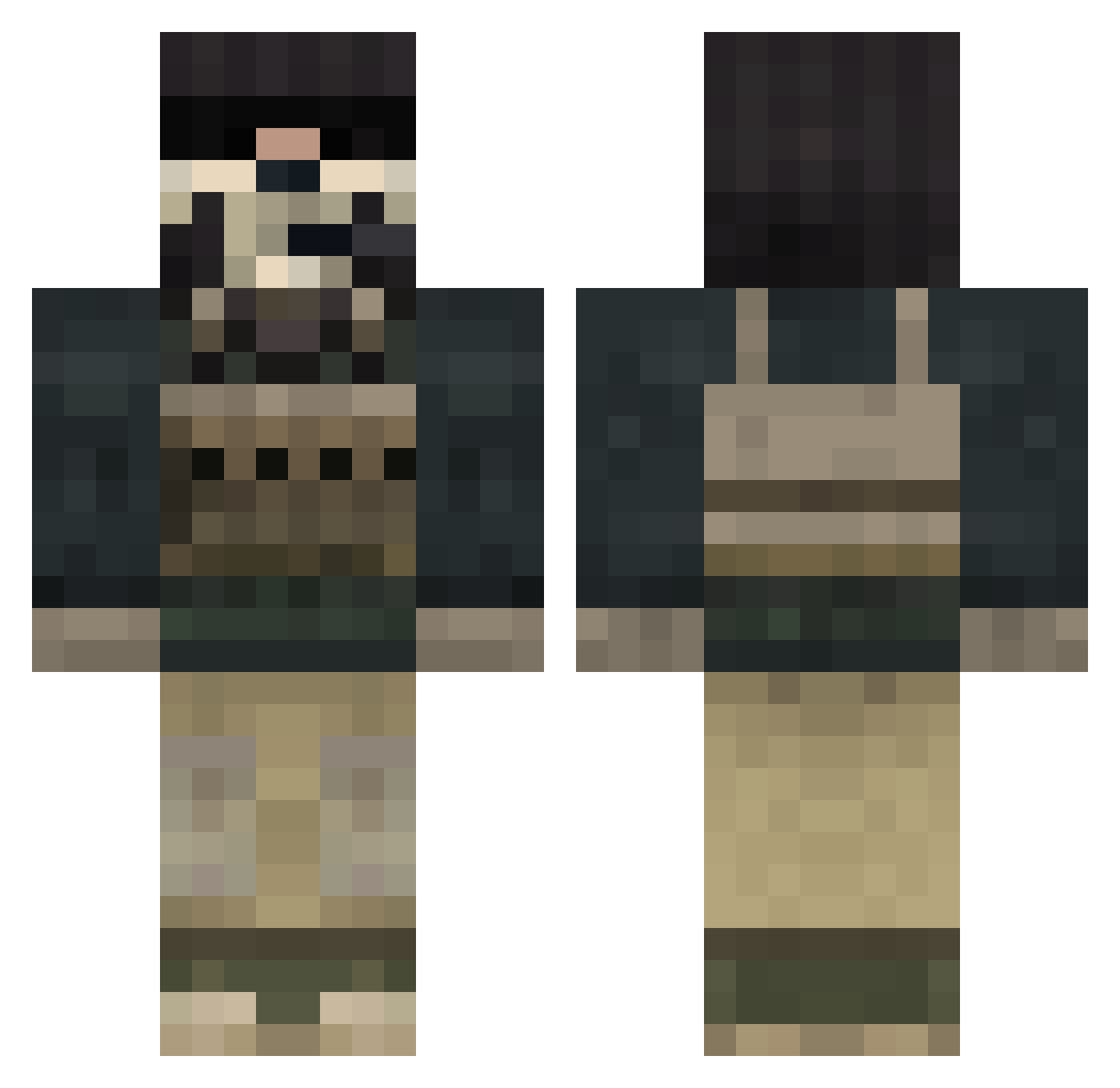
Current Minecraft skin of the player extazz951, loaded from the official Mojang API. Rotate the 3D model with your mouse or finger, then download the skin as a PNG file and use it in Minecraft: Bedrock Edition or Java Edition for free. When extazz951 changes their skin, this page updates automatically and the old skin stays in the history below.
Other players with this skin (848)
extazz951 was the 528th player we have seen with this skin, first spotted on 04.10.2026. The same skin was seen on these players. Open a nickname to see their current skin and skin history.
 RKG71 Klima_DK FubusMaximus TheElementBoy AlexStr codeblue1313 pyroman33 nigel_schous Gunmell SWEverliving slayer6275 Thylex MrZhyigyl HTCtoxicity jordonias1998 eagleye2712 kleinsepp1 NickNack999 superhappymeaty RustyHD ninja1369 Quagman84 DrewDeihl iwreckshop Manny4682 ZeusCowz Sp00kYSp00n OhbeyJoel EMT_Tragic jerald5017 beefmonkey247 Decruxx Mutukage Skippy_207 gusbon TheRealQaZeR CODXP egonabner SkyToilet Profighter88 fireparker78 doorblocker iN_yO_fAcE224 david_bryant24 CcMoreauCc Kurito skulldoom99 DarkSlayer50 d4sport1 bwao Dann1231 Warman6694 johnant Purehassle NextEndThe EpicGamer69xDlol Gh0sttimur rasser1000 AtariKafaTeam oscarpmmax
More Call Of Duty Minecraft skins
See all 174 Call Of Duty skins
How to install the extazz951 skin
- Press the Download button above to save the skin as a PNG file.
- Minecraft: Bedrock Edition (PE): open the Dressing Room from the main menu (or tap your character → Edit Character), go to Classic Skins → Owned, press the + (new skin) button, choose the downloaded PNG and pick the Classic (Steve) model. Works on PC and mobile; consoles cannot import custom skins.
- Minecraft: Java Edition: open the Minecraft Launcher, go to the Skins tab, click New Skin, load the PNG, pick the Classic (Steve) model and press Save & Use. You can also upload it at minecraft.net → Profile → Change Skin.
The skin does not show up after import - what should I do?
Restart Minecraft and open the Dressing Room again - imported skins sometimes appear only after a restart. Also make sure you selected the imported skin and picked the Classic (Steve) model.
Which model should I choose, Classic or Slim?
This skin is designed for the Classic (Steve) model. If you pick the wrong model, the arms of the skin will look stretched or squeezed.
Is the skin of extazz951 free to download?
Yes. Press Download, save the PNG file and use it in Minecraft: Bedrock Edition or Java Edition - no payment or registration needed. The skin also works on multiplayer servers and Realms.
More skins
Looking for more? Go back to all Minecraft skins and check the top skins of the week, month and all time, or find any player's skin by nickname.