
ervictor0538 - Minecraft Skins & Skin History
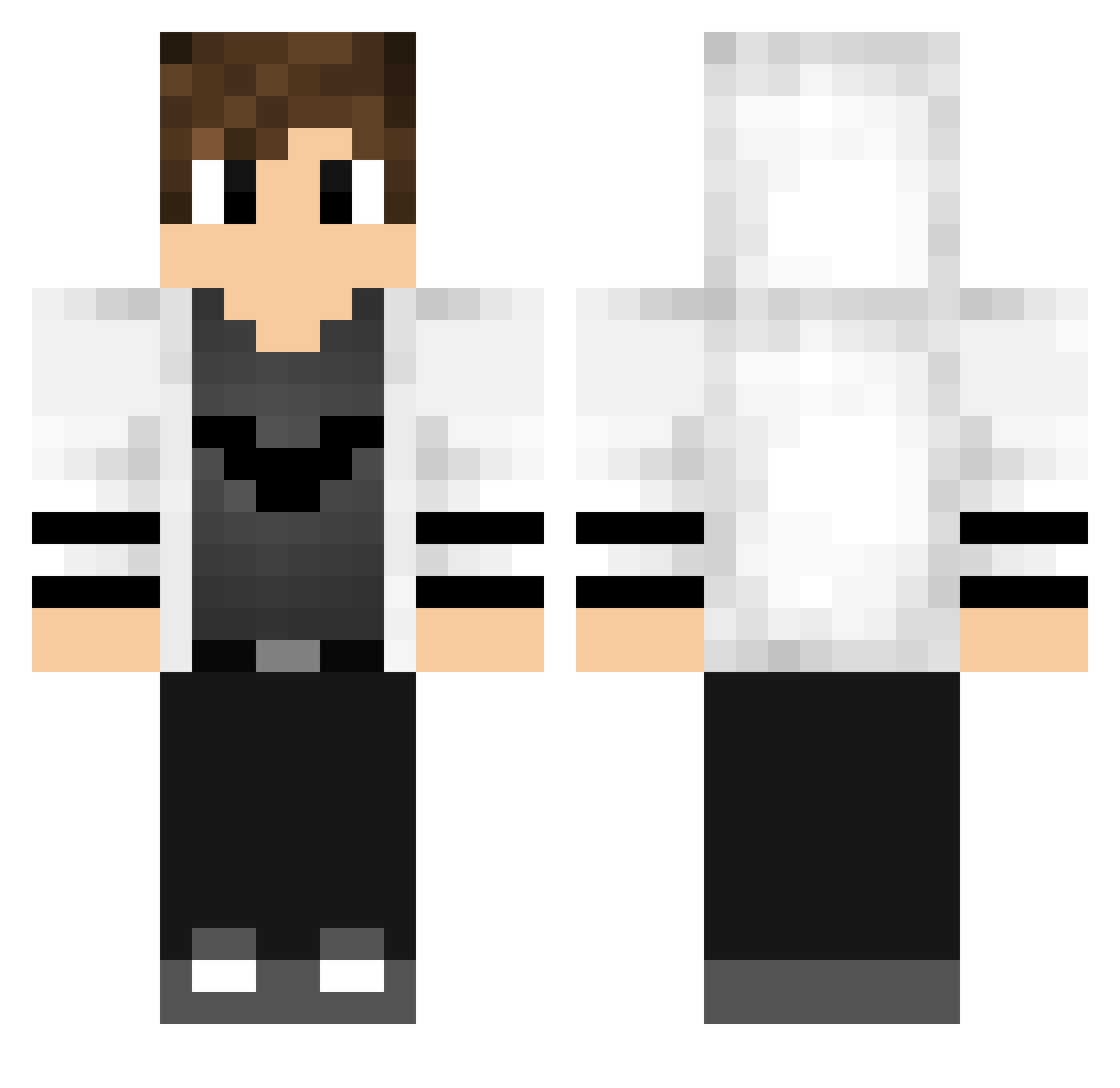
Current Minecraft skin of the player ervictor0538, loaded from the official Mojang API. Rotate the 3D model with your mouse or finger, then download the skin as a PNG file and use it in Minecraft: Bedrock Edition or Java Edition for free. When ervictor0538 changes their skin, this page updates automatically and the old skin stays in the history below.
Other players with this skin (768)
ervictor0538 was the 151st player we have seen with this skin, first spotted on 18.08.2026. The same skin was seen on these players. Open a nickname to see their current skin and skin history.
 jonny7test Charrior I_LUTHER beercaps Floz1k3 TANOKURA
 vrai_luffy Capo2014 A1essandro Archibald13 XronCZ NLS_Kreox fylyn32 acvKun 1Rtchett KERUTAKA1 kktre LaaDaaS dextermaister F0x404 Owl_Lopez NinjaTomOMG HW130 ngym YELLOWSTAR09 Tedd2332 Mohamed2030 kejedaha hamburgler07 Deathman55000 Ddoii OGDaddyJoel Phobos313_ Nacho__0 THE_KENZO75 Vezinn Knucklehead10 Xydr4 Robustix_ OwaisAB FabriMonte xxPetardinio Sheaatk tatuzi1234 dimilol Gh00sstt Faaazeq Kolentor ParadoX5_ Spida22 CMD_Crafter SpeedyZsZ GrizzlyKiller Strakered EzrealGG Doudesign ErwinBakker Helorio CODS12 gerganfan
More Bat Symbol Minecraft skins
How to install the ervictor0538 skin
- Press the Download button above to save the skin as a PNG file.
- Minecraft: Bedrock Edition (PE): open the Dressing Room from the main menu (or tap your character → Edit Character), go to Classic Skins → Owned, press the + (new skin) button, choose the downloaded PNG and pick the Classic (Steve) model. Works on PC and mobile; consoles cannot import custom skins.
- Minecraft: Java Edition: open the Minecraft Launcher, go to the Skins tab, click New Skin, load the PNG, pick the Classic (Steve) model and press Save & Use. You can also upload it at minecraft.net → Profile → Change Skin.
The skin does not show up after import - what should I do?
Restart Minecraft and open the Dressing Room again - imported skins sometimes appear only after a restart. Also make sure you selected the imported skin and picked the Classic (Steve) model.
Which model should I choose, Classic or Slim?
This skin is designed for the Classic (Steve) model. If you pick the wrong model, the arms of the skin will look stretched or squeezed.
Is the skin of ervictor0538 free to download?
Yes. Press Download, save the PNG file and use it in Minecraft: Bedrock Edition or Java Edition - no payment or registration needed. The skin also works on multiplayer servers and Realms.
More skins
Looking for more? Go back to all Minecraft skins and check the top skins of the week, month and all time, or find any player's skin by nickname.