
enderqueen751 - Minecraft Skins & Skin History
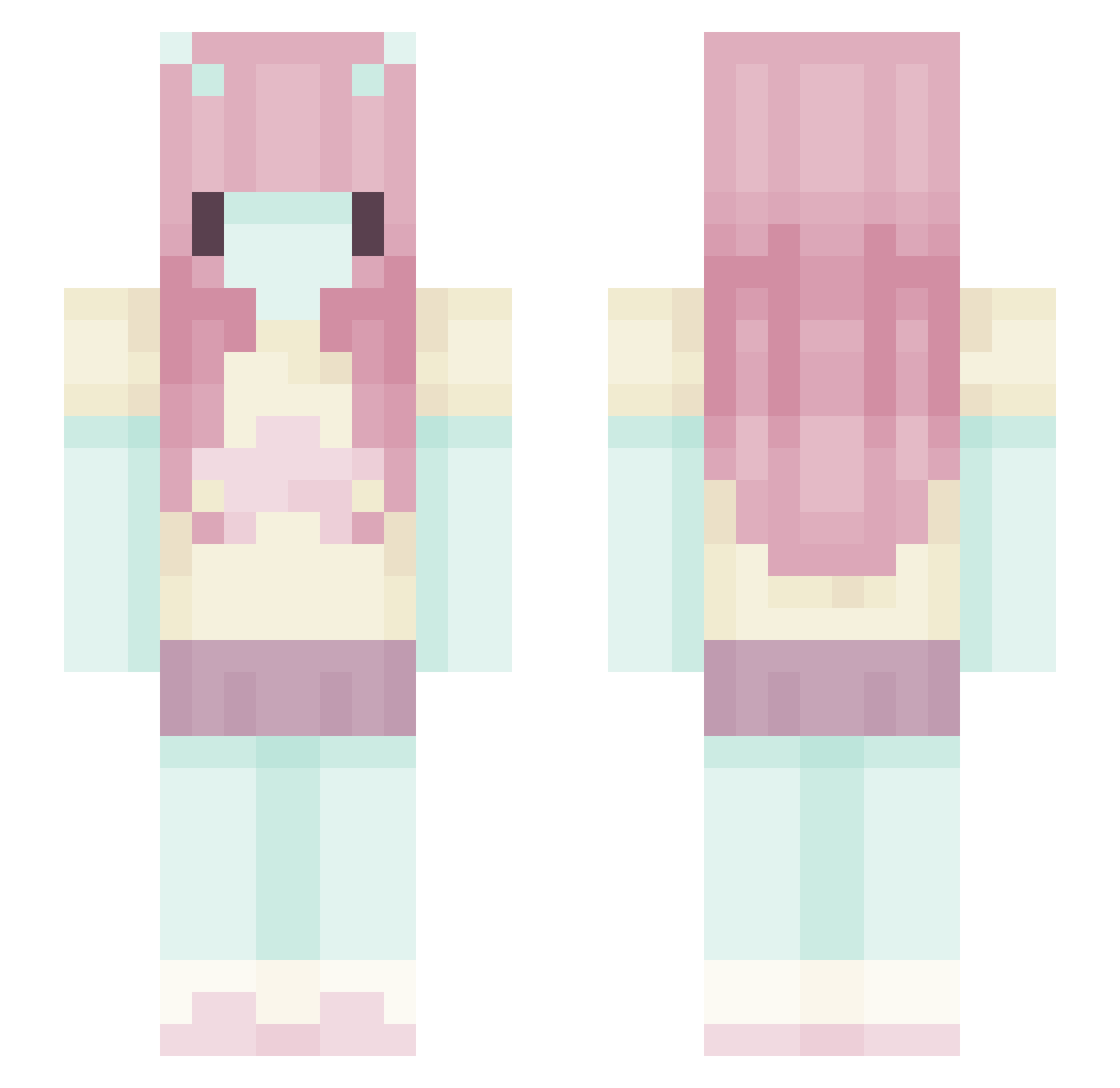
Current Minecraft skin of the player enderqueen751, loaded from the official Mojang API. Rotate the 3D model with your mouse or finger, then download the skin as a PNG file and use it in Minecraft: Bedrock Edition or Java Edition for free. When enderqueen751 changes their skin, this page updates automatically and the old skin stays in the history below.
Other players with this skin (580)
enderqueen751 was the 260th player we have seen with this skin, first spotted on 11.09.2026. The same skin was seen on these players. Open a nickname to see their current skin and skin history.
 todietwice 30min liora_f4 hyst6ria
 radyolukafalar evanmie nynyz FqllenAngel_
 kaiisnotokay NotAngieee sushinomnom
 mercedes21 MargaretX suigyol Buhtla eviemay823 Melian_ va1ivix emeliejoycee ariadotwav colaLiquida Nail0l vCatJam veliuoka Wilq_szoper jadakartier toxicveilss oatsake theradiodept maryanettt bestaurevoir ImReclaimer LazyxCloud Ryyajx alxksj Starielle_ pwppygf peachuui Turto0122 TinkerB3ll3 Sari1t DaviGabriel13 LOOPER00 Capria630 The_vanci RaveyLoaf Vemesis_ p3riodix29 briecheeese cilginhamsi61 nanibu_ zhan9e EviKiwi jukwczkaq Mowoin Reikonee adiwasthere TU_Ji_Shi_Zhu Nagibat0r_3000 Aixiine
More Zero Two Minecraft skins
How to install the enderqueen751 skin
- Press the Download button above to save the skin as a PNG file.
- Minecraft: Bedrock Edition (PE): open the Dressing Room from the main menu (or tap your character → Edit Character), go to Classic Skins → Owned, press the + (new skin) button, choose the downloaded PNG and pick the Slim (Alex) model. Works on PC and mobile; consoles cannot import custom skins.
- Minecraft: Java Edition: open the Minecraft Launcher, go to the Skins tab, click New Skin, load the PNG, pick the Slim (Alex) model and press Save & Use. You can also upload it at minecraft.net → Profile → Change Skin.
The skin does not show up after import - what should I do?
Restart Minecraft and open the Dressing Room again - imported skins sometimes appear only after a restart. Also make sure you selected the imported skin and picked the Slim (Alex) model.
Which model should I choose, Classic or Slim?
This skin is designed for the Slim (Alex) model. If you pick the wrong model, the arms of the skin will look stretched or squeezed.
Is the skin of enderqueen751 free to download?
Yes. Press Download, save the PNG file and use it in Minecraft: Bedrock Edition or Java Edition - no payment or registration needed. The skin also works on multiplayer servers and Realms.
More skins
Looking for more? Go back to all Minecraft skins and check the top skins of the week, month and all time, or find any player's skin by nickname.