
elvira7 - Minecraft Skins & Skin History
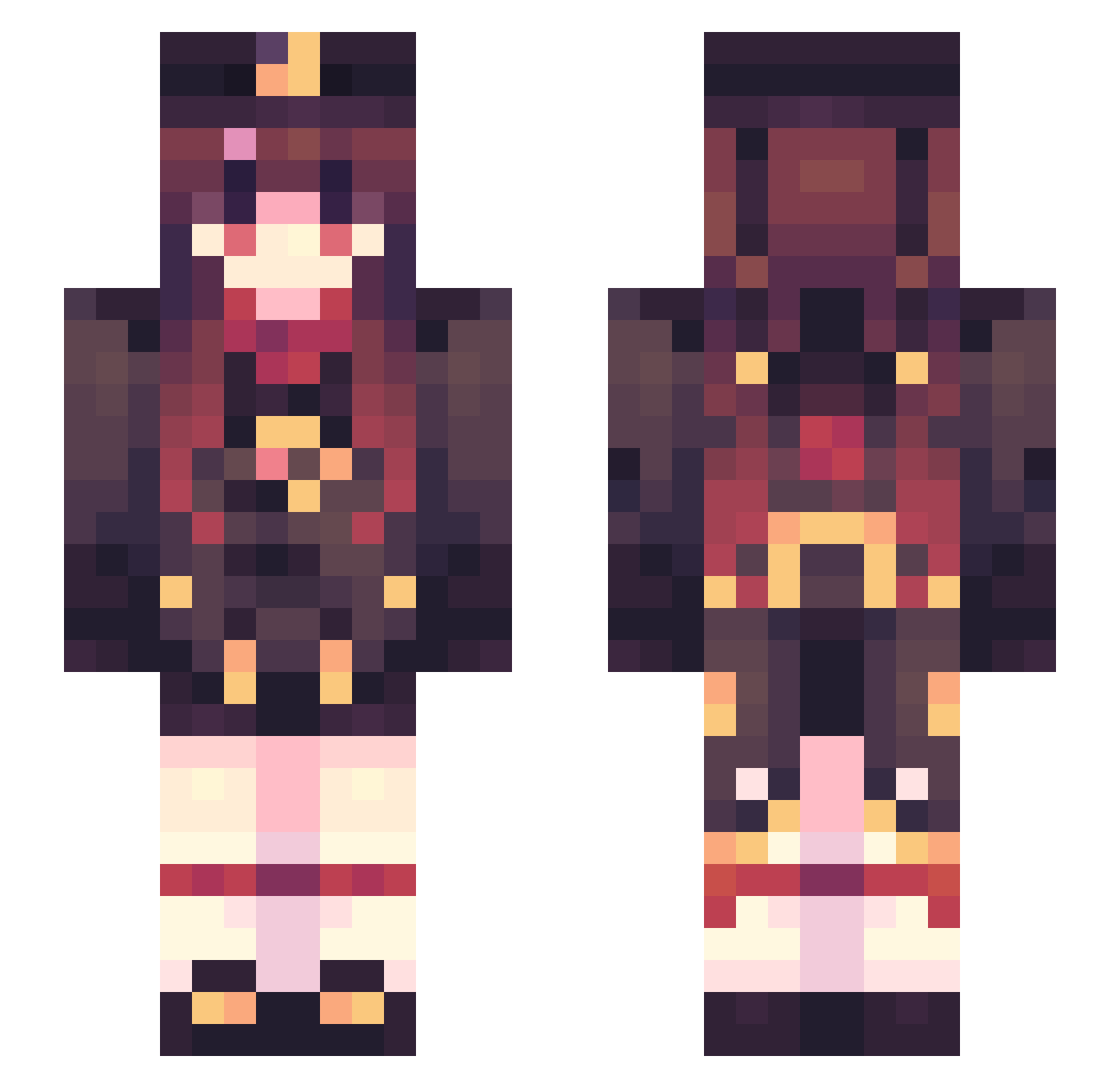
Current Minecraft skin of the player elvira7, loaded from the official Mojang API. Rotate the 3D model with your mouse or finger, then download the skin as a PNG file and use it in Minecraft: Bedrock Edition or Java Edition for free. When elvira7 changes their skin, this page updates automatically and the old skin stays in the history below.
Other players with this skin (469)
elvira7 was the 315th player we have seen with this skin, first spotted on 30.09.2026. The same skin was seen on these players. Open a nickname to see their current skin and skin history.
 Xin_xu XYDY Tmtach CrDeed_03 xRiin shisi6 sllmxiao Fe_Co 2Kobe4__ MirialliaHaw diocide HuTao666 may_also Melody_momo HuajiCowCeShi Racua miso_soup8700 mOupro Redapple_one SxnTozz yukachi96 iziqui square_tyanka MosinYuan REZERO_MA hydrospout mira_mira23 J4dempire liuhuaY xiaogaoerr GrassShrem KongXu_ syachou08 vixare SCARADOOKIEE jncsl leonardo2b27 ehjjj niluodou Little_Moonlord fdryf NotNotBryan sung2c Ast_Yarik Martin_Grey bubble_been MooMooMunchkin Small_Meef FireAndIceTNT_15 cnm101115 de_F1na HutaoJK MillionBug BasicNorn BrawnyHalo Cindeer SUMMER1NG xT4nn3r wooac chikuwaffuru
More Hu Tao Minecraft skins
How to install the elvira7 skin
- Press the Download button above to save the skin as a PNG file.
- Minecraft: Bedrock Edition (PE): open the Dressing Room from the main menu (or tap your character → Edit Character), go to Classic Skins → Owned, press the + (new skin) button, choose the downloaded PNG and pick the Slim (Alex) model. Works on PC and mobile; consoles cannot import custom skins.
- Minecraft: Java Edition: open the Minecraft Launcher, go to the Skins tab, click New Skin, load the PNG, pick the Slim (Alex) model and press Save & Use. You can also upload it at minecraft.net → Profile → Change Skin.
The skin does not show up after import - what should I do?
Restart Minecraft and open the Dressing Room again - imported skins sometimes appear only after a restart. Also make sure you selected the imported skin and picked the Slim (Alex) model.
Which model should I choose, Classic or Slim?
This skin is designed for the Slim (Alex) model. If you pick the wrong model, the arms of the skin will look stretched or squeezed.
Is the skin of elvira7 free to download?
Yes. Press Download, save the PNG file and use it in Minecraft: Bedrock Edition or Java Edition - no payment or registration needed. The skin also works on multiplayer servers and Realms.
More skins
Looking for more? Go back to all Minecraft skins and check the top skins of the week, month and all time, or find any player's skin by nickname.