
ella2416 - Minecraft Skins & Skin History
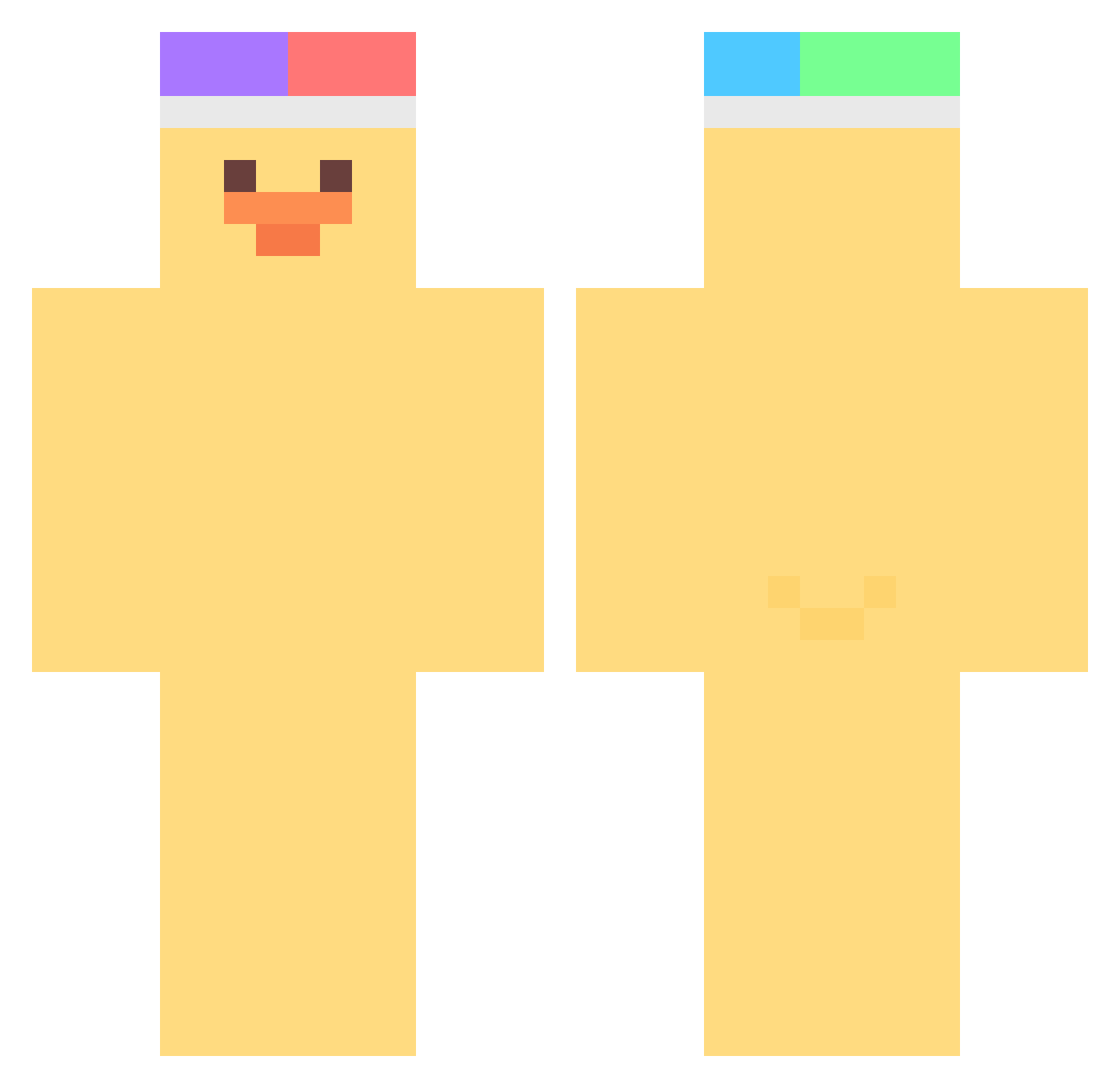
Current Minecraft skin of the player ella2416, loaded from the official Mojang API. Rotate the 3D model with your mouse or finger, then download the skin as a PNG file and use it in Minecraft: Bedrock Edition or Java Edition for free. When ella2416 changes their skin, this page updates automatically and the old skin stays in the history below.
Other players with this skin (463)
ella2416 was the 404th player we have seen with this skin, first spotted on 25.10.2026. The same skin was seen on these players. Open a nickname to see their current skin and skin history.
 Y0shispielt NoahsBurrito iceman_1020 AI_NANO iillumiNATH ragon12 zacryalls Minguri1226 Hyeokje Alpi_99 sua_cute BrookColl Nas_a DuckInvaders Quacckss minsu06 Krmpro yesol030 min_g030 qutequte sewony For_everyoung10 myblueberrynight LilDuck kaczorekpl Jessiccca do_o2 D3KI_ SKYWIKY Eun_wol __beebo rootpye daehui0809 Unghyun_0110 Xynz2 Biioiii JJun1439 tada17 cocomooo armaan6344 ApplePies88 patinhuh BrokenInMinecrft Pekans SJH08 MountainWrecker1 RedNyang AbominableOreo_ yabsab2 ArnasBlatata szkielet_realny B0onsu Hyos0419 sando12304 phummss PapaSamuu Suya2Netaro __wanda__ GDJ_ Antonyaa_07
More Duck Minecraft skins
How to install the ella2416 skin
- Press the Download button above to save the skin as a PNG file.
- Minecraft: Bedrock Edition (PE): open the Dressing Room from the main menu (or tap your character → Edit Character), go to Classic Skins → Owned, press the + (new skin) button, choose the downloaded PNG and pick the Classic (Steve) model. Works on PC and mobile; consoles cannot import custom skins.
- Minecraft: Java Edition: open the Minecraft Launcher, go to the Skins tab, click New Skin, load the PNG, pick the Classic (Steve) model and press Save & Use. You can also upload it at minecraft.net → Profile → Change Skin.
The skin does not show up after import - what should I do?
Restart Minecraft and open the Dressing Room again - imported skins sometimes appear only after a restart. Also make sure you selected the imported skin and picked the Classic (Steve) model.
Which model should I choose, Classic or Slim?
This skin is designed for the Classic (Steve) model. If you pick the wrong model, the arms of the skin will look stretched or squeezed.
Is the skin of ella2416 free to download?
Yes. Press Download, save the PNG file and use it in Minecraft: Bedrock Edition or Java Edition - no payment or registration needed. The skin also works on multiplayer servers and Realms.
More skins
Looking for more? Go back to all Minecraft skins and check the top skins of the week, month and all time, or find any player's skin by nickname.