
eatmybut - Minecraft Skins & Skin History
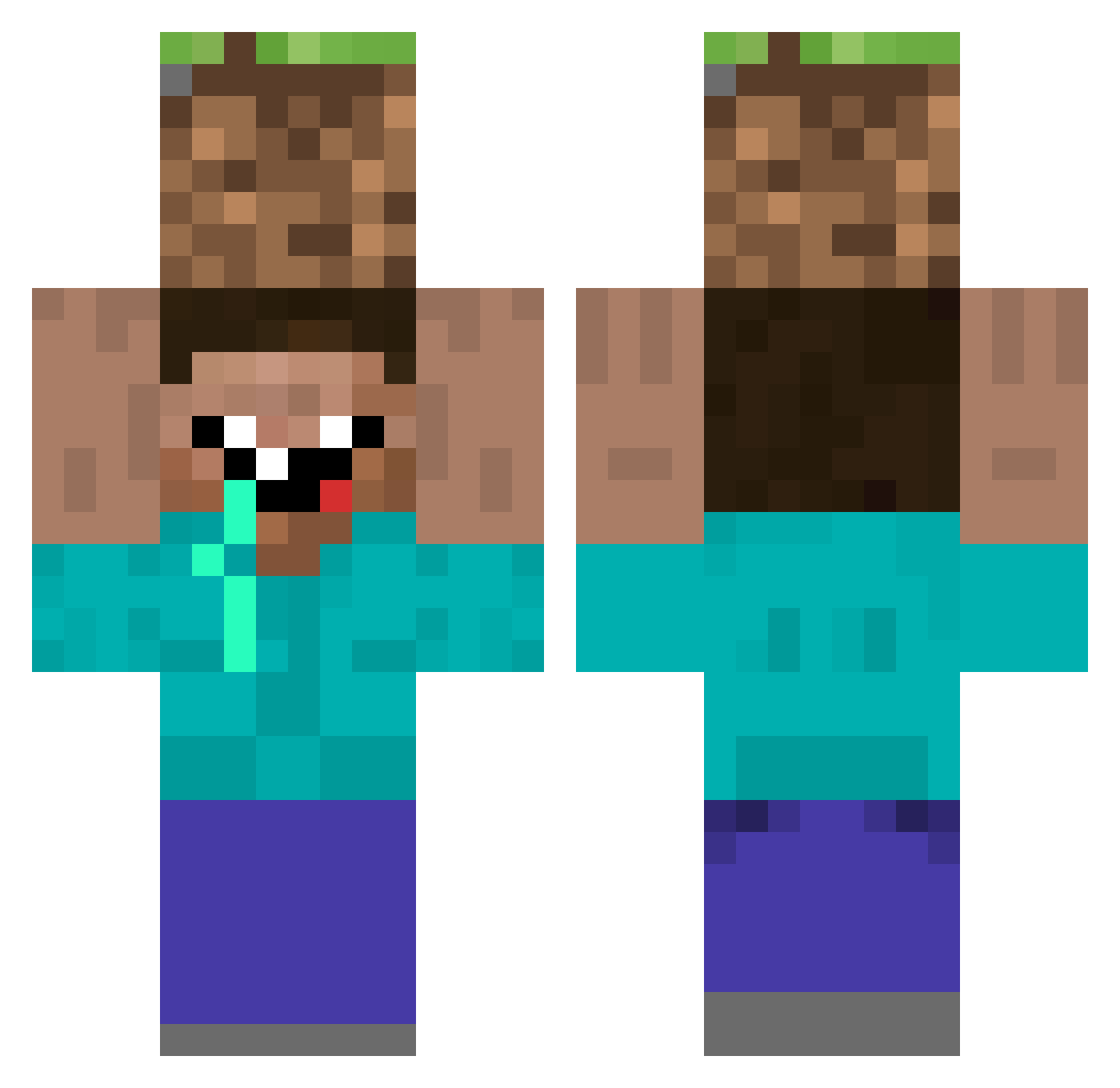
Current Minecraft skin of the player eatmybut, loaded from the official Mojang API. Rotate the 3D model with your mouse or finger, then download the skin as a PNG file and use it in Minecraft: Bedrock Edition or Java Edition for free. When eatmybut changes their skin, this page updates automatically and the old skin stays in the history below.
Other players with this skin (307)
eatmybut was the 280th player we have seen with this skin, first spotted on 22.10.2026. The same skin was seen on these players. Open a nickname to see their current skin and skin history.
 ImFranco42 asdf1821 R4YFLOW GooseApocalypsE HOT_TKG Alex_Jones_Frogs 17kevin Julio0016 NeBulAnoVa_ lSchottky IslandMonkey73 dondiego31 Amynee Tanamati27 wo1fie2007 PotatoPassion Embourgeoiser ___Soka___ NavyCorpsman3 WooHyun_ Raphfly Cmapbejdod GeeGolly19 lliilliilililili Kaosoiaroi Bluelord1243 Wiktoreg kjkjsss Ridly86 nerf___ Suparsloth LEEHOJUN_ deusmillyvre polimo90 bodhi08 VerosEinar ongsup Zilthicc yoonyounguk TheMegaflow nyutoxz Mtx280hzz AmiGrooot LilBuggie Jasonlau0114 Melonsoda_42 Sword999 IanFei Asrodel tychoow Xiang0__0 Brubruvador Schnupftabak69 Weseth123 angelo100pika GGSnoboY_ Jinne879 Dream_ez aurudodasilva xoDarkk
More Dirt Block Minecraft skins
How to install the eatmybut skin
- Press the Download button above to save the skin as a PNG file.
- Minecraft: Bedrock Edition (PE): open the Dressing Room from the main menu (or tap your character → Edit Character), go to Classic Skins → Owned, press the + (new skin) button, choose the downloaded PNG and pick the Classic (Steve) model. Works on PC and mobile; consoles cannot import custom skins.
- Minecraft: Java Edition: open the Minecraft Launcher, go to the Skins tab, click New Skin, load the PNG, pick the Classic (Steve) model and press Save & Use. You can also upload it at minecraft.net → Profile → Change Skin.
The skin does not show up after import - what should I do?
Restart Minecraft and open the Dressing Room again - imported skins sometimes appear only after a restart. Also make sure you selected the imported skin and picked the Classic (Steve) model.
Which model should I choose, Classic or Slim?
This skin is designed for the Classic (Steve) model. If you pick the wrong model, the arms of the skin will look stretched or squeezed.
Is the skin of eatmybut free to download?
Yes. Press Download, save the PNG file and use it in Minecraft: Bedrock Edition or Java Edition - no payment or registration needed. The skin also works on multiplayer servers and Realms.
More skins
Looking for more? Go back to all Minecraft skins and check the top skins of the week, month and all time, or find any player's skin by nickname.