
eGabi - Minecraft Skins & Skin History
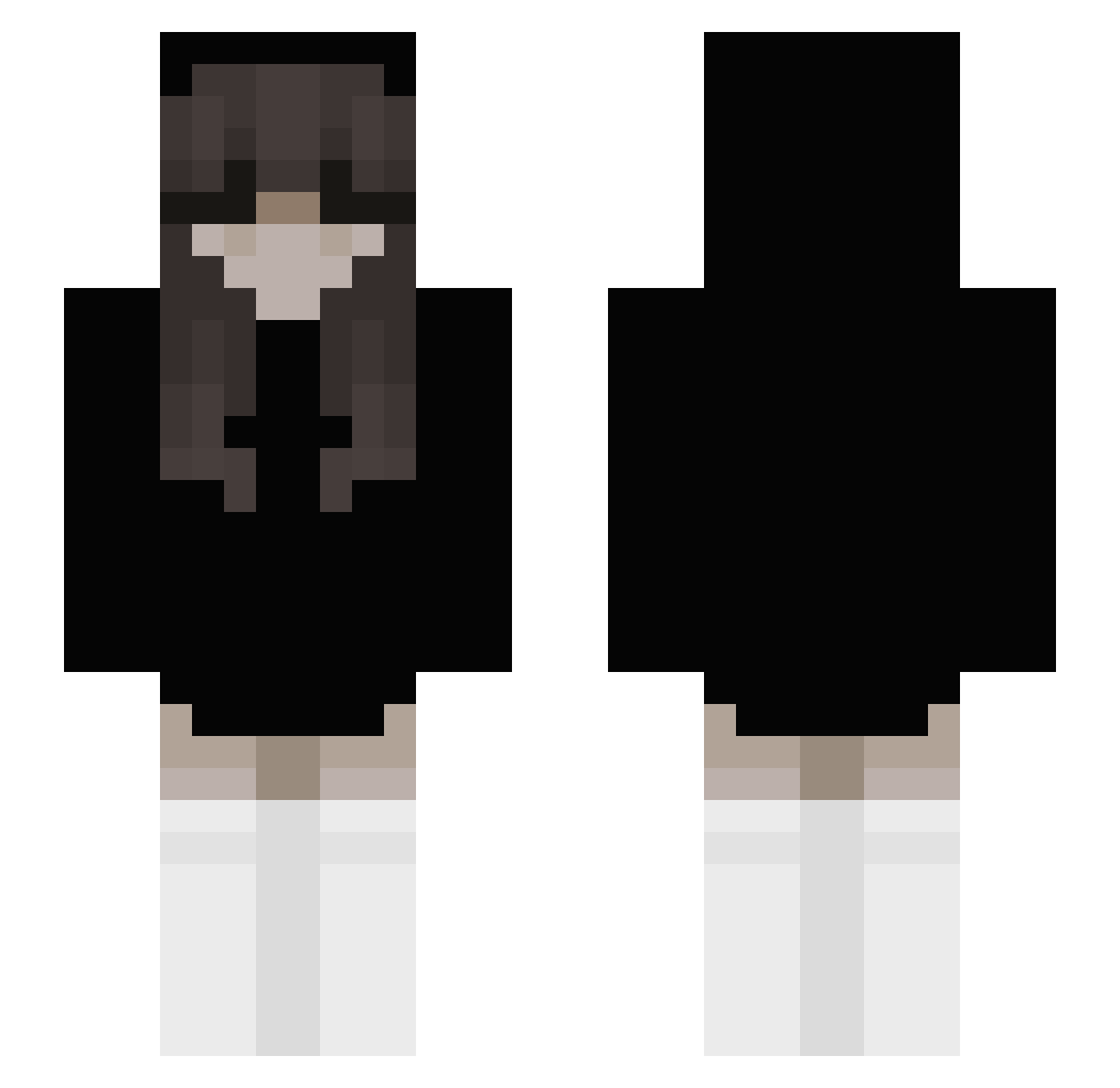
Current Minecraft skin of the player eGabi, loaded from the official Mojang API. Rotate the 3D model with your mouse or finger, then download the skin as a PNG file and use it in Minecraft: Bedrock Edition or Java Edition for free. When eGabi changes their skin, this page updates automatically and the old skin stays in the history below.
Other players with this skin (240)
eGabi was the 51st player we have seen with this skin, first spotted on 20.08.2026. The same skin was seen on these players. Open a nickname to see their current skin and skin history.
 _Larinha VFXCH1LZZ Chadbaru Baskaya43 MasterZGD agastar ailimewws Barisocool 13xlauren Bwenjii ekgh123 sorrynite https_ash NAWHIK mcytchild primawera1 jbfm iTreeDog vjle Minniee18 Jagoda263 xzfzg Nutcracker157 Francesco__1 Origon4532 lastnightyoman Eric_Hoz Mhy_NurettinEnes falankz ZenHerK LIZ2IE ItsWolfStar FineGoat123 Dogee13 ppopotan httpshypixel Surilynn Greyed569 ssophiie DeadRosess InsertIsClapped yk_hanna taanata zulina Whippey07 ResetLove R_Stop lehtxcia 76cm TitanHoover SolkoXvd nadix_sapix matycicl3 Winter199510 fumina29 hpox Samantha97 Yirmak0 dababylesgo caitlin1872
More Emo Minecraft skins
How to install the eGabi skin
- Press the Download button above to save the skin as a PNG file.
- Minecraft: Bedrock Edition (PE): open the Dressing Room from the main menu (or tap your character → Edit Character), go to Classic Skins → Owned, press the + (new skin) button, choose the downloaded PNG and pick the Slim (Alex) model. Works on PC and mobile; consoles cannot import custom skins.
- Minecraft: Java Edition: open the Minecraft Launcher, go to the Skins tab, click New Skin, load the PNG, pick the Slim (Alex) model and press Save & Use. You can also upload it at minecraft.net → Profile → Change Skin.
The skin does not show up after import - what should I do?
Restart Minecraft and open the Dressing Room again - imported skins sometimes appear only after a restart. Also make sure you selected the imported skin and picked the Slim (Alex) model.
Which model should I choose, Classic or Slim?
This skin is designed for the Slim (Alex) model. If you pick the wrong model, the arms of the skin will look stretched or squeezed.
Is the skin of eGabi free to download?
Yes. Press Download, save the PNG file and use it in Minecraft: Bedrock Edition or Java Edition - no payment or registration needed. The skin also works on multiplayer servers and Realms.
More skins
Looking for more? Go back to all Minecraft skins and check the top skins of the week, month and all time, or find any player's skin by nickname.