
eDx111 - Minecraft Skins & Skin History
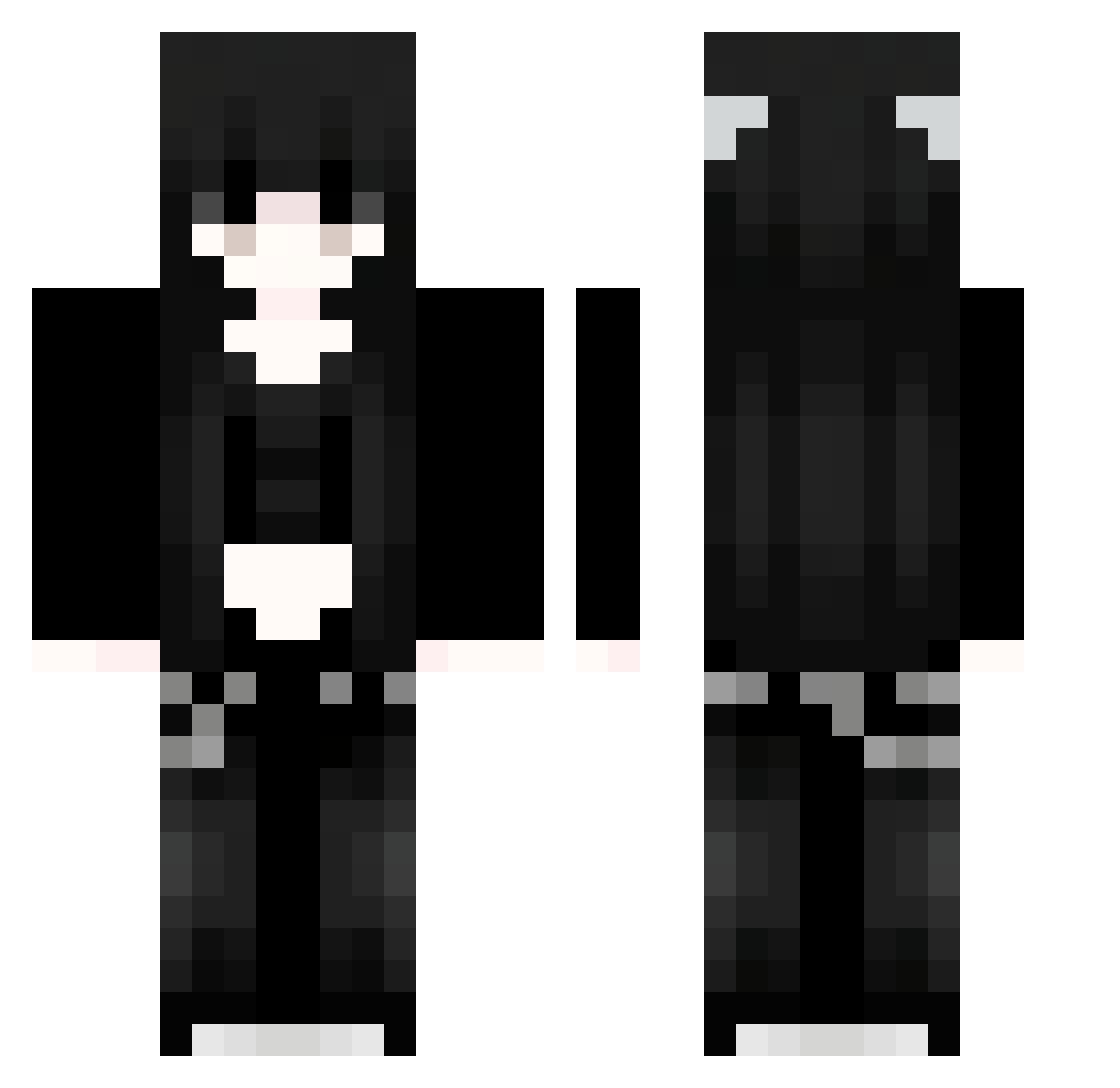
Current Minecraft skin of the player eDx111, loaded from the official Mojang API. Rotate the 3D model with your mouse or finger, then download the skin as a PNG file and use it in Minecraft: Bedrock Edition or Java Edition for free. When eDx111 changes their skin, this page updates automatically and the old skin stays in the history below.
Other players with this skin (964)
eDx111 was the 868th player we have seen with this skin, first spotted on 17.10.2026. The same skin was seen on these players. Open a nickname to see their current skin and skin history.
 rCK135 dLs258 iDw771 JFp81 stu702 hVy736 UmK781 NmV506 Ldg434 91_GtJRJtxGwY993 PhA894 VvO899 OptimumTrash620 Sakura_ulCKtf803 Sakura_ZRMBUv842 lQI614 91_aSAAqactdf725 DqL575 Sakura_LyjkdG583 pdQ974 hpT270 Sakura_OhvijV274 iJG838 nHq369 nkf37 MwR18 NNO461 ChimeraEZ bleedingvickey 91_FNIAppPlhF713 fQf608 Sakura_yYuCnG812 wHA476 kimikotsuki IbM978 zFH43 91_gXVRNkzGpW423 cxj585 91_PEXQptTgpe524 SaKuraXGP_VwE276 Ryumiluuv hLR377 hCC904 91_aJinMhDoTH363 iqz874 Averynicole gGP305 chi302 PXR514 qZl98 dXr928 Gmp823 TinaLOVE myM924 91_SxNEwAFIym159 YYP980 Soul0003 CfO619 91_GtoQgOrLxV355 Mzd922
More Emo Minecraft skins
How to install the eDx111 skin
- Press the Download button above to save the skin as a PNG file.
- Minecraft: Bedrock Edition (PE): open the Dressing Room from the main menu (or tap your character → Edit Character), go to Classic Skins → Owned, press the + (new skin) button, choose the downloaded PNG and pick the Classic (Steve) model. Works on PC and mobile; consoles cannot import custom skins.
- Minecraft: Java Edition: open the Minecraft Launcher, go to the Skins tab, click New Skin, load the PNG, pick the Classic (Steve) model and press Save & Use. You can also upload it at minecraft.net → Profile → Change Skin.
The skin does not show up after import - what should I do?
Restart Minecraft and open the Dressing Room again - imported skins sometimes appear only after a restart. Also make sure you selected the imported skin and picked the Classic (Steve) model.
Which model should I choose, Classic or Slim?
This skin is designed for the Classic (Steve) model. If you pick the wrong model, the arms of the skin will look stretched or squeezed.
Is the skin of eDx111 free to download?
Yes. Press Download, save the PNG file and use it in Minecraft: Bedrock Edition or Java Edition - no payment or registration needed. The skin also works on multiplayer servers and Realms.
More skins
Looking for more? Go back to all Minecraft skins and check the top skins of the week, month and all time, or find any player's skin by nickname.