
dziadorek - Minecraft Skins & Skin History
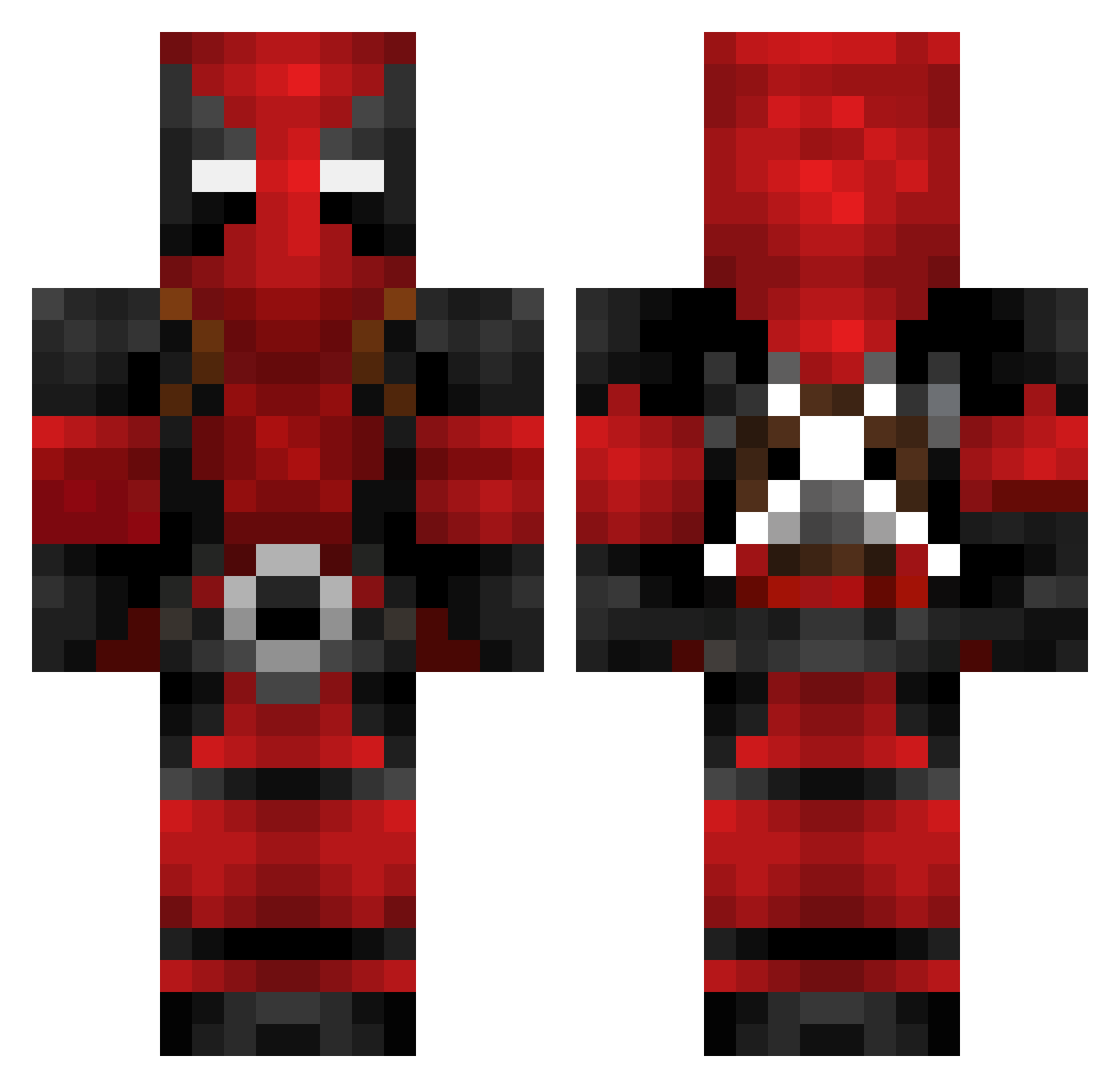
Current Minecraft skin of the player dziadorek, loaded from the official Mojang API. Rotate the 3D model with your mouse or finger, then download the skin as a PNG file and use it in Minecraft: Bedrock Edition or Java Edition for free. When dziadorek changes their skin, this page updates automatically and the old skin stays in the history below.
Other players with this skin (602)
dziadorek was the 424th player we have seen with this skin, first spotted on 27.09.2026. The same skin was seen on these players. Open a nickname to see their current skin and skin history.
 Sonuntoxo ThisJedi kirGGeN Dyron3 Yong_s1 Jabil AziaLowry Epic_Hacker XakemHD Samm_x Aurayus SARGENTO4_20 lonewolf1510 BigBlockBaka ZombiesGoOmNom _F3LPS_ DragonMax787 Patron6969 Uizclm 4kristian YTB12234 IKMtinpan mgs0522 Tsepe Aarested LASEMITOLA the_jackal1 zzGhost Hunter2475 ZeTroph Mitko12BG xBittencourT GeniusAcademy Samurai8six lt_ulquiorra Psymega1 Madrain101 Mr_Pink42 AceSage Marinofan20 martinthenewbie CourageousGopher nespartacoxd FrederickOnFire uoy_kuf BakDam Grios88 CoreanoInmuebles alegannn Nitrotip gracefultepig EricXon Maboule85 Dad_Im_Only_9 0zero1 DaNodl Kineee Lunis555 HAPPYtsubasa TheNiko660
More Deadpool Minecraft skins
How to install the dziadorek skin
- Press the Download button above to save the skin as a PNG file.
- Minecraft: Bedrock Edition (PE): open the Dressing Room from the main menu (or tap your character → Edit Character), go to Classic Skins → Owned, press the + (new skin) button, choose the downloaded PNG and pick the Classic (Steve) model. Works on PC and mobile; consoles cannot import custom skins.
- Minecraft: Java Edition: open the Minecraft Launcher, go to the Skins tab, click New Skin, load the PNG, pick the Classic (Steve) model and press Save & Use. You can also upload it at minecraft.net → Profile → Change Skin.
The skin does not show up after import - what should I do?
Restart Minecraft and open the Dressing Room again - imported skins sometimes appear only after a restart. Also make sure you selected the imported skin and picked the Classic (Steve) model.
Which model should I choose, Classic or Slim?
This skin is designed for the Classic (Steve) model. If you pick the wrong model, the arms of the skin will look stretched or squeezed.
Is the skin of dziadorek free to download?
Yes. Press Download, save the PNG file and use it in Minecraft: Bedrock Edition or Java Edition - no payment or registration needed. The skin also works on multiplayer servers and Realms.
More skins
Looking for more? Go back to all Minecraft skins and check the top skins of the week, month and all time, or find any player's skin by nickname.