
doctor_zoc - Minecraft Skins & Skin History
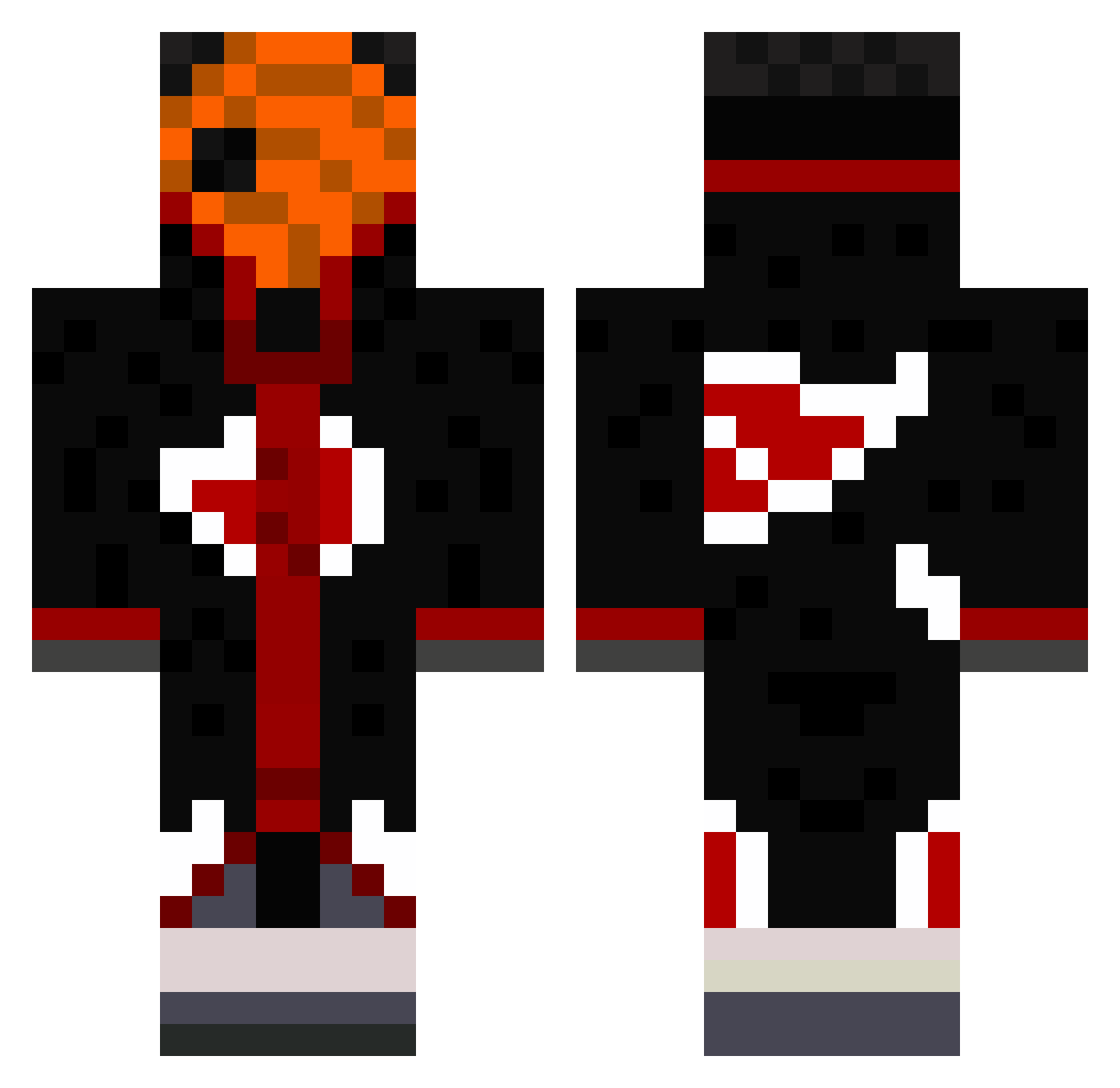
Current Minecraft skin of the player doctor_zoc, loaded from the official Mojang API. Rotate the 3D model with your mouse or finger, then download the skin as a PNG file and use it in Minecraft: Bedrock Edition or Java Edition for free. When doctor_zoc changes their skin, this page updates automatically and the old skin stays in the history below.
Other players with this skin (490)
doctor_zoc was the 229th player we have seen with this skin, first spotted on 17.09.2026. The same skin was seen on these players. Open a nickname to see their current skin and skin history.
 xMookiex Zudays Adaptation42 Sky0xx Malivol1 Z3tz Mietus123 Bellingham1704 RN_Tobi Th3_Unkn0wn27 Meter7Paffay Hibrow8 Fractiousviper Benn_yy IgRmS M1ZU3 sOmpol Manbir29 MagnusMagnus123 Sakakily Slaaynn TiptoeYapper422 Cloudcake_ marchello221 xxxTheDeaDoG chr0meheart BlackOrere YoK4 OG_Sparkyy SoloPhoenix32 Erdem42 udsensei FreshFattyTuna ANTALIAS P3psy jjgiggles298_2 GeneralTurbano GyfleX_1227 21Xtreme itachimlg14 RemFrost P3tr0s123 paozinho31 DavidHorror zvDiVinE BADxN Inquil1ne Crentefobico sandwichgamer BlackSnakeZ1 sapperBY Gusta_Sant Rachid_Le_Mouton BigDHomieeeee BigUchi TDP84 sanneman6 Brzn Ido_Nachum 2smaragd2
More Obito Uchiha Minecraft skins
See all 171 Obito Uchiha skins
How to install the doctor_zoc skin
- Press the Download button above to save the skin as a PNG file.
- Minecraft: Bedrock Edition (PE): open the Dressing Room from the main menu (or tap your character → Edit Character), go to Classic Skins → Owned, press the + (new skin) button, choose the downloaded PNG and pick the Classic (Steve) model. Works on PC and mobile; consoles cannot import custom skins.
- Minecraft: Java Edition: open the Minecraft Launcher, go to the Skins tab, click New Skin, load the PNG, pick the Classic (Steve) model and press Save & Use. You can also upload it at minecraft.net → Profile → Change Skin.
The skin does not show up after import - what should I do?
Restart Minecraft and open the Dressing Room again - imported skins sometimes appear only after a restart. Also make sure you selected the imported skin and picked the Classic (Steve) model.
Which model should I choose, Classic or Slim?
This skin is designed for the Classic (Steve) model. If you pick the wrong model, the arms of the skin will look stretched or squeezed.
Is the skin of doctor_zoc free to download?
Yes. Press Download, save the PNG file and use it in Minecraft: Bedrock Edition or Java Edition - no payment or registration needed. The skin also works on multiplayer servers and Realms.
More skins
Looking for more? Go back to all Minecraft skins and check the top skins of the week, month and all time, or find any player's skin by nickname.