
djawjdgns - Minecraft Skins & Skin History
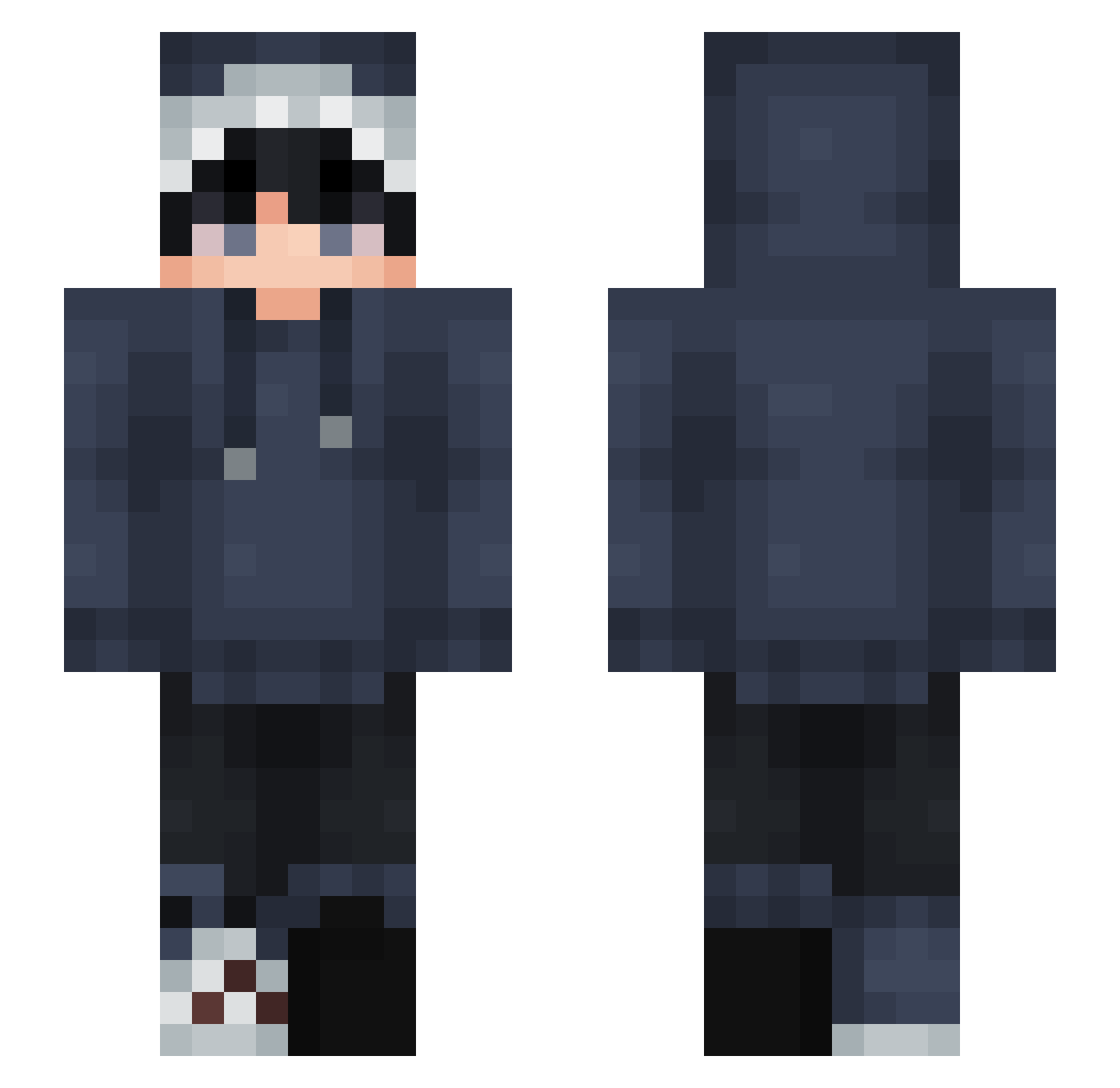
Current Minecraft skin of the player djawjdgns, loaded from the official Mojang API. Rotate the 3D model with your mouse or finger, then download the skin as a PNG file and use it in Minecraft: Bedrock Edition or Java Edition for free. When djawjdgns changes their skin, this page updates automatically and the old skin stays in the history below.
Other players with this skin (876)
djawjdgns was the 632nd player we have seen with this skin, first spotted on 14.10.2026. The same skin was seen on these players. Open a nickname to see their current skin and skin history.
 OSCARMEGATRON dokuberi ShadowFall69 onjewaten inchogo_azt yoyobob99 DarthDavid69 LinkG4M3r Hanavasrius hokun_ ftxy123 Katchkracks fxdd3d Kimothii SpicyCiwawa zer0Bot20 Astr0vib3z_ wheresrome TryDent19 Tacky101 Hacksgod Zweig16 GhostTKK minloverr Etincelle76 LuckyINGGG DreadMoth412154 Asparagus7994 Emciax34 miss_americana_ blin75669 xiuxiu000 lei3369 Billywong1628 honeyrolex ikamirin_0141 Zeb_Theo Mirkooo_ wigle_wogle_187 NexerGHG SHADOWSHARK_27 Stefan_Seagulll Yousif244 z1cv Bleem3_4 Lazy1337_ ImSorenn GummyWorm02 Fern_FM mopson1234 ZeroShark0414 ZeroTheCat Jeonseokhyeon KONEUX8z OrestX7 andycui_ Stankwart samuel0256 Spectru12 qrumbss
How to install the djawjdgns skin
- Press the Download button above to save the skin as a PNG file.
- Minecraft: Bedrock Edition (PE): open the Dressing Room from the main menu (or tap your character → Edit Character), go to Classic Skins → Owned, press the + (new skin) button, choose the downloaded PNG and pick the Slim (Alex) model. Works on PC and mobile; consoles cannot import custom skins.
- Minecraft: Java Edition: open the Minecraft Launcher, go to the Skins tab, click New Skin, load the PNG, pick the Slim (Alex) model and press Save & Use. You can also upload it at minecraft.net → Profile → Change Skin.
The skin does not show up after import - what should I do?
Restart Minecraft and open the Dressing Room again - imported skins sometimes appear only after a restart. Also make sure you selected the imported skin and picked the Slim (Alex) model.
Which model should I choose, Classic or Slim?
This skin is designed for the Slim (Alex) model. If you pick the wrong model, the arms of the skin will look stretched or squeezed.
Is the skin of djawjdgns free to download?
Yes. Press Download, save the PNG file and use it in Minecraft: Bedrock Edition or Java Edition - no payment or registration needed. The skin also works on multiplayer servers and Realms.
More skins
Looking for more? Go back to all Minecraft skins and check the top skins of the week, month and all time, or find any player's skin by nickname.