
dillpickle7158 - Minecraft Skins & Skin History
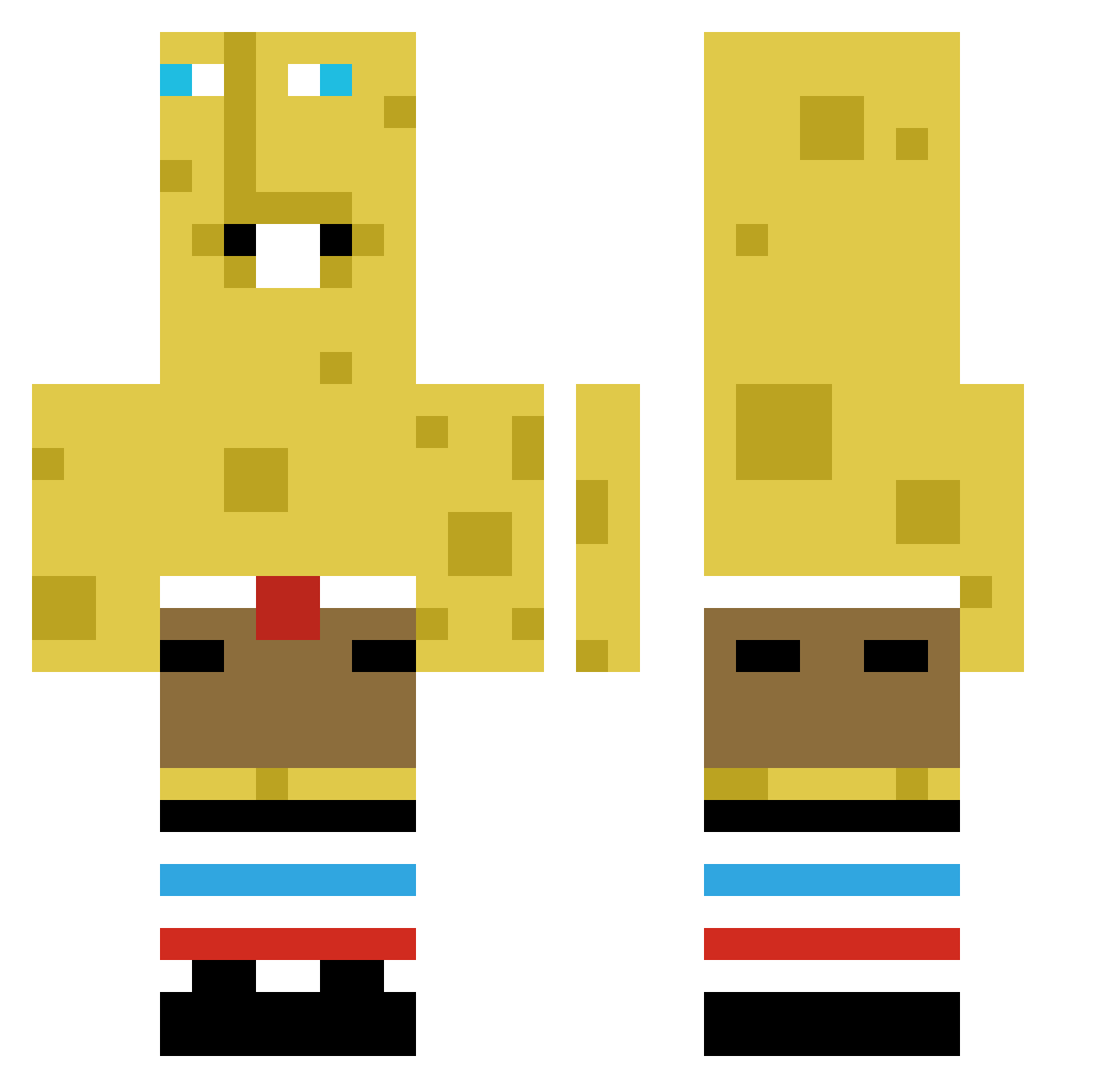
Current Minecraft skin of the player dillpickle7158, loaded from the official Mojang API. Rotate the 3D model with your mouse or finger, then download the skin as a PNG file and use it in Minecraft: Bedrock Edition or Java Edition for free. When dillpickle7158 changes their skin, this page updates automatically and the old skin stays in the history below.
Other players with this skin (429)
dillpickle7158 was the 416th player we have seen with this skin, first spotted on 07.11.2026. The same skin was seen on these players. Open a nickname to see their current skin and skin history.
 goldenfoxy130 AiHater oisnipedya237 bljnkr MR_RANDOM2 ArmpitJOI Oleop wizzedwill Jambuuun L0neRider57 B00gieW0rm FakePineapple575 Dexlah GermanCatfish Lee_Keyrear BALHEIRo Xenomoit Vlad_Dangerous Neseks wkca_ siwonnahyeong nisseking12 MoodSwings3 BOB1414 wolfarenaistaken saltybanana1221 Talon041207 BruisingImp42 zpetiz MIchalPan_222 Slavicman ArbreUUU PooderCat Derick77 CAVECRAVE1 Djae_hoon0315D bars0nn AppleManko _pooq_ masterofmidz AnimalKey NuhMitNikeSchuh7 TnOfM Shashi77 ColinMcClure11 Erriiiccccc Nettflixian SammiiB Magically_Trash sigmasausage13 Brandon_bootyT Artybops Doswevos H3ugh LaundryCat69 gesslerowa_ LoliLoverUwU J45on_ Young_Yuki davidcova430
More Spongebob Minecraft skins
How to install the dillpickle7158 skin
- Press the Download button above to save the skin as a PNG file.
- Minecraft: Bedrock Edition (PE): open the Dressing Room from the main menu (or tap your character → Edit Character), go to Classic Skins → Owned, press the + (new skin) button, choose the downloaded PNG and pick the Classic (Steve) model. Works on PC and mobile; consoles cannot import custom skins.
- Minecraft: Java Edition: open the Minecraft Launcher, go to the Skins tab, click New Skin, load the PNG, pick the Classic (Steve) model and press Save & Use. You can also upload it at minecraft.net → Profile → Change Skin.
The skin does not show up after import - what should I do?
Restart Minecraft and open the Dressing Room again - imported skins sometimes appear only after a restart. Also make sure you selected the imported skin and picked the Classic (Steve) model.
Which model should I choose, Classic or Slim?
This skin is designed for the Classic (Steve) model. If you pick the wrong model, the arms of the skin will look stretched or squeezed.
Is the skin of dillpickle7158 free to download?
Yes. Press Download, save the PNG file and use it in Minecraft: Bedrock Edition or Java Edition - no payment or registration needed. The skin also works on multiplayer servers and Realms.
More skins
Looking for more? Go back to all Minecraft skins and check the top skins of the week, month and all time, or find any player's skin by nickname.