
didgmlwls - Minecraft Skins & Skin History
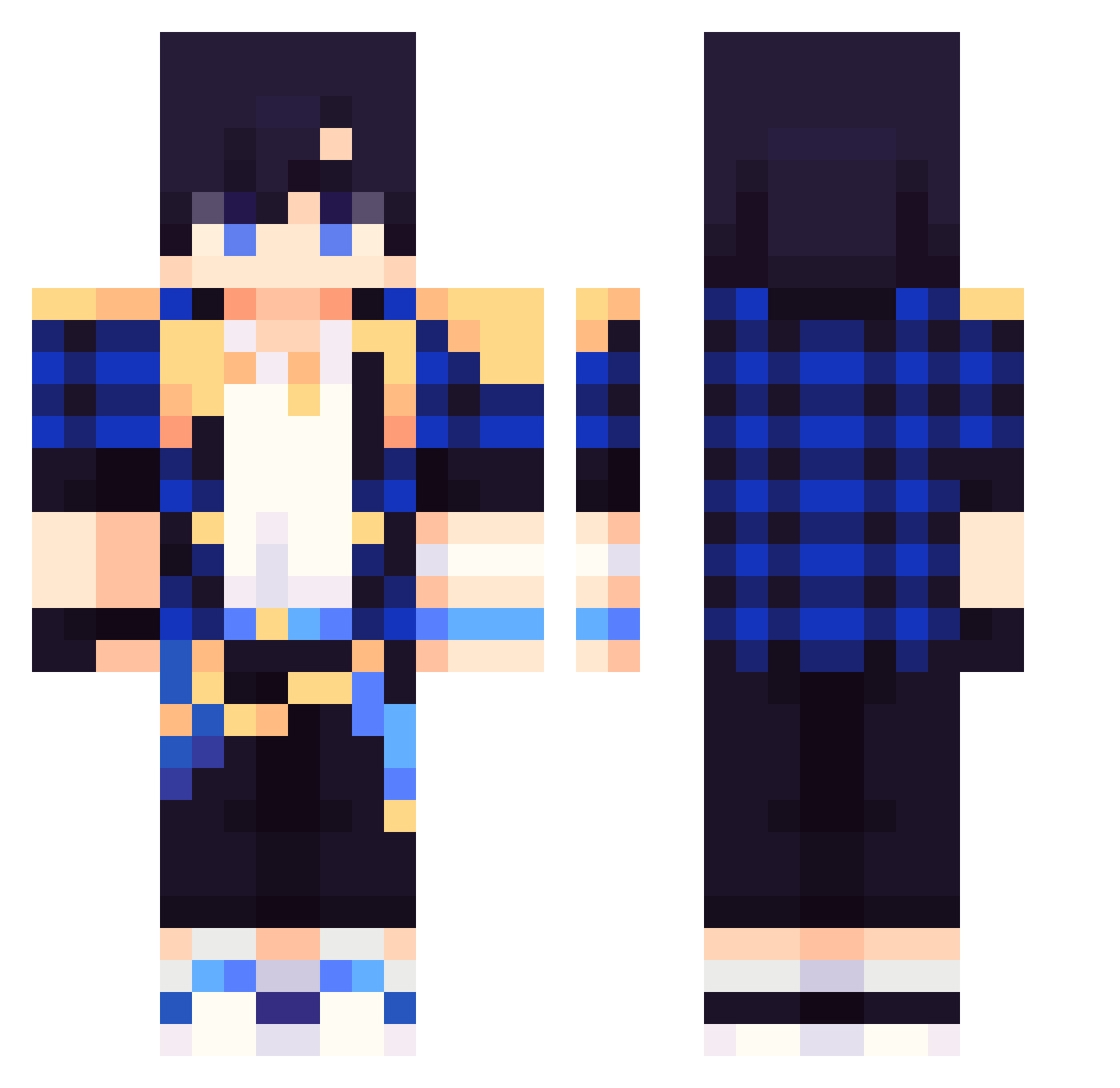
Current Minecraft skin of the player didgmlwls, loaded from the official Mojang API. Rotate the 3D model with your mouse or finger, then download the skin as a PNG file and use it in Minecraft: Bedrock Edition or Java Edition for free. When didgmlwls changes their skin, this page updates automatically and the old skin stays in the history below.
Other players with this skin (273)
didgmlwls was the 84th player we have seen with this skin, first spotted on 29.08.2026. The same skin was seen on these players. Open a nickname to see their current skin and skin history.
 Jackson_6898 IdanXx ThiagoEncinas pelea777 KeiiKami Skrill2005 demon1098 hahahahahahakys er2345 xXRed_EyesXx BKINW
 IAMJOJI kimyouchan Dodo_0142 shifty6135 HONEYLEEA Privatealex17 wwaiting ItsNoxiie ASDAAAADAD11111 jjangddol11 noblack1 Mo_lichen CyberLocked Coober123 JustahnHG woochan13 Jangaeri openReady Dcg1102 lastLLLLL Morales21 rnjsurms1022 ita4chi U_got_0_skill haoren2 dou1dou THIPLAYS BiiO4693 starsky157 M_Saiber1 Soo_Sooyoun Onlyseekalvin CUNZHE MTWOD gorynote mabong123 ChaosMaster0
 XyroN_99 Sneakteam 123an lobo99x bass9030 in_this_club2005 yywd danqing06 rkdaktmxj ddany1014 Keyantas Sakuple01
How to install the didgmlwls skin
- Press the Download button above to save the skin as a PNG file.
- Minecraft: Bedrock Edition (PE): open the Dressing Room from the main menu (or tap your character → Edit Character), go to Classic Skins → Owned, press the + (new skin) button, choose the downloaded PNG and pick the Classic (Steve) model. Works on PC and mobile; consoles cannot import custom skins.
- Minecraft: Java Edition: open the Minecraft Launcher, go to the Skins tab, click New Skin, load the PNG, pick the Classic (Steve) model and press Save & Use. You can also upload it at minecraft.net → Profile → Change Skin.
The skin does not show up after import - what should I do?
Restart Minecraft and open the Dressing Room again - imported skins sometimes appear only after a restart. Also make sure you selected the imported skin and picked the Classic (Steve) model.
Which model should I choose, Classic or Slim?
This skin is designed for the Classic (Steve) model. If you pick the wrong model, the arms of the skin will look stretched or squeezed.
Is the skin of didgmlwls free to download?
Yes. Press Download, save the PNG file and use it in Minecraft: Bedrock Edition or Java Edition - no payment or registration needed. The skin also works on multiplayer servers and Realms.
More skins
Looking for more? Go back to all Minecraft skins and check the top skins of the week, month and all time, or find any player's skin by nickname.