
denotational - Minecraft Skins & Skin History
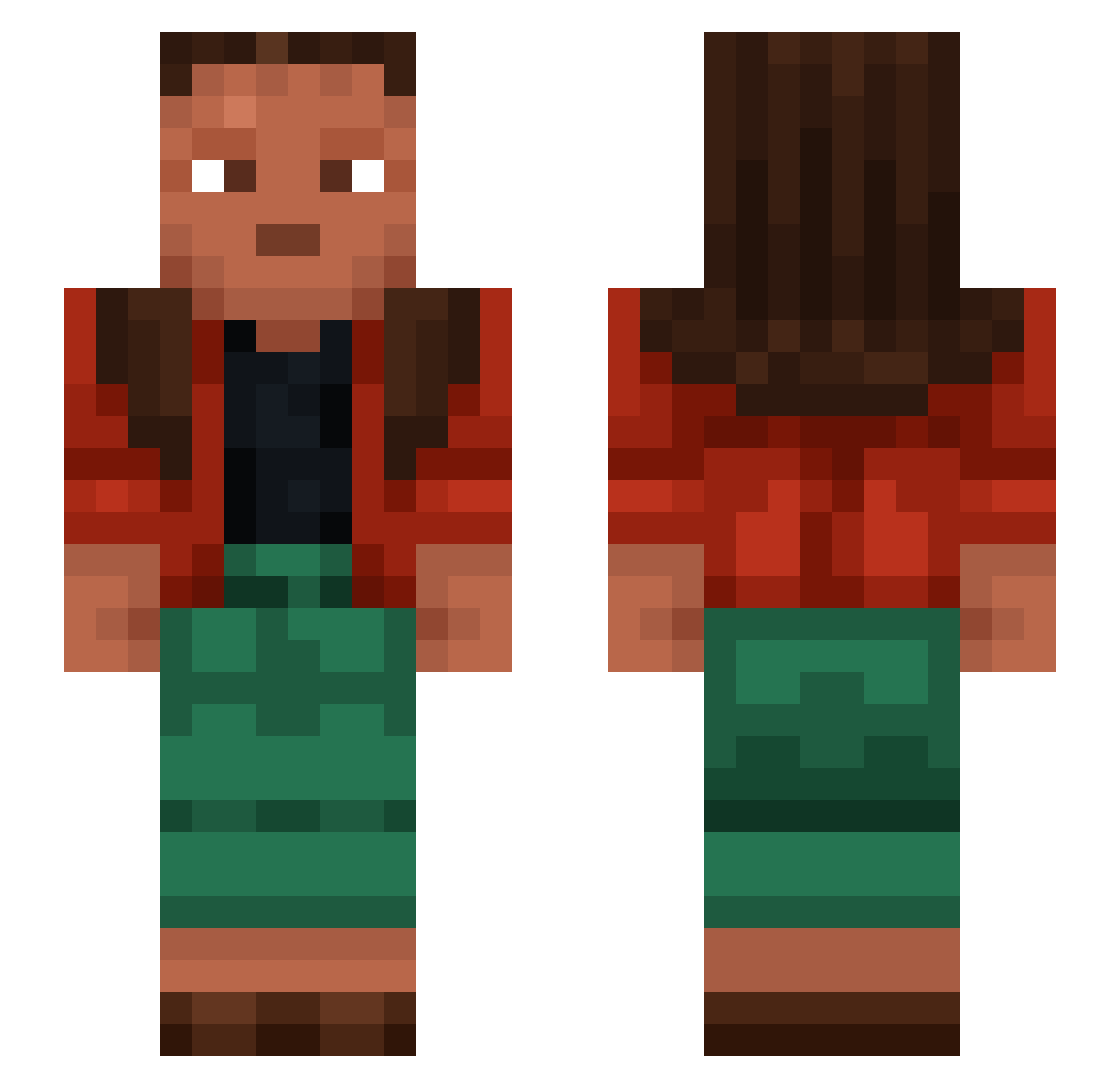
Current Minecraft skin of the player denotational, loaded from the official Mojang API. Rotate the 3D model with your mouse or finger, then download the skin as a PNG file and use it in Minecraft: Bedrock Edition or Java Edition for free. When denotational changes their skin, this page updates automatically and the old skin stays in the history below.
Other players with this skin (1276)
denotational was the 862nd player we have seen with this skin, first spotted on 10.10.2026. The same skin was seen on these players. Open a nickname to see their current skin and skin history.
 Akibzh Chavarro scutta lushier Tressless Grazen1337 foodlover2845 AdriMG Fazzington_Fredy Turgon123 AphraJP Excorticate Otus xReci20 Indecorous 1ForMore1 Fungia teicher Faham XKE KpopSuxks storyjumpers arukinya futuric oarket MiRanSigma Bighorn Emmamsa Girthed david2453 elnacodemi BlastWarrior19 whattal1te Clouds_k Treaders doubloonHunter82 murkye charlatans jesperw04 Kolonya 91124 blakey_bluee Stankfrate Mugami Jay2shiftyYN JerryCzx77 RINSED Petty Ruzgar_RZG Anogra Seor unalienated DAN123TOP_YT Duckhouse gervao ciciliaa gyat_sigma Streetwalker Mirky FIVE5S5
How to install the denotational skin
- Press the Download button above to save the skin as a PNG file.
- Minecraft: Bedrock Edition (PE): open the Dressing Room from the main menu (or tap your character → Edit Character), go to Classic Skins → Owned, press the + (new skin) button, choose the downloaded PNG and pick the Slim (Alex) model. Works on PC and mobile; consoles cannot import custom skins.
- Minecraft: Java Edition: open the Minecraft Launcher, go to the Skins tab, click New Skin, load the PNG, pick the Slim (Alex) model and press Save & Use. You can also upload it at minecraft.net → Profile → Change Skin.
The skin does not show up after import - what should I do?
Restart Minecraft and open the Dressing Room again - imported skins sometimes appear only after a restart. Also make sure you selected the imported skin and picked the Slim (Alex) model.
Which model should I choose, Classic or Slim?
This skin is designed for the Slim (Alex) model. If you pick the wrong model, the arms of the skin will look stretched or squeezed.
Is the skin of denotational free to download?
Yes. Press Download, save the PNG file and use it in Minecraft: Bedrock Edition or Java Edition - no payment or registration needed. The skin also works on multiplayer servers and Realms.
More skins
Looking for more? Go back to all Minecraft skins and check the top skins of the week, month and all time, or find any player's skin by nickname.