
deltachief118 - Minecraft Skins & Skin History
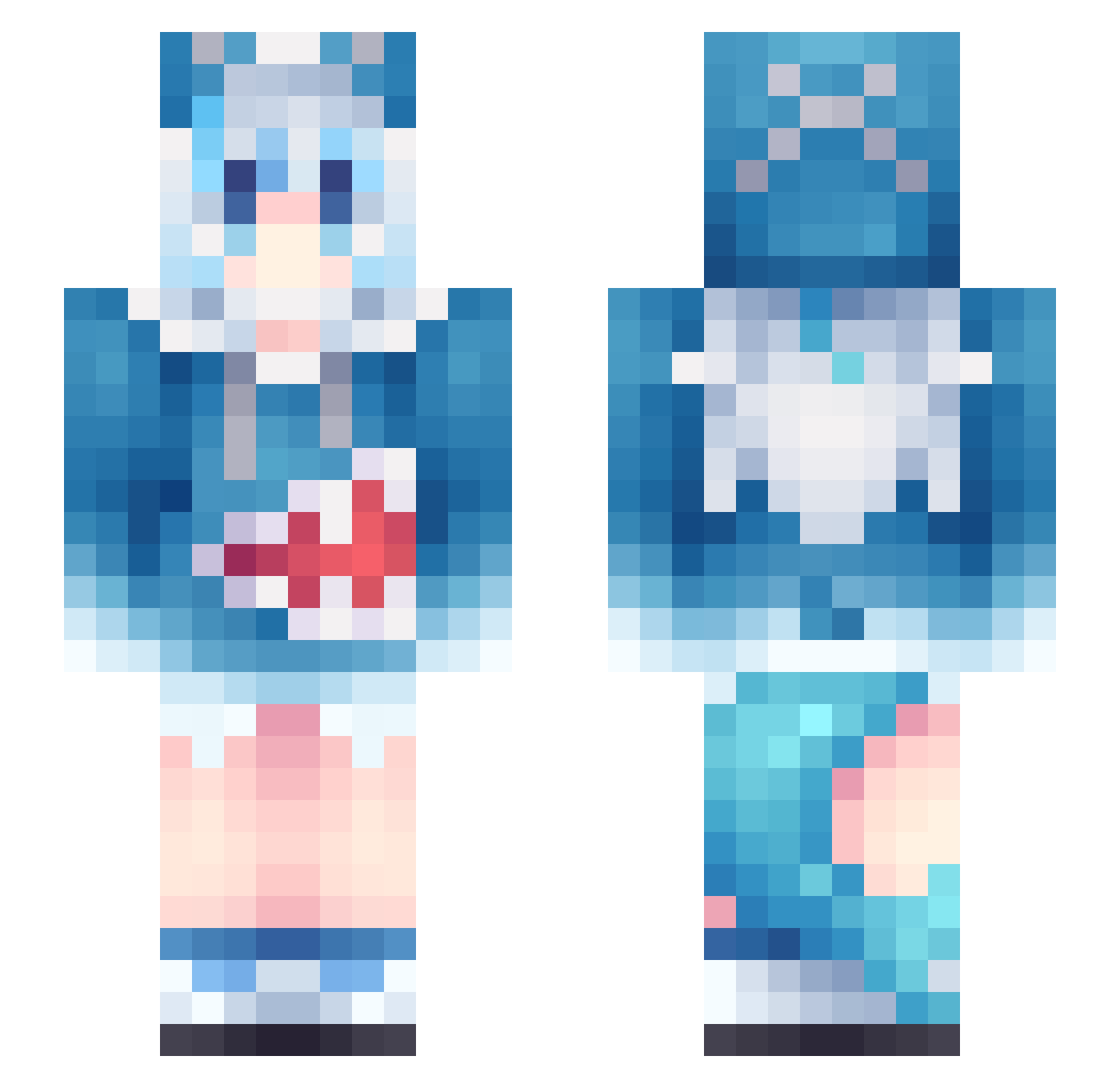
Current Minecraft skin of the player deltachief118, loaded from the official Mojang API. Rotate the 3D model with your mouse or finger, then download the skin as a PNG file and use it in Minecraft: Bedrock Edition or Java Edition for free. When deltachief118 changes their skin, this page updates automatically and the old skin stays in the history below.
Other players with this skin (956)
deltachief118 was the 825th player we have seen with this skin, first spotted on 11.10.2026. The same skin was seen on these players. Open a nickname to see their current skin and skin history.
 ReElaine Sunny0626 Steadeven seele2006 itz_Charlito Nutcrackerza Muzimuke nino705 XXYxly cpaan Krzakkusvs Miyukku MashiroWorld ehmy FemSlime wfwt1 ray113226 hayate03 HYDRARGYRUM09 ModalTea Eternal_Return_ katsena dudrl_071 HuangShuLang1 H1r0777 Tliua Demi_Godex Dreme666 SuperBigDeer hisea7 Yumesu conniefish LantaiLicin cookiee275 Fu_MaoMao donttany Tapi115415 Farosini doubletop Drovum Rasonware Elli1194 Hixuse dango_kosian FATETO_THEBRAT Meideprac69 Jungfernstieg Yamiko117 FuwaMoco_ Gerome149 amir_abbas1388 MULEA Proud19 fogo116 Namyun314 Irikra FNC1031 rowcow ammmmber Ahvybot
More Gawr Gura Minecraft skins
How to install the deltachief118 skin
- Press the Download button above to save the skin as a PNG file.
- Minecraft: Bedrock Edition (PE): open the Dressing Room from the main menu (or tap your character → Edit Character), go to Classic Skins → Owned, press the + (new skin) button, choose the downloaded PNG and pick the Slim (Alex) model. Works on PC and mobile; consoles cannot import custom skins.
- Minecraft: Java Edition: open the Minecraft Launcher, go to the Skins tab, click New Skin, load the PNG, pick the Slim (Alex) model and press Save & Use. You can also upload it at minecraft.net → Profile → Change Skin.
The skin does not show up after import - what should I do?
Restart Minecraft and open the Dressing Room again - imported skins sometimes appear only after a restart. Also make sure you selected the imported skin and picked the Slim (Alex) model.
Which model should I choose, Classic or Slim?
This skin is designed for the Slim (Alex) model. If you pick the wrong model, the arms of the skin will look stretched or squeezed.
Is the skin of deltachief118 free to download?
Yes. Press Download, save the PNG file and use it in Minecraft: Bedrock Edition or Java Edition - no payment or registration needed. The skin also works on multiplayer servers and Realms.
More skins
Looking for more? Go back to all Minecraft skins and check the top skins of the week, month and all time, or find any player's skin by nickname.