
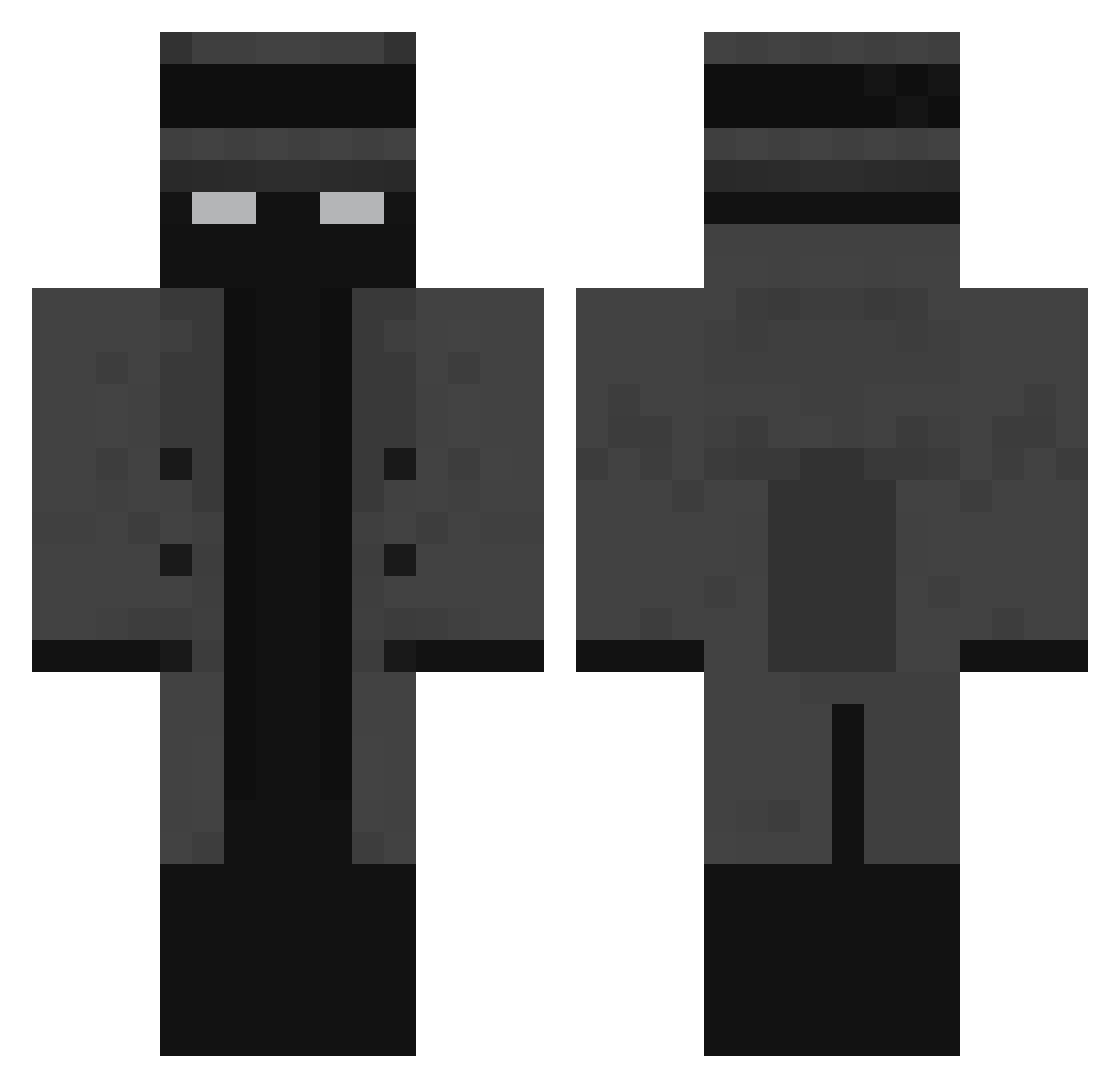
Current Minecraft skin of the player darkfighter289, loaded from the official Mojang API. Rotate the 3D model with your mouse or finger, then download the skin as a PNG file and use it in Minecraft: Bedrock Edition or Java Edition for free. When darkfighter289 changes their skin, this page updates automatically and the old skin stays in the history below.
Other players with this skin (109)
darkfighter289 was the 33rd player we have seen with this skin, first spotted on 13.08.2026. The same skin was seen on these players. Open a nickname to see their current skin and skin history.
 MrVelezz KrasN WhyIsYou byLarah NOT_FLAMINGPRO BobBudowniczy__
 salatik122 Cinevstone rlp_Rem miles01_ kufavevo Melo47_ Rompita Venyx7 Kocio07 CocaVanille revenantminion1x
 agusto0 King_Pr0 Anim9999 Chrispy4949 Qwirkz Kaekt1s
 N057ru5
 nuggetoid_ EssketitLel djblazZER25 Resorax H20Hoe KennyPebbles Drink_ur_oj
 BLVCKBIRD minigabo03 Sebse_Dk isCreator
 Ilc1 Shoichi__ DemiShark fzm Auioax mr_epic14 Dark9zLion TheONLYtrueREIHE Trav7 Glouu 6anda_ Giannaras13 Yonyz DailyDoseJS
 iMulch Nicko78 GarciaBR_ UnderEducated Foxity_
 aga29109 Sagushi Bot_017 per2323 barann_44er
 Lominolody
Previous skins of darkfighter289
Skins that darkfighter289 wore before, newest first. Click a skin to open its page and download it.
More Mafia Minecraft skins
How to install the darkfighter289 skin
- Press the Download button above to save the skin as a PNG file.
- Minecraft: Bedrock Edition (PE): open the Dressing Room from the main menu (or tap your character → Edit Character), go to Classic Skins → Owned, press the + (new skin) button, choose the downloaded PNG and pick the Classic (Steve) model. Works on PC and mobile; consoles cannot import custom skins.
- Minecraft: Java Edition: open the Minecraft Launcher, go to the Skins tab, click New Skin, load the PNG, pick the Classic (Steve) model and press Save & Use. You can also upload it at minecraft.net → Profile → Change Skin.
The skin does not show up after import - what should I do?
Restart Minecraft and open the Dressing Room again - imported skins sometimes appear only after a restart. Also make sure you selected the imported skin and picked the Classic (Steve) model.
Which model should I choose, Classic or Slim?
This skin is designed for the Classic (Steve) model. If you pick the wrong model, the arms of the skin will look stretched or squeezed.
Is the skin of darkfighter289 free to download?
Yes. Press Download, save the PNG file and use it in Minecraft: Bedrock Edition or Java Edition - no payment or registration needed. The skin also works on multiplayer servers and Realms.
More skins
Looking for more? Go back to all Minecraft skins and check the top skins of the week, month and all time, or find any player's skin by nickname.