
dark_pato - Minecraft Skins & Skin History
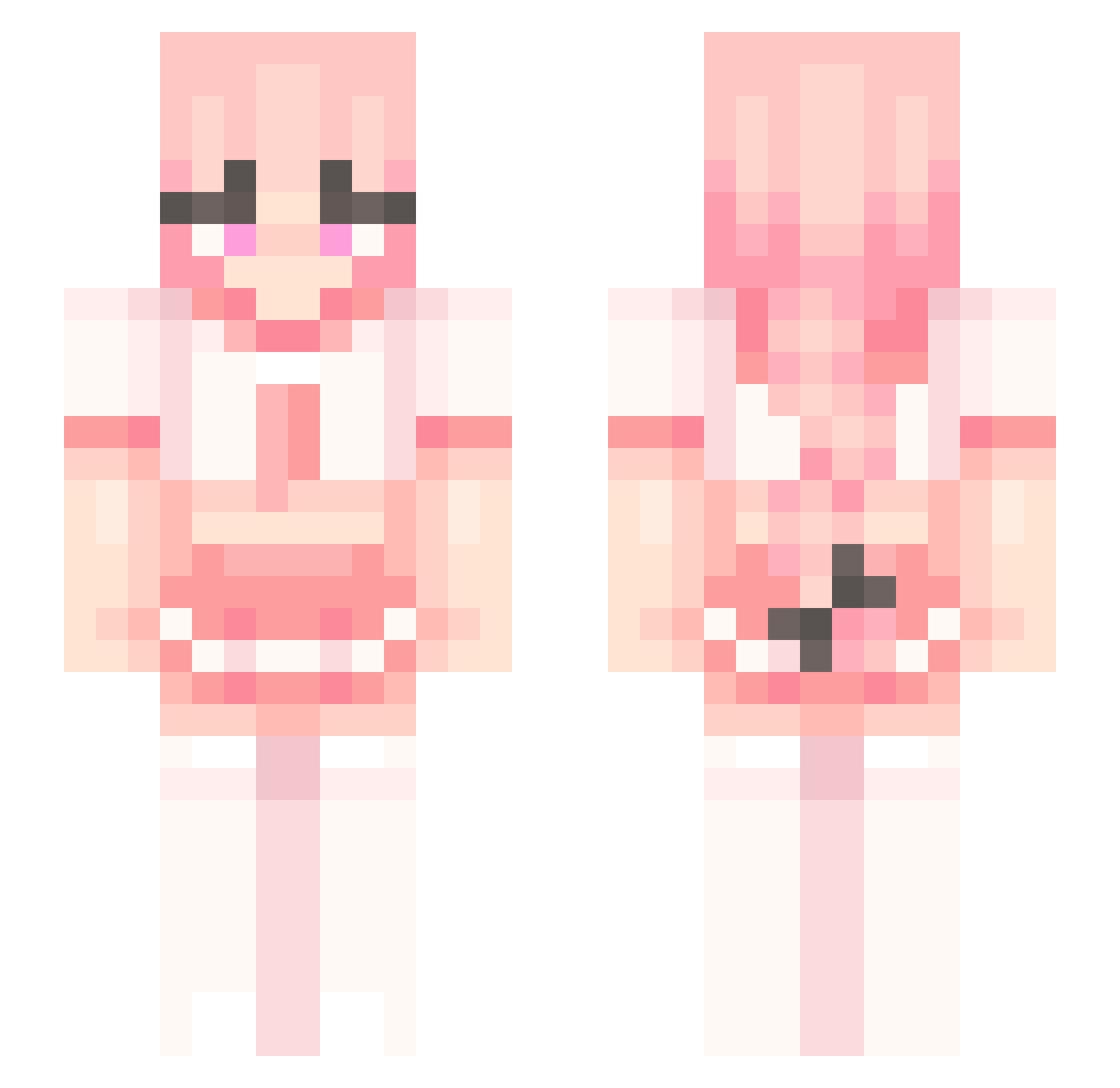
Current Minecraft skin of the player dark_pato, loaded from the official Mojang API. Rotate the 3D model with your mouse or finger, then download the skin as a PNG file and use it in Minecraft: Bedrock Edition or Java Edition for free. When dark_pato changes their skin, this page updates automatically and the old skin stays in the history below.
Other players with this skin (220)
dark_pato was the 160th player we have seen with this skin, first spotted on 04.10.2026. The same skin was seen on these players. Open a nickname to see their current skin and skin history.
 lord_plarry mahepkm IWANTASTOLFO violink Astolfo_Hoffman Tinky_Winky4 FemboyAstolfo HubbaBubbaGrubba ml45 okine_UWU CaptinFran PALCommitsExist Jarko_UwU kingwoods1 Werczixxx ryxne__ OREO_CRACK iiTzJuz21am baksteene JoweeOxO FluffyFem unnonee LyanPw Akomatek BubbaDiWone Kise21 nik_herderdritte doodoojoseph Fafzywo woosie_simp Aastrageldon Ace4ce 0lukit0 geon1107 astolfo351 eppyfemboy Katsized Avi_nk Chokopaika pwus QPp459 TeKa_Storm antiestrogen Toxicrocker181 Senfmaster lord666A2 MollyX3 EstrogenizedMale ottabrown DampLamp buttyer3 PedroTheHorse basketballngir2 BlockyStriders Jans9099 BlackJack2031 CrazyWhip3 dachowanie PigM1lker ke1ser_a
More School Uniform Minecraft skins
See all 6207 School Uniform skins
How to install the dark_pato skin
- Press the Download button above to save the skin as a PNG file.
- Minecraft: Bedrock Edition (PE): open the Dressing Room from the main menu (or tap your character → Edit Character), go to Classic Skins → Owned, press the + (new skin) button, choose the downloaded PNG and pick the Slim (Alex) model. Works on PC and mobile; consoles cannot import custom skins.
- Minecraft: Java Edition: open the Minecraft Launcher, go to the Skins tab, click New Skin, load the PNG, pick the Slim (Alex) model and press Save & Use. You can also upload it at minecraft.net → Profile → Change Skin.
The skin does not show up after import - what should I do?
Restart Minecraft and open the Dressing Room again - imported skins sometimes appear only after a restart. Also make sure you selected the imported skin and picked the Slim (Alex) model.
Which model should I choose, Classic or Slim?
This skin is designed for the Slim (Alex) model. If you pick the wrong model, the arms of the skin will look stretched or squeezed.
Is the skin of dark_pato free to download?
Yes. Press Download, save the PNG file and use it in Minecraft: Bedrock Edition or Java Edition - no payment or registration needed. The skin also works on multiplayer servers and Realms.
More skins
Looking for more? Go back to all Minecraft skins and check the top skins of the week, month and all time, or find any player's skin by nickname.