
daniel_kofoed - Minecraft Skins & Skin History
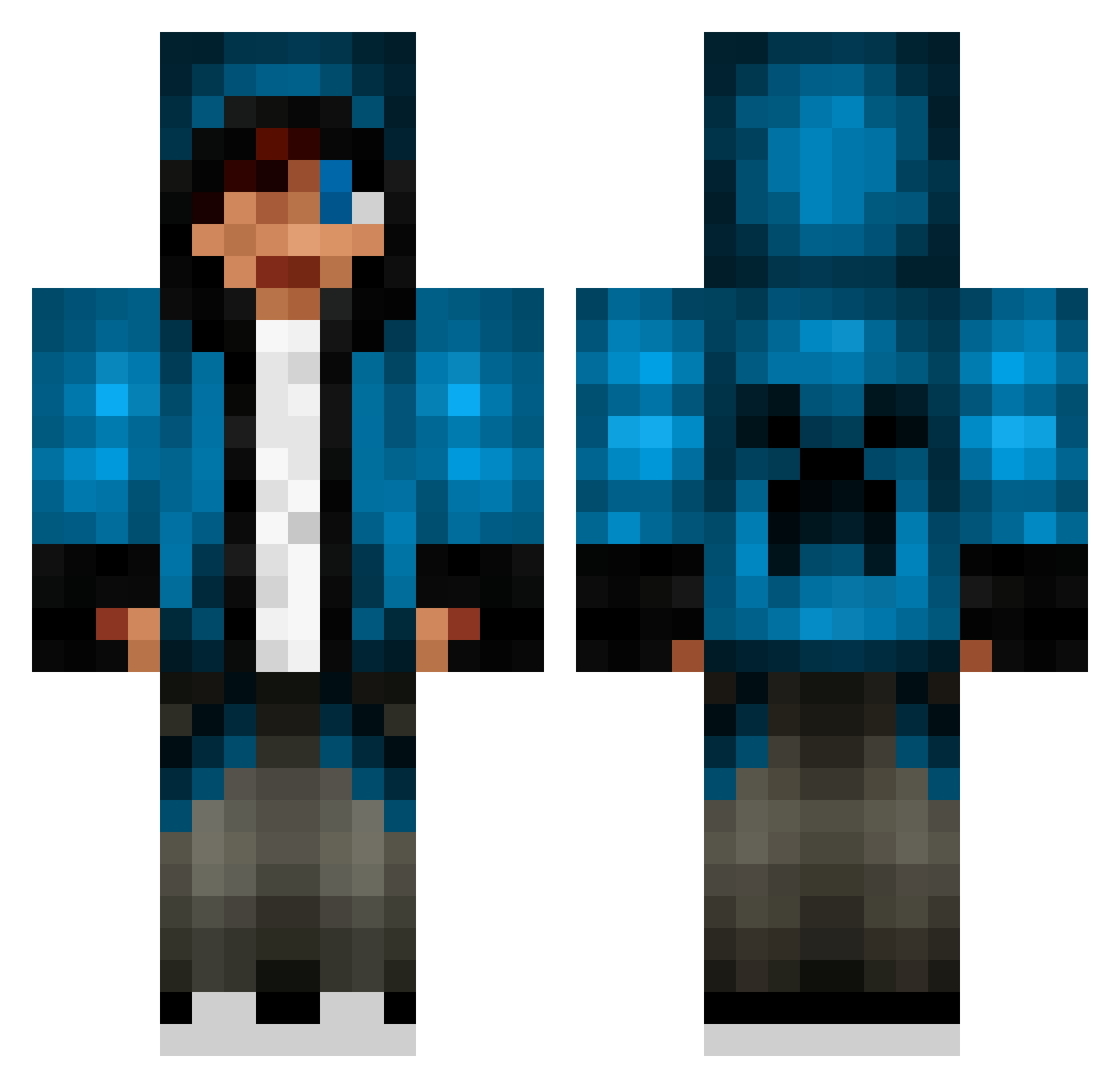
Current Minecraft skin of the player daniel_kofoed, loaded from the official Mojang API. Rotate the 3D model with your mouse or finger, then download the skin as a PNG file and use it in Minecraft: Bedrock Edition or Java Edition for free. When daniel_kofoed changes their skin, this page updates automatically and the old skin stays in the history below.
Other players with this skin (653)
daniel_kofoed was the 55th player we have seen with this skin, first spotted on 01.08.2026. The same skin was seen on these players. Open a nickname to see their current skin and skin history.
 roblego LiamMcCarthy1 sneakydragon017 yklob Coza101 kiddalex_ dragon_boy0214 joshuahb Beanzz007 spinig yl204 bill1444 Sergent_Winter Nickduran333 SisterTrooper hihiliam HooveytheGroovey vincenthd xXXpertSpniperXx mightywhale capt_underpants Proffessor1990 dragon_king1234 ncline220036 cyclopsmania martinfendt Chiken_1 jaydenhorsman Master0Combat Stofus Renoshino 36000663 enemydesert2002 yugi619 MinerDoomz chargedshoe4216 Rodd1 sami66006 hulkialex NinjaBlue2000 baumi93 mizgiwir wildjack18 takacro Jace_ xJamezo JohnEgypt8 gabedw517 TChoupinambour Emokkid Beneee7 JessicaRainbow20 eca11719 C00PER52206 1Liva rockstardude007 tejpa8 CreeperKid247 dirtpharmer marine2155
More Creeper Minecraft skins
How to install the daniel_kofoed skin
- Press the Download button above to save the skin as a PNG file.
- Minecraft: Bedrock Edition (PE): open the Dressing Room from the main menu (or tap your character → Edit Character), go to Classic Skins → Owned, press the + (new skin) button, choose the downloaded PNG and pick the Classic (Steve) model. Works on PC and mobile; consoles cannot import custom skins.
- Minecraft: Java Edition: open the Minecraft Launcher, go to the Skins tab, click New Skin, load the PNG, pick the Classic (Steve) model and press Save & Use. You can also upload it at minecraft.net → Profile → Change Skin.
The skin does not show up after import - what should I do?
Restart Minecraft and open the Dressing Room again - imported skins sometimes appear only after a restart. Also make sure you selected the imported skin and picked the Classic (Steve) model.
Which model should I choose, Classic or Slim?
This skin is designed for the Classic (Steve) model. If you pick the wrong model, the arms of the skin will look stretched or squeezed.
Is the skin of daniel_kofoed free to download?
Yes. Press Download, save the PNG file and use it in Minecraft: Bedrock Edition or Java Edition - no payment or registration needed. The skin also works on multiplayer servers and Realms.
More skins
Looking for more? Go back to all Minecraft skins and check the top skins of the week, month and all time, or find any player's skin by nickname.