
daibanana - Minecraft Skins & Skin History
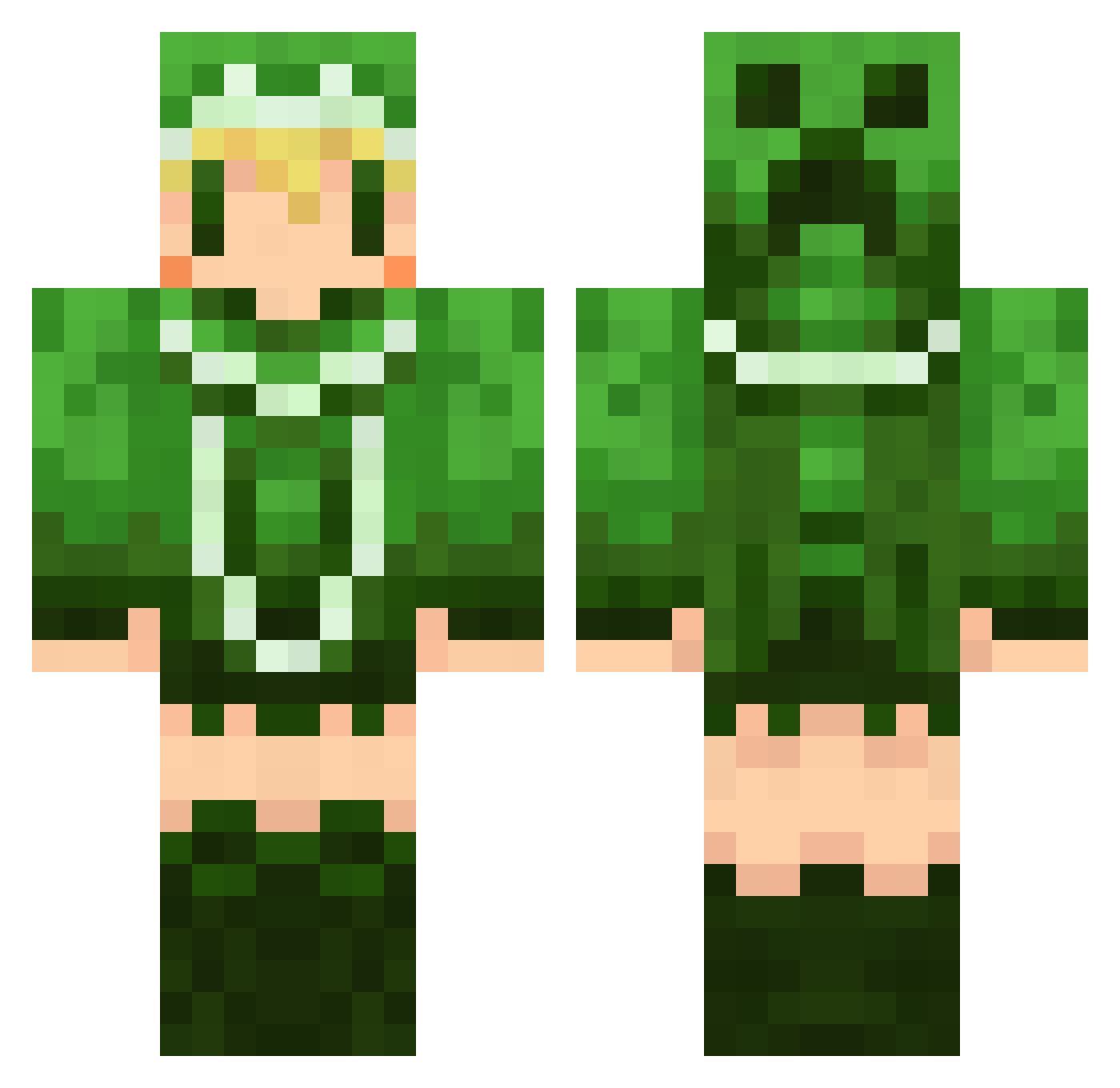
Current Minecraft skin of the player daibanana, loaded from the official Mojang API. Rotate the 3D model with your mouse or finger, then download the skin as a PNG file and use it in Minecraft: Bedrock Edition or Java Edition for free. When daibanana changes their skin, this page updates automatically and the old skin stays in the history below.
Other players with this skin (498)
daibanana was the 486th player we have seen with this skin, first spotted on 16.10.2026. The same skin was seen on these players. Open a nickname to see their current skin and skin history.
 MAMEGOMA110 ala_mk2 mayato2880 Erebia Kakuei hachabo kuromu904 xxramuxx yorutuki0323 W00Rimit shintaM24 Kamoshika2525 haidara7 keirin3594 MASAKITAKAHASHI cyano1326 meguri416 REMO289 t0sh14144 maomc MARUBO35 dasoku630 roze0409 guts3131 aiuo222 saika229 FAMOMO desu21 yuyann4 Qxigone45 strike_0808 mafumafumafu maaya_ neonduo siutarou so_ko4 siki08 hiitaan Goon_nz n_yu CookingHeater ruri_0007 mee02 ver428 yonkaaa Nora_man piro_los serori11600 kyabi ryukoya killnenko Shikippe wakadorisan Nico96 Strelitzia70 Pascal3109 minyan515 ndppp azarea1001 zizi0326
More Creeper Minecraft skins
How to install the daibanana skin
- Press the Download button above to save the skin as a PNG file.
- Minecraft: Bedrock Edition (PE): open the Dressing Room from the main menu (or tap your character → Edit Character), go to Classic Skins → Owned, press the + (new skin) button, choose the downloaded PNG and pick the Classic (Steve) model. Works on PC and mobile; consoles cannot import custom skins.
- Minecraft: Java Edition: open the Minecraft Launcher, go to the Skins tab, click New Skin, load the PNG, pick the Classic (Steve) model and press Save & Use. You can also upload it at minecraft.net → Profile → Change Skin.
The skin does not show up after import - what should I do?
Restart Minecraft and open the Dressing Room again - imported skins sometimes appear only after a restart. Also make sure you selected the imported skin and picked the Classic (Steve) model.
Which model should I choose, Classic or Slim?
This skin is designed for the Classic (Steve) model. If you pick the wrong model, the arms of the skin will look stretched or squeezed.
Is the skin of daibanana free to download?
Yes. Press Download, save the PNG file and use it in Minecraft: Bedrock Edition or Java Edition - no payment or registration needed. The skin also works on multiplayer servers and Realms.
More skins
Looking for more? Go back to all Minecraft skins and check the top skins of the week, month and all time, or find any player's skin by nickname.