
custompacks2 - Minecraft Skins & Skin History
Current Minecraft skin of the player custompacks2, loaded from the official Mojang API. Rotate the 3D model with your mouse or finger, then download the skin as a PNG file and use it in Minecraft: Bedrock Edition or Java Edition for free. When custompacks2 changes their skin, this page updates automatically and the old skin stays in the history below.
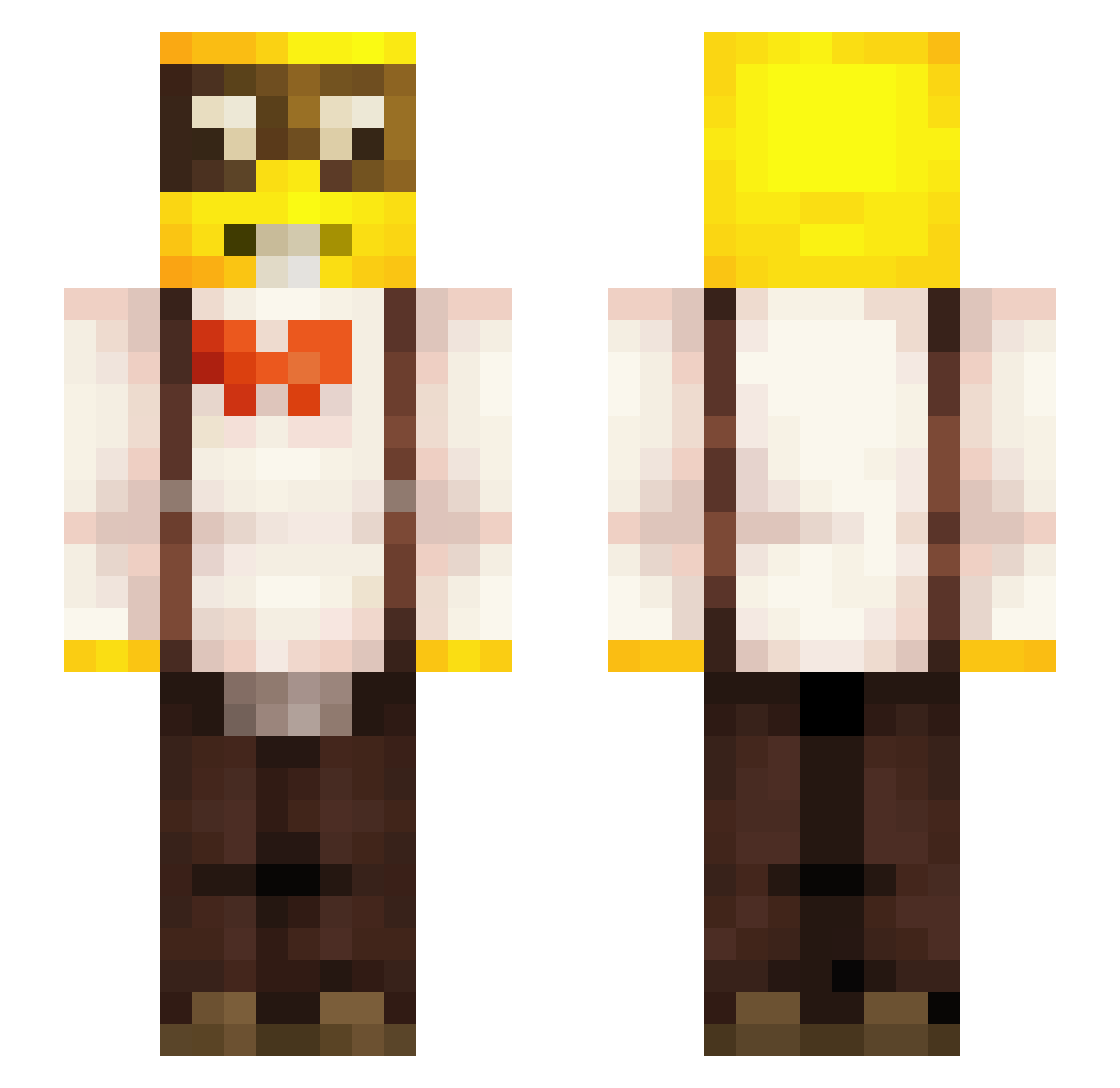
Other players with this skin (259)
custompacks2 was the 156th player we have seen with this skin, first spotted on 01.10.2026. The same skin was seen on these players. Open a nickname to see their current skin and skin history.
 KOK3453 Koreyoshi_JC kxai__ Sevnrox murderinmymind HelterSkelter11 Yushoproxx Psykion Romka_Azazling NimoBoss123 Da_OG_Sweet_Pain grzybusek kathan_g274 leaa85 Sirxdavid Klakzz Tupox187 tospikcik DenisKrack HumanSacrificer Bumer4ik copouwu67 Marssss420 TwoBraeth gyiq_p IskuWaliPoPysku biiigballa sippvn NachoV7 salchichamarrana ZnikZnak Mamitruel fearvicho Ewanacookie Abusa_Gunnar yiwypapa GoofyNerdGaming elsus3000 BoogLuvsYou ItsTdsDomg tomasbgfh Moody4472 Flosari Fox5990 Gobzylou CheezeSneeze p4rsa _gabssss_ Plarpoy Guerrero_Ocelot3 Girard07 iTzMartin PixxelPioneer Fifii13 brianaloon reverse303 SkipperLicker HellO_OreO1738 Igrota22 lobna
More Yellow Guy Minecraft skins
How to install the custompacks2 skin
- Press the Download button above to save the skin as a PNG file.
- Minecraft: Bedrock Edition (PE): open the Dressing Room from the main menu (or tap your character → Edit Character), go to Classic Skins → Owned, press the + (new skin) button, choose the downloaded PNG and pick the Slim (Alex) model. Works on PC and mobile; consoles cannot import custom skins.
- Minecraft: Java Edition: open the Minecraft Launcher, go to the Skins tab, click New Skin, load the PNG, pick the Slim (Alex) model and press Save & Use. You can also upload it at minecraft.net → Profile → Change Skin.
The skin does not show up after import - what should I do?
Restart Minecraft and open the Dressing Room again - imported skins sometimes appear only after a restart. Also make sure you selected the imported skin and picked the Slim (Alex) model.
Which model should I choose, Classic or Slim?
This skin is designed for the Slim (Alex) model. If you pick the wrong model, the arms of the skin will look stretched or squeezed.
Is the skin of custompacks2 free to download?
Yes. Press Download, save the PNG file and use it in Minecraft: Bedrock Edition or Java Edition - no payment or registration needed. The skin also works on multiplayer servers and Realms.
More skins
Looking for more? Go back to all Minecraft skins and check the top skins of the week, month and all time, or find any player's skin by nickname.