
cth5678 - Minecraft Skins & Skin History
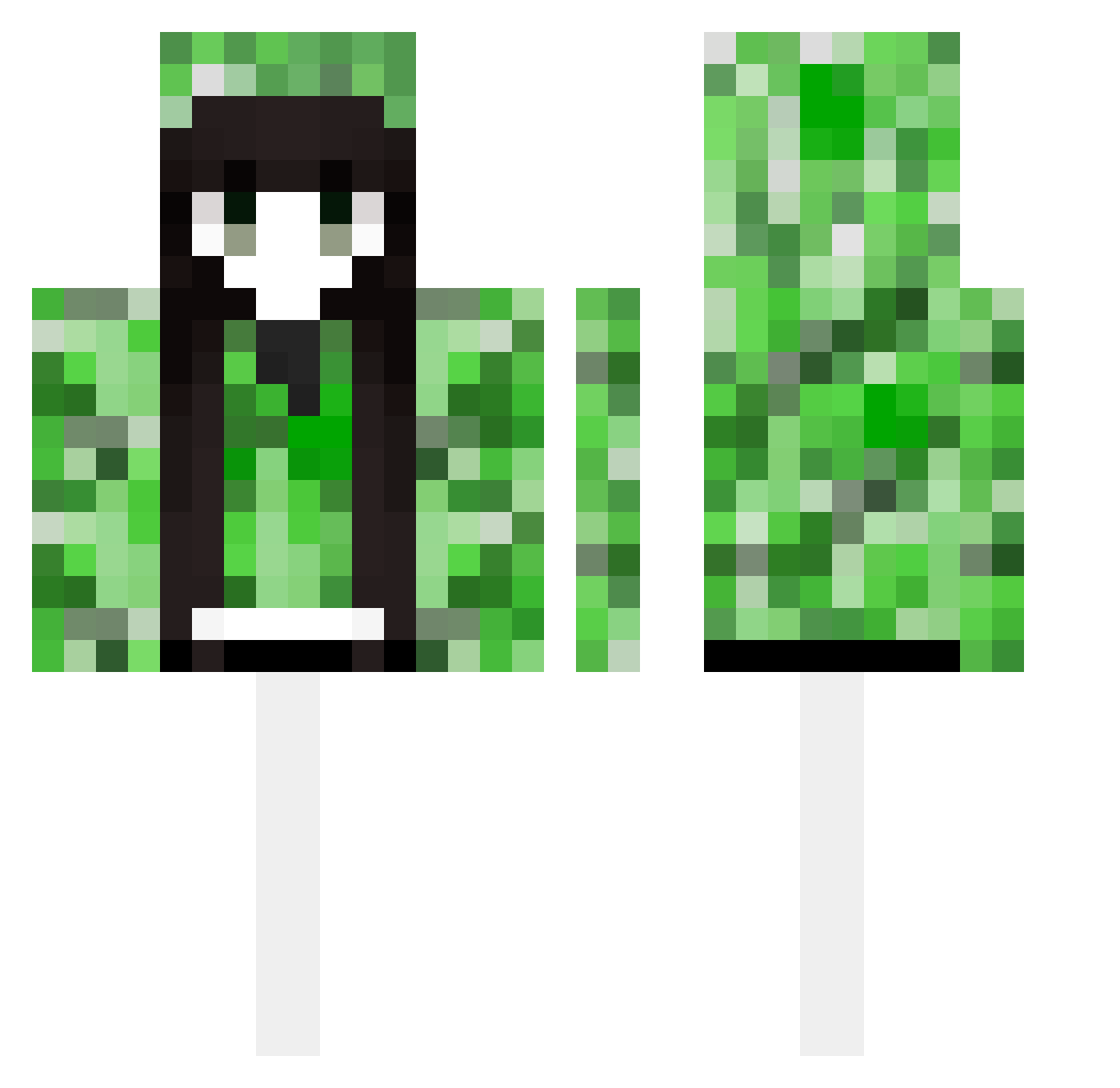
Current Minecraft skin of the player cth5678, loaded from the official Mojang API. Rotate the 3D model with your mouse or finger, then download the skin as a PNG file and use it in Minecraft: Bedrock Edition or Java Edition for free. When cth5678 changes their skin, this page updates automatically and the old skin stays in the history below.
Other players with this skin (489)
cth5678 was the 85th player we have seen with this skin, first spotted on 11.08.2026. The same skin was seen on these players. Open a nickname to see their current skin and skin history.
 desentendido_011 pzh1231 Kasia_aa LIEBE0_0 Beddefenderr Ocean2718 harry70617 YuLong_dexiao_cn dbfdms Miniverse92 LaiLine17 BoxShake K1ritsugu fjjy szuq chengxuanyu juan111111 krill17_ Cocoon20 DewyLove baicha114 ryuusou Alight13 sdadowe yuweiC dexfroze Sheep_yangg wangluoJ KATANA00000000 Aurora_tuo Chalcogenide SARAT UC3ing KaZZyV2
 YTHuelong ShiroSoo Yi_Zhang_ Foreverlove1233 ZX8220 jkgoto maonei Rxdioo ShenRB zouzou05 a12138 yyyyMM mikasa2525 CMG666 minicraftdreamcn baseados BestChinaCheater jiejie07 rutjdhfewffwf134 nanwe260 ghy988 kjs33 LRP0000 cuuut Yayuyon8 Sakayor11roha
More Creeper Minecraft skins
How to install the cth5678 skin
- Press the Download button above to save the skin as a PNG file.
- Minecraft: Bedrock Edition (PE): open the Dressing Room from the main menu (or tap your character → Edit Character), go to Classic Skins → Owned, press the + (new skin) button, choose the downloaded PNG and pick the Classic (Steve) model. Works on PC and mobile; consoles cannot import custom skins.
- Minecraft: Java Edition: open the Minecraft Launcher, go to the Skins tab, click New Skin, load the PNG, pick the Classic (Steve) model and press Save & Use. You can also upload it at minecraft.net → Profile → Change Skin.
The skin does not show up after import - what should I do?
Restart Minecraft and open the Dressing Room again - imported skins sometimes appear only after a restart. Also make sure you selected the imported skin and picked the Classic (Steve) model.
Which model should I choose, Classic or Slim?
This skin is designed for the Classic (Steve) model. If you pick the wrong model, the arms of the skin will look stretched or squeezed.
Is the skin of cth5678 free to download?
Yes. Press Download, save the PNG file and use it in Minecraft: Bedrock Edition or Java Edition - no payment or registration needed. The skin also works on multiplayer servers and Realms.
More skins
Looking for more? Go back to all Minecraft skins and check the top skins of the week, month and all time, or find any player's skin by nickname.