
cristian027 - Minecraft Skins & Skin History
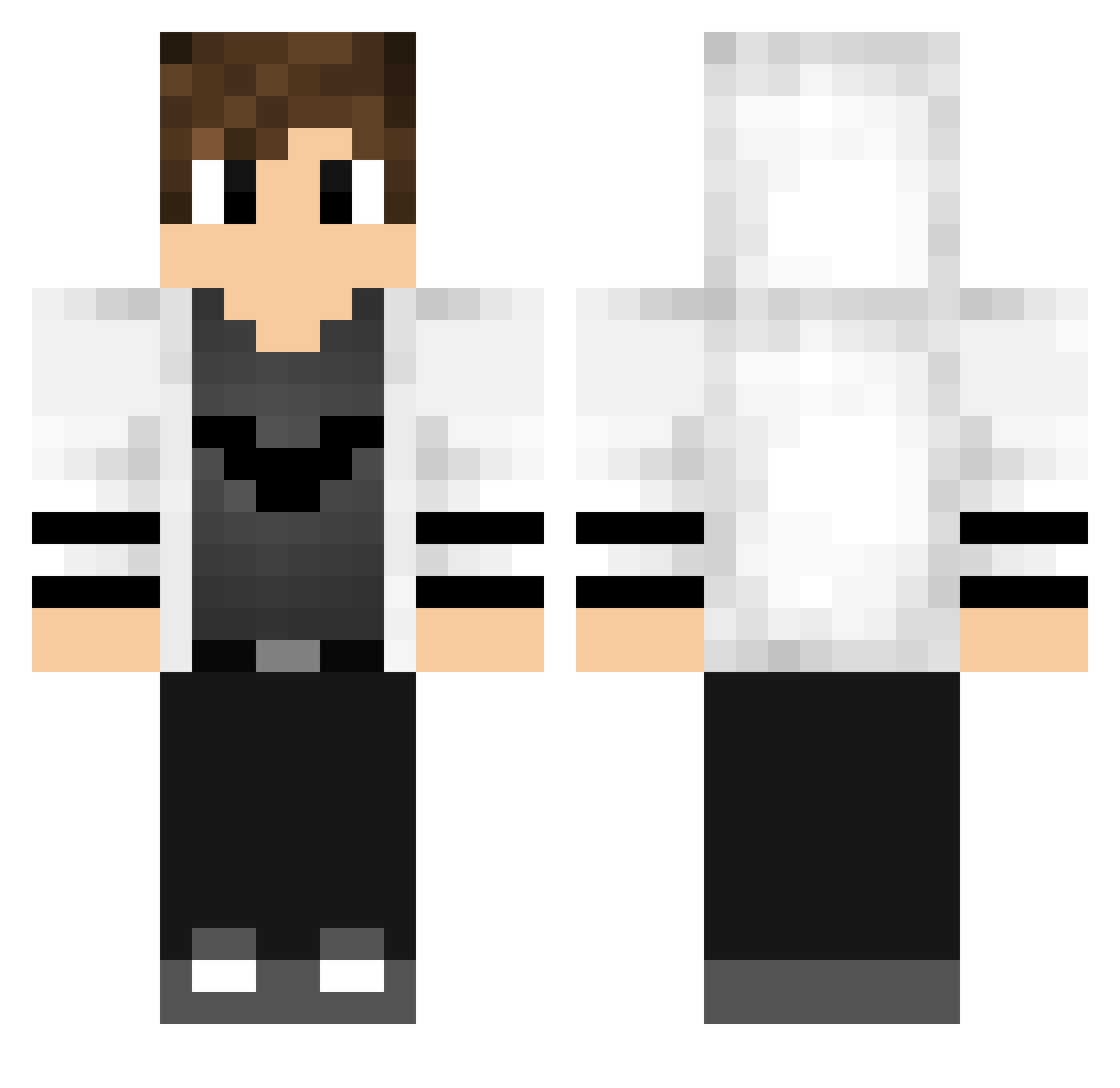
Current Minecraft skin of the player cristian027, loaded from the official Mojang API. Rotate the 3D model with your mouse or finger, then download the skin as a PNG file and use it in Minecraft: Bedrock Edition or Java Edition for free. When cristian027 changes their skin, this page updates automatically and the old skin stays in the history below.
Other players with this skin (768)
cristian027 was the 239th player we have seen with this skin, first spotted on 31.08.2026. The same skin was seen on these players. Open a nickname to see their current skin and skin history.
 FrancoH13 straycat0604 DAlex1490 WOLFeatsBOYS453 _WJ2_ BouDyMC Davichu07 strataax NyaDavidH3j PiovezanArt Tpulllka mend3s_yt DrBezendrine Efeyigit134 ShadowPirate96 Prokoboy haru0403503 Norion34 RockG07 BillyBush Wsj0515 ExoticAlphaZz aren1221 lgs_001 Silver0249 Lex3758 SSSSnower konte20 Cam__11 sloesssssssssss FranLovil stefw1999 CEsinha0304 not_Weroxx Sargent_Oinkers psunaj BlackIena TheBigMs hidayet1818 sabenmert unxayushpro halilalkn Balam_2015 ShoxyG angelico_11 zBielCraftz ByHeyecanli Gasparcledou b8789067 Gashell KUROSAKI_KU PaPaD856 AlexE1107 TopStrix RIFPRATEEK K11_Florian Nortex2K _riv3r_ CLEVERundSMART Alperen20
More Bat Symbol Minecraft skins
How to install the cristian027 skin
- Press the Download button above to save the skin as a PNG file.
- Minecraft: Bedrock Edition (PE): open the Dressing Room from the main menu (or tap your character → Edit Character), go to Classic Skins → Owned, press the + (new skin) button, choose the downloaded PNG and pick the Classic (Steve) model. Works on PC and mobile; consoles cannot import custom skins.
- Minecraft: Java Edition: open the Minecraft Launcher, go to the Skins tab, click New Skin, load the PNG, pick the Classic (Steve) model and press Save & Use. You can also upload it at minecraft.net → Profile → Change Skin.
The skin does not show up after import - what should I do?
Restart Minecraft and open the Dressing Room again - imported skins sometimes appear only after a restart. Also make sure you selected the imported skin and picked the Classic (Steve) model.
Which model should I choose, Classic or Slim?
This skin is designed for the Classic (Steve) model. If you pick the wrong model, the arms of the skin will look stretched or squeezed.
Is the skin of cristian027 free to download?
Yes. Press Download, save the PNG file and use it in Minecraft: Bedrock Edition or Java Edition - no payment or registration needed. The skin also works on multiplayer servers and Realms.
More skins
Looking for more? Go back to all Minecraft skins and check the top skins of the week, month and all time, or find any player's skin by nickname.