
crismonst - Minecraft Skins & Skin History
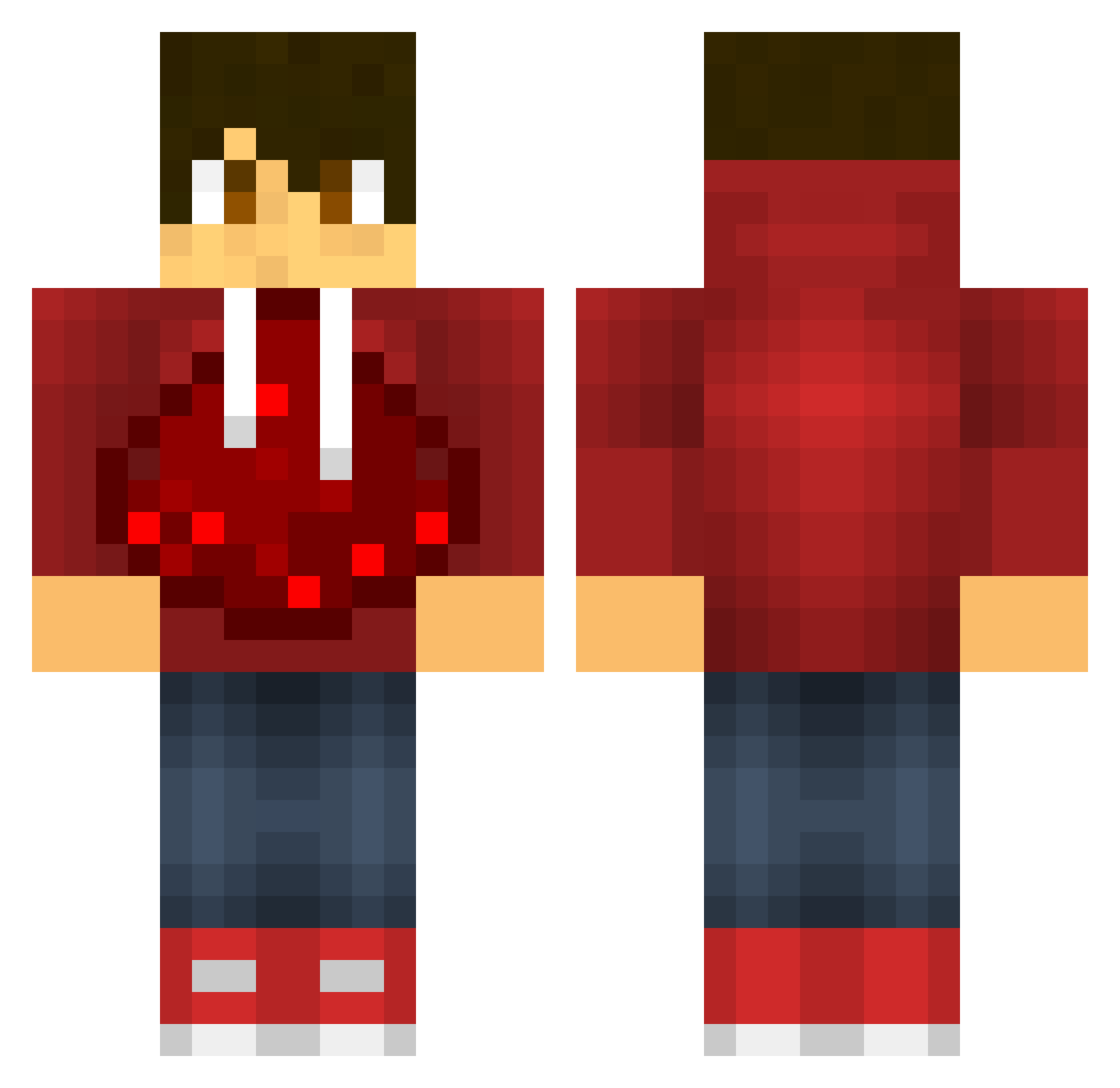
Current Minecraft skin of the player crismonst, loaded from the official Mojang API. Rotate the 3D model with your mouse or finger, then download the skin as a PNG file and use it in Minecraft: Bedrock Edition or Java Edition for free. When crismonst changes their skin, this page updates automatically and the old skin stays in the history below.
Other players with this skin (601)
crismonst was the 99th player we have seen with this skin, first spotted on 13.08.2026. The same skin was seen on these players. Open a nickname to see their current skin and skin history.
 JWeaver2004 Jacksondeal BJ_bermuda billbo_123 acerman14 pkmninja420 psychodash231 Glassgubben54 Morpheus84 XxZiggy102 wrectal The_Loner_Stoner redmeow10 BarbarianKing09 JeveSE neutje2002 big_gamer1998 robotaca weiniboy01 XxJaypeexX alsabbagh2003 Qpwned Gaston0418 anthony5496 datman222 oh6jz19 soffaperuna112 Enchantmentblaze RedSlicer Kramarz Dark_Moons Durantula007 FabulousPanther AresOW Slayyer123 Eclipse_xD Ysnow51 AJ_B_27 voy_ Rellars BigButtNinja PhlegmBaller real_tobias 107DREW MR_MTD Rachi_1337 DrifterHan_ Renxault Yoavaz Poseidnn1122 Tbird023 jdog0318 Rocky2k12 maxj66 babyguz broman7756 claude37 trever1713 BombAsticCole bombdagger
More Redstone Minecraft skins
How to install the crismonst skin
- Press the Download button above to save the skin as a PNG file.
- Minecraft: Bedrock Edition (PE): open the Dressing Room from the main menu (or tap your character → Edit Character), go to Classic Skins → Owned, press the + (new skin) button, choose the downloaded PNG and pick the Classic (Steve) model. Works on PC and mobile; consoles cannot import custom skins.
- Minecraft: Java Edition: open the Minecraft Launcher, go to the Skins tab, click New Skin, load the PNG, pick the Classic (Steve) model and press Save & Use. You can also upload it at minecraft.net → Profile → Change Skin.
The skin does not show up after import - what should I do?
Restart Minecraft and open the Dressing Room again - imported skins sometimes appear only after a restart. Also make sure you selected the imported skin and picked the Classic (Steve) model.
Which model should I choose, Classic or Slim?
This skin is designed for the Classic (Steve) model. If you pick the wrong model, the arms of the skin will look stretched or squeezed.
Is the skin of crismonst free to download?
Yes. Press Download, save the PNG file and use it in Minecraft: Bedrock Edition or Java Edition - no payment or registration needed. The skin also works on multiplayer servers and Realms.
More skins
Looking for more? Go back to all Minecraft skins and check the top skins of the week, month and all time, or find any player's skin by nickname.