
crimusmiracle - Minecraft Skins & Skin History
Current Minecraft skin of the player crimusmiracle, loaded from the official Mojang API. Rotate the 3D model with your mouse or finger, then download the skin as a PNG file and use it in Minecraft: Bedrock Edition or Java Edition for free. When crimusmiracle changes their skin, this page updates automatically and the old skin stays in the history below.
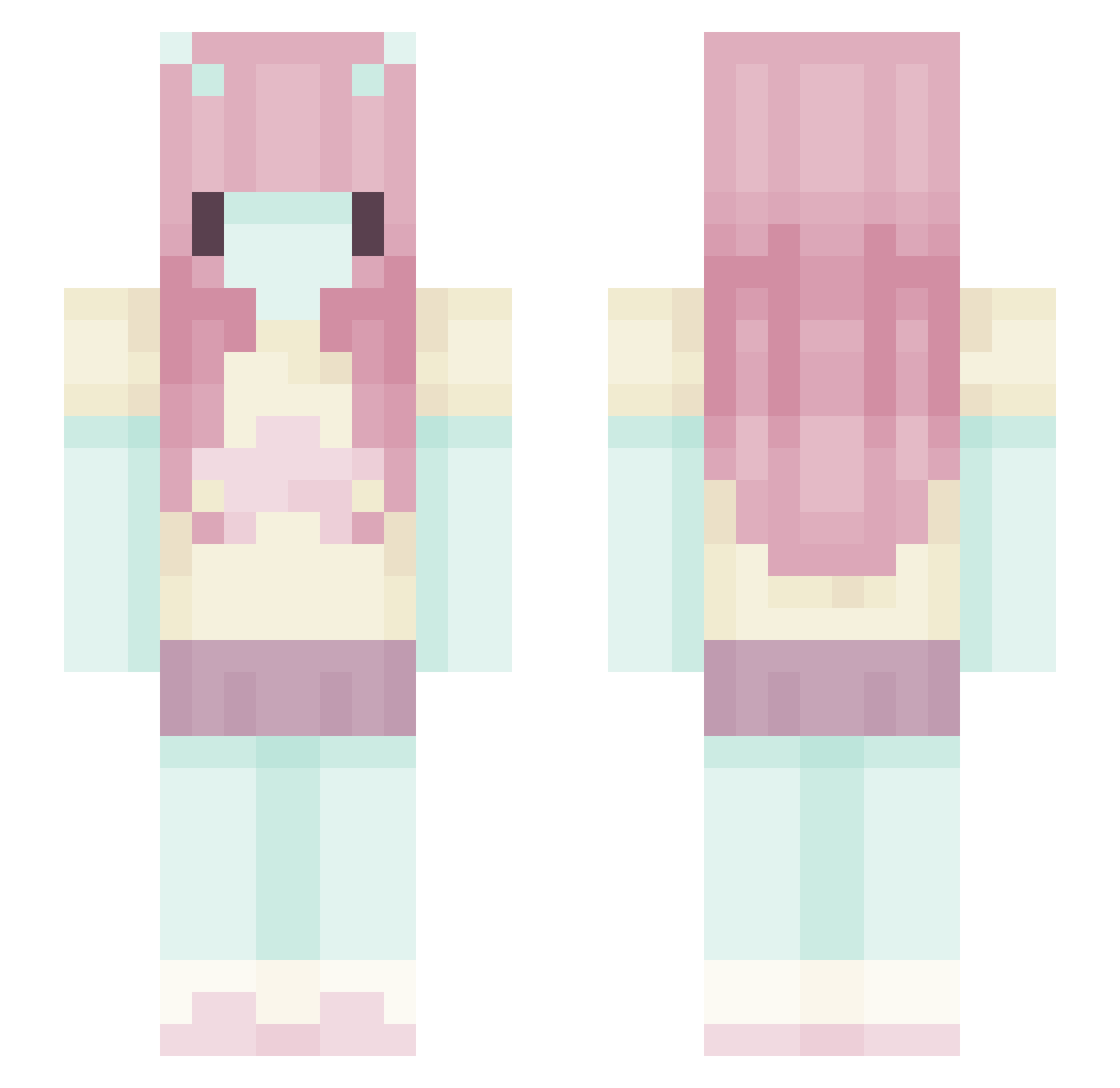
Other players with this skin (551)
crimusmiracle was the 415th player we have seen with this skin, first spotted on 06.10.2026. The same skin was seen on these players. Open a nickname to see their current skin and skin history.
 savhebert zQkira _Toksik_ dollsick BunnieSquish ofjon SplodgeSplatt Stelliumz Hiroseeeee v3vp serifairy porcelainpuss Zzuzia_2 superbigballs Addy_011 skullv4mps businesscat48 Liburty misowisoniso Dannyisdum splattopia 6fairyprincess9 dannauwu__ CryyBaby_ VibrantStar SailorPink Lemongirl8536 MayTorxix cloudy_moment emosryba sugarmeows isabelro_se KiaraSigh Taekoyaki blushilla cinnayaki l6ve Mintxality SpleetLot qznet chemlabs Liro_06 vudeeri pixieghosts swagaling GeorgieB3ar IcePearlix galactickat Voii2x meowmeow49 pocky220 EmmaJune iamastar222 dynamight_t Gocciole KarmaLyn21 olusznik BoltingTurtle53 taetens d4rk_JerYZ
More Zero Two Minecraft skins
How to install the crimusmiracle skin
- Press the Download button above to save the skin as a PNG file.
- Minecraft: Bedrock Edition (PE): open the Dressing Room from the main menu (or tap your character → Edit Character), go to Classic Skins → Owned, press the + (new skin) button, choose the downloaded PNG and pick the Slim (Alex) model. Works on PC and mobile; consoles cannot import custom skins.
- Minecraft: Java Edition: open the Minecraft Launcher, go to the Skins tab, click New Skin, load the PNG, pick the Slim (Alex) model and press Save & Use. You can also upload it at minecraft.net → Profile → Change Skin.
The skin does not show up after import - what should I do?
Restart Minecraft and open the Dressing Room again - imported skins sometimes appear only after a restart. Also make sure you selected the imported skin and picked the Slim (Alex) model.
Which model should I choose, Classic or Slim?
This skin is designed for the Slim (Alex) model. If you pick the wrong model, the arms of the skin will look stretched or squeezed.
Is the skin of crimusmiracle free to download?
Yes. Press Download, save the PNG file and use it in Minecraft: Bedrock Edition or Java Edition - no payment or registration needed. The skin also works on multiplayer servers and Realms.
More skins
Looking for more? Go back to all Minecraft skins and check the top skins of the week, month and all time, or find any player's skin by nickname.