
creatorofdark - Minecraft Skins & Skin History
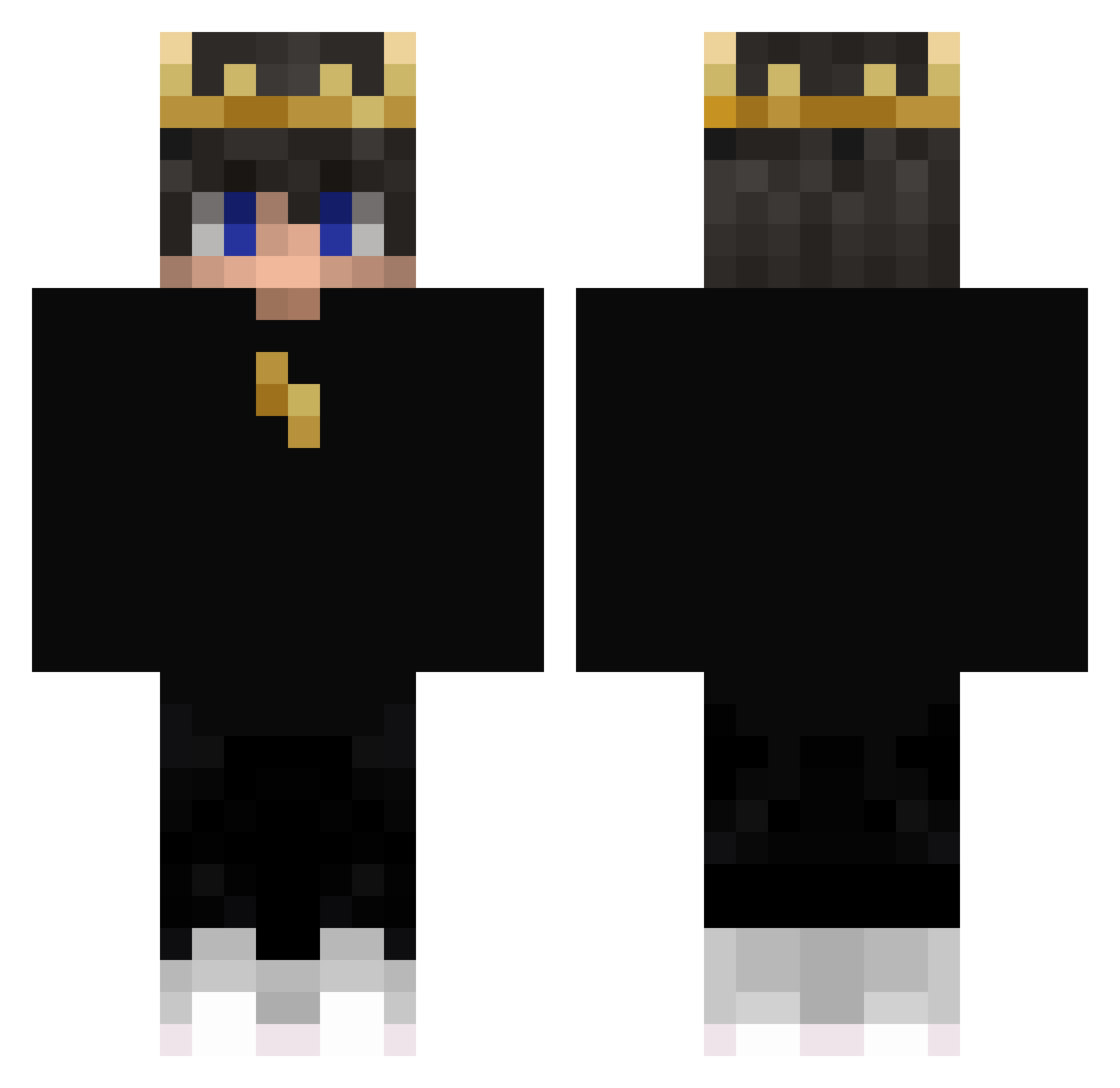
Current Minecraft skin of the player creatorofdark, loaded from the official Mojang API. Rotate the 3D model with your mouse or finger, then download the skin as a PNG file and use it in Minecraft: Bedrock Edition or Java Edition for free. When creatorofdark changes their skin, this page updates automatically and the old skin stays in the history below.
Other players with this skin (405)
creatorofdark was the 103rd player we have seen with this skin, first spotted on 21.08.2026. The same skin was seen on these players. Open a nickname to see their current skin and skin history.
 Bam7780 Neon_Oxide infernogeo Glonos Arcanot LwMagician Moonlapse MikeysBackPimple MandoManTV Artjompkl lorys223 BenFeedAq pneuqueimado26 Thibman713 Thecdr0 mar2cexw s7Alejandro21 Wal_E_ Paramecium0127 Callumbum4655 XITADIN_ Feurinho_akadieu Yuki_Jannik ReApZz999 DougyStebila SR_CIMERIES SubDrayko __Albino AleSamma03 Buntek 9Fifty_ hyp67x ch_wei 2511Raven JoaroRL Flepser Kosownik2115 SMILESKILLSME09 KikeMT Herobrian_twin Sabertooth_P67 gorzki_ sohpie_jerry 01chevybeast KuuBaaaQP MisterZach panda_boy43 Puppyish_Yeon iiBr1ght_ James734 Perehuzic Sewkolu BarteKKZK SylvaTerran MrLmix Paziu_69 jonaspro312 LiuQuQ ander0505050 Prizepool
More Lightning Minecraft skins
How to install the creatorofdark skin
- Press the Download button above to save the skin as a PNG file.
- Minecraft: Bedrock Edition (PE): open the Dressing Room from the main menu (or tap your character → Edit Character), go to Classic Skins → Owned, press the + (new skin) button, choose the downloaded PNG and pick the Classic (Steve) model. Works on PC and mobile; consoles cannot import custom skins.
- Minecraft: Java Edition: open the Minecraft Launcher, go to the Skins tab, click New Skin, load the PNG, pick the Classic (Steve) model and press Save & Use. You can also upload it at minecraft.net → Profile → Change Skin.
The skin does not show up after import - what should I do?
Restart Minecraft and open the Dressing Room again - imported skins sometimes appear only after a restart. Also make sure you selected the imported skin and picked the Classic (Steve) model.
Which model should I choose, Classic or Slim?
This skin is designed for the Classic (Steve) model. If you pick the wrong model, the arms of the skin will look stretched or squeezed.
Is the skin of creatorofdark free to download?
Yes. Press Download, save the PNG file and use it in Minecraft: Bedrock Edition or Java Edition - no payment or registration needed. The skin also works on multiplayer servers and Realms.
More skins
Looking for more? Go back to all Minecraft skins and check the top skins of the week, month and all time, or find any player's skin by nickname.