
MaxTheGamerLp - Minecraft Skins & Skin History
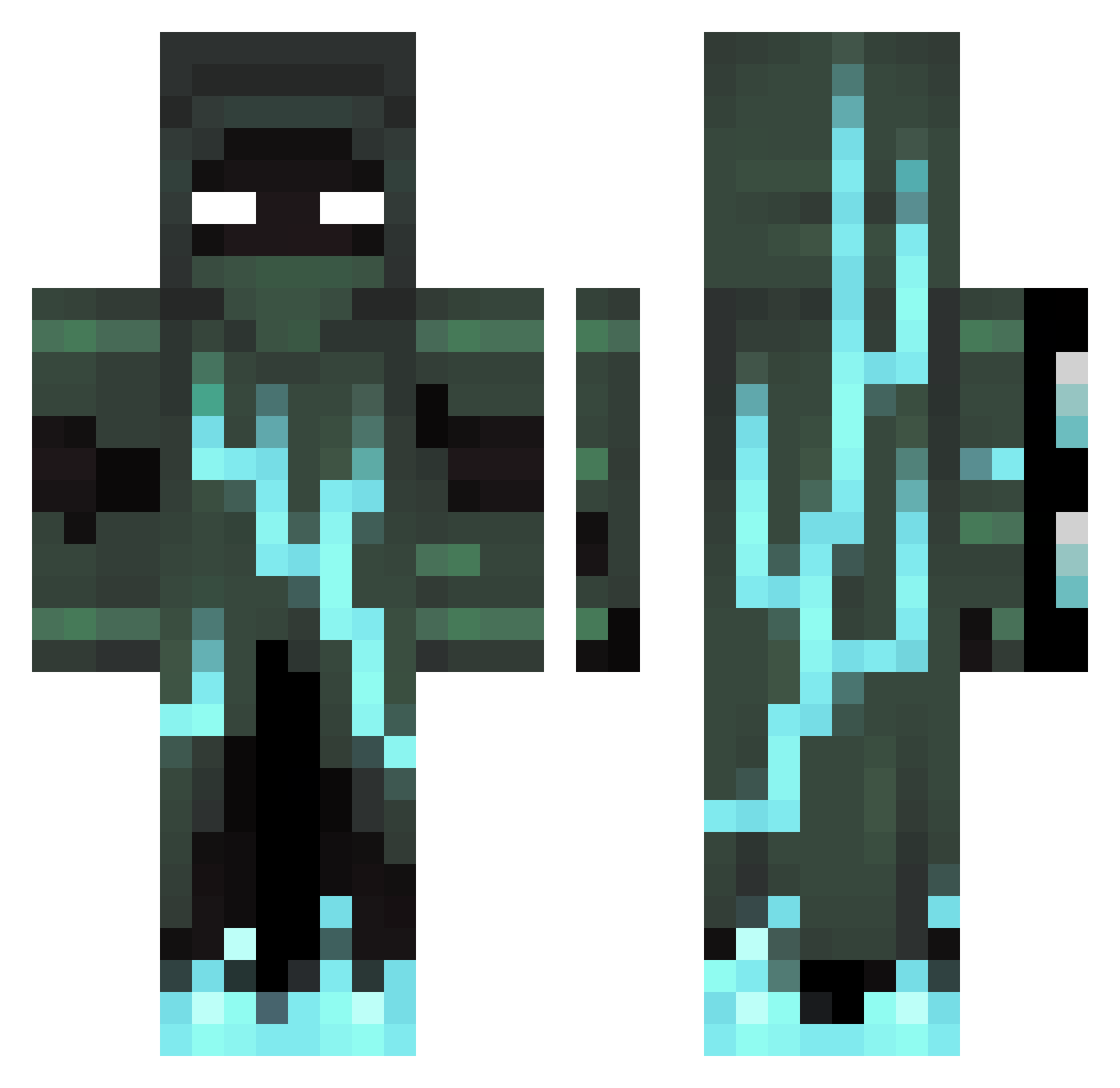
Current Minecraft skin of the player MaxTheGamerLp, loaded from the official Mojang API. Rotate the 3D model with your mouse or finger, then download the skin as a PNG file and use it in Minecraft: Bedrock Edition or Java Edition for free. When MaxTheGamerLp changes their skin, this page updates automatically and the old skin stays in the history below.
Other players with this skin (96)
MaxTheGamerLp was the 1st player we have seen with this skin, first spotted on 22.07.2026. The same skin was seen on these players. Open a nickname to see their current skin and skin history.
 Lunar_Destroyer1 Zephyraotea Makros757 Denzerune SeekNDstroy76 WINDomsi ScDamiano Ti_pro Deguinhas
 naojiro2018
 C0nfus1oneh Sharknado1095 snowydragon_963 FzXl6 Izanfenoy polskakluska2424 ken3085 lookup431413 Bladekencj Fing3R
 NobleMercury D3finitelyNotAFK Desu_mc georgelaughed23 joacoarana06 redboi99121 WWheat15 Intibreaker ChickenMitFly
 qMero gggitsme GOTYuis_de Fruitbutcher693 pizza_king777 DynoScorpion VonJxr ThatsNoah420 Fridde06 FantasmaInfernal Elishay WLF_Ryder Gofbar Shukaku878 ZombieDestroyerx Starlord1109 Codrin1213 ch1nley ThimoFerede JumpingJ3014 Bryan_32 Smeraldo2014 IAmBadAtGames ItzZinc Ceritoticlappa Aaron_omg Gangaris BORJAS001 jaydenngai16 Stealthy_Ninja7 I_Am_Disgusted
More Lightning Minecraft skins
How to install the MaxTheGamerLp skin
- Press the Download button above to save the skin as a PNG file.
- Minecraft: Bedrock Edition (PE): open the Dressing Room from the main menu (or tap your character → Edit Character), go to Classic Skins → Owned, press the + (new skin) button, choose the downloaded PNG and pick the Classic (Steve) model. Works on PC and mobile; consoles cannot import custom skins.
- Minecraft: Java Edition: open the Minecraft Launcher, go to the Skins tab, click New Skin, load the PNG, pick the Classic (Steve) model and press Save & Use. You can also upload it at minecraft.net → Profile → Change Skin.
The skin does not show up after import - what should I do?
Restart Minecraft and open the Dressing Room again - imported skins sometimes appear only after a restart. Also make sure you selected the imported skin and picked the Classic (Steve) model.
Which model should I choose, Classic or Slim?
This skin is designed for the Classic (Steve) model. If you pick the wrong model, the arms of the skin will look stretched or squeezed.
Is the skin of MaxTheGamerLp free to download?
Yes. Press Download, save the PNG file and use it in Minecraft: Bedrock Edition or Java Edition - no payment or registration needed. The skin also works on multiplayer servers and Realms.
More skins
Looking for more? Go back to all Minecraft skins and check the top skins of the week, month and all time, or find any player's skin by nickname.