
cotop08 - Minecraft Skins & Skin History
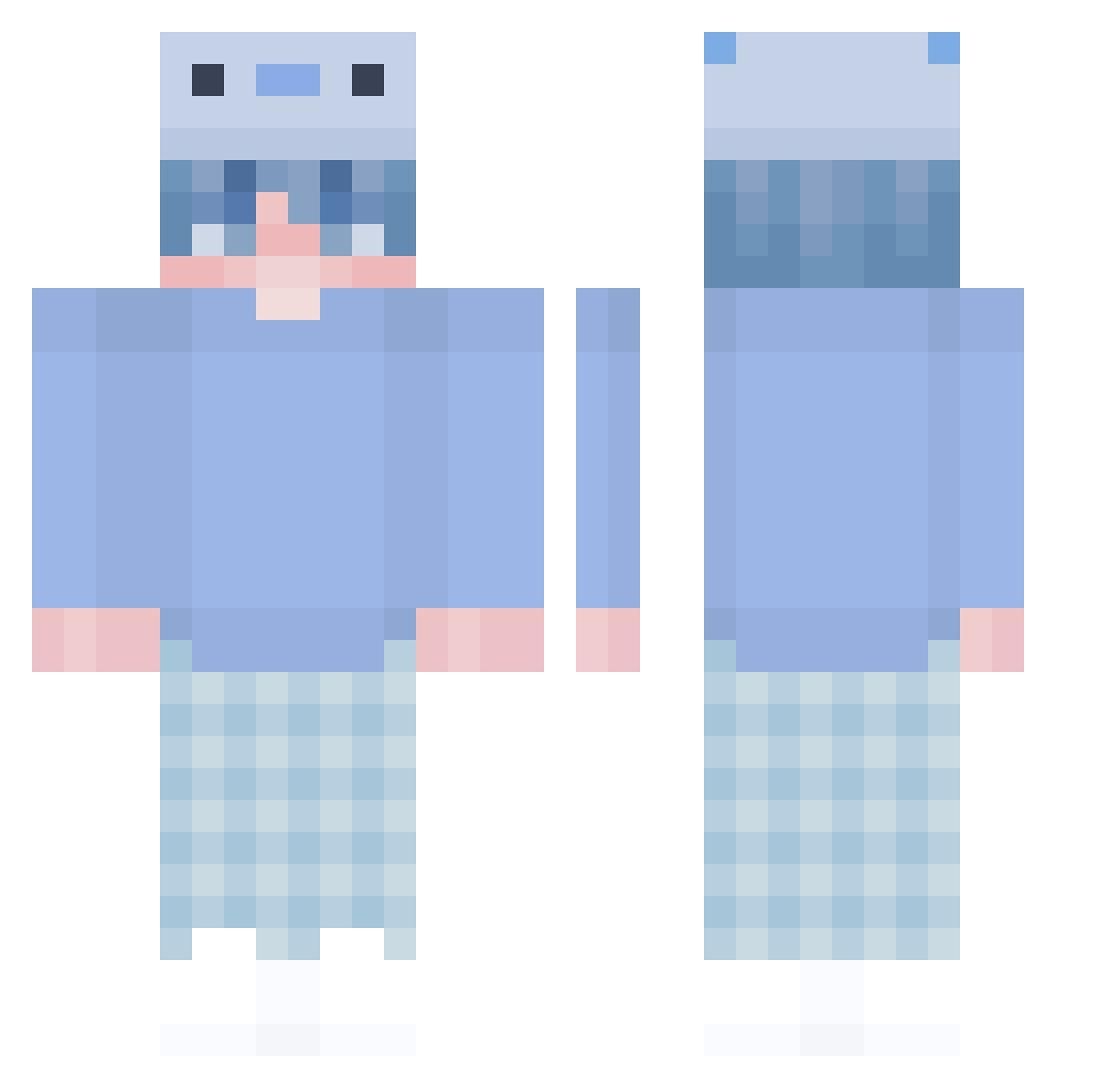
Current Minecraft skin of the player cotop08, loaded from the official Mojang API. Rotate the 3D model with your mouse or finger, then download the skin as a PNG file and use it in Minecraft: Bedrock Edition or Java Edition for free. When cotop08 changes their skin, this page updates automatically and the old skin stays in the history below.
Other players with this skin (447)
cotop08 was the 122nd player we have seen with this skin, first spotted on 29.08.2026. The same skin was seen on these players. Open a nickname to see their current skin and skin history.
 leechanyoung0719 Tomatenklecks milcoki hyeon06_ S2mle1000lesh Syrxss Twip267 Iz1and Atlaswq Cristtttiiii _Energetix_ Yu___Ai HerMoonLightt Pythonerdae BMJ1213 limoncuk awsqed MeryHall SpirekPL3938 Bantzas OnlyBean sjchoi0416 Paquazi VeloMisuse Yareli9611 Laze1611 Y3lyan 1bradyn Aiyo1220 Rainrr UltCatz nacken_ yagodavi DADDYDORSEY JurKowal1234 mocchii55
 eliasricco67 5000 Orange0504 1600dpi Hardy_HJ LoddisMC Gustav_Rain082 NIKOGIRDEGSMEKKK IYOF GYzjy Nissehz buster1314 aqoos Yzge Szymon2022 BorisTurtle xquatic FriiZoLoGYy dazeec05 Sichiru Davida977 Taterbug6789 asusu0412 Maple_25252
More Axolotl Hat Minecraft skins
How to install the cotop08 skin
- Press the Download button above to save the skin as a PNG file.
- Minecraft: Bedrock Edition (PE): open the Dressing Room from the main menu (or tap your character → Edit Character), go to Classic Skins → Owned, press the + (new skin) button, choose the downloaded PNG and pick the Classic (Steve) model. Works on PC and mobile; consoles cannot import custom skins.
- Minecraft: Java Edition: open the Minecraft Launcher, go to the Skins tab, click New Skin, load the PNG, pick the Classic (Steve) model and press Save & Use. You can also upload it at minecraft.net → Profile → Change Skin.
The skin does not show up after import - what should I do?
Restart Minecraft and open the Dressing Room again - imported skins sometimes appear only after a restart. Also make sure you selected the imported skin and picked the Classic (Steve) model.
Which model should I choose, Classic or Slim?
This skin is designed for the Classic (Steve) model. If you pick the wrong model, the arms of the skin will look stretched or squeezed.
Is the skin of cotop08 free to download?
Yes. Press Download, save the PNG file and use it in Minecraft: Bedrock Edition or Java Edition - no payment or registration needed. The skin also works on multiplayer servers and Realms.
More skins
Looking for more? Go back to all Minecraft skins and check the top skins of the week, month and all time, or find any player's skin by nickname.