
coldpizza925 - Minecraft Skins & Skin History
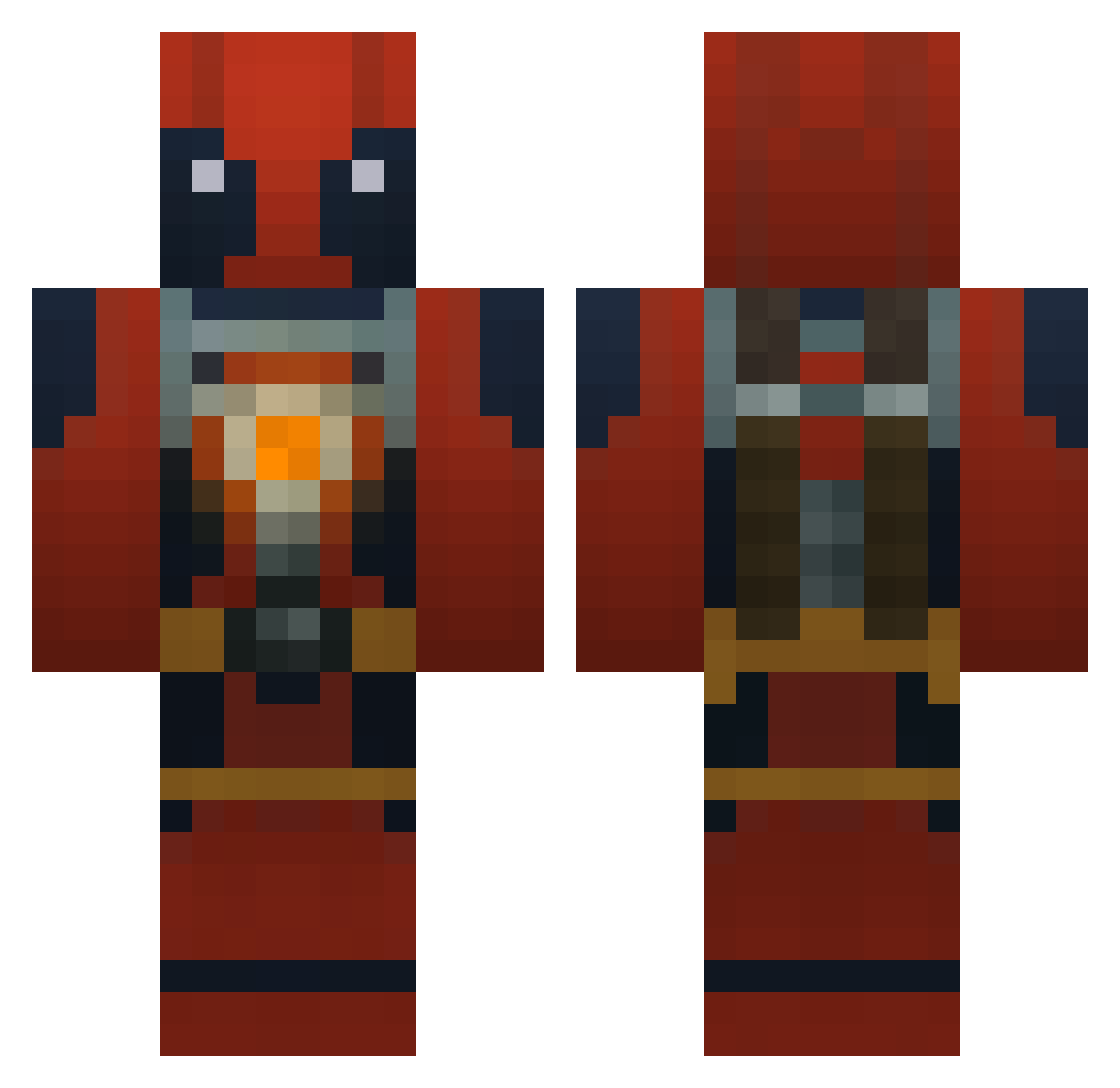
Current Minecraft skin of the player coldpizza925, loaded from the official Mojang API. Rotate the 3D model with your mouse or finger, then download the skin as a PNG file and use it in Minecraft: Bedrock Edition or Java Edition for free. When coldpizza925 changes their skin, this page updates automatically and the old skin stays in the history below.
Other players with this skin (750)
coldpizza925 was the 47th player we have seen with this skin, first spotted on 29.07.2026. The same skin was seen on these players. Open a nickname to see their current skin and skin history.
 SkeletorMania Tyce_Mcrice123 EpicBro10 The_Shankster_ ThatSquirtle qazqazas jkplaya SpenceDizz Rabenkreuz Echomc_ ZaneHawk ImFraYn Shawn_Died Ghosted9 cletusbro KingWizard05 Mr_Voltaire LTG_Grizzly BatistaBomb55 Bibarel69 sony900 BRO20022401 afrocal dimdom6993 XxStAtIcSxX yayitsdavid1 WoefulDragon Elite1513 holy_fershizle_i DunNken89 Xach_Attack Ace52998 IamGodspeed52 Savanche M_O_K samtman12 YiorgPool Jocko14 Azrael301 samuelswag20 creepman999 foozball52 CIRE41 Faded_LoKi starplayer7 tower1155 mech07 Shirley06 epicjohn98 musicangel7 minecraftzeta Diamond_Zombie07 tkx_24 BOMBATT little_rocko leisvik Harvest0815 Hazukz Teck23 DDDeadpool
More Deadpool Minecraft skins
How to install the coldpizza925 skin
- Press the Download button above to save the skin as a PNG file.
- Minecraft: Bedrock Edition (PE): open the Dressing Room from the main menu (or tap your character → Edit Character), go to Classic Skins → Owned, press the + (new skin) button, choose the downloaded PNG and pick the Classic (Steve) model. Works on PC and mobile; consoles cannot import custom skins.
- Minecraft: Java Edition: open the Minecraft Launcher, go to the Skins tab, click New Skin, load the PNG, pick the Classic (Steve) model and press Save & Use. You can also upload it at minecraft.net → Profile → Change Skin.
The skin does not show up after import - what should I do?
Restart Minecraft and open the Dressing Room again - imported skins sometimes appear only after a restart. Also make sure you selected the imported skin and picked the Classic (Steve) model.
Which model should I choose, Classic or Slim?
This skin is designed for the Classic (Steve) model. If you pick the wrong model, the arms of the skin will look stretched or squeezed.
Is the skin of coldpizza925 free to download?
Yes. Press Download, save the PNG file and use it in Minecraft: Bedrock Edition or Java Edition - no payment or registration needed. The skin also works on multiplayer servers and Realms.
More skins
Looking for more? Go back to all Minecraft skins and check the top skins of the week, month and all time, or find any player's skin by nickname.