
coco_canabis - Minecraft Skins & Skin History
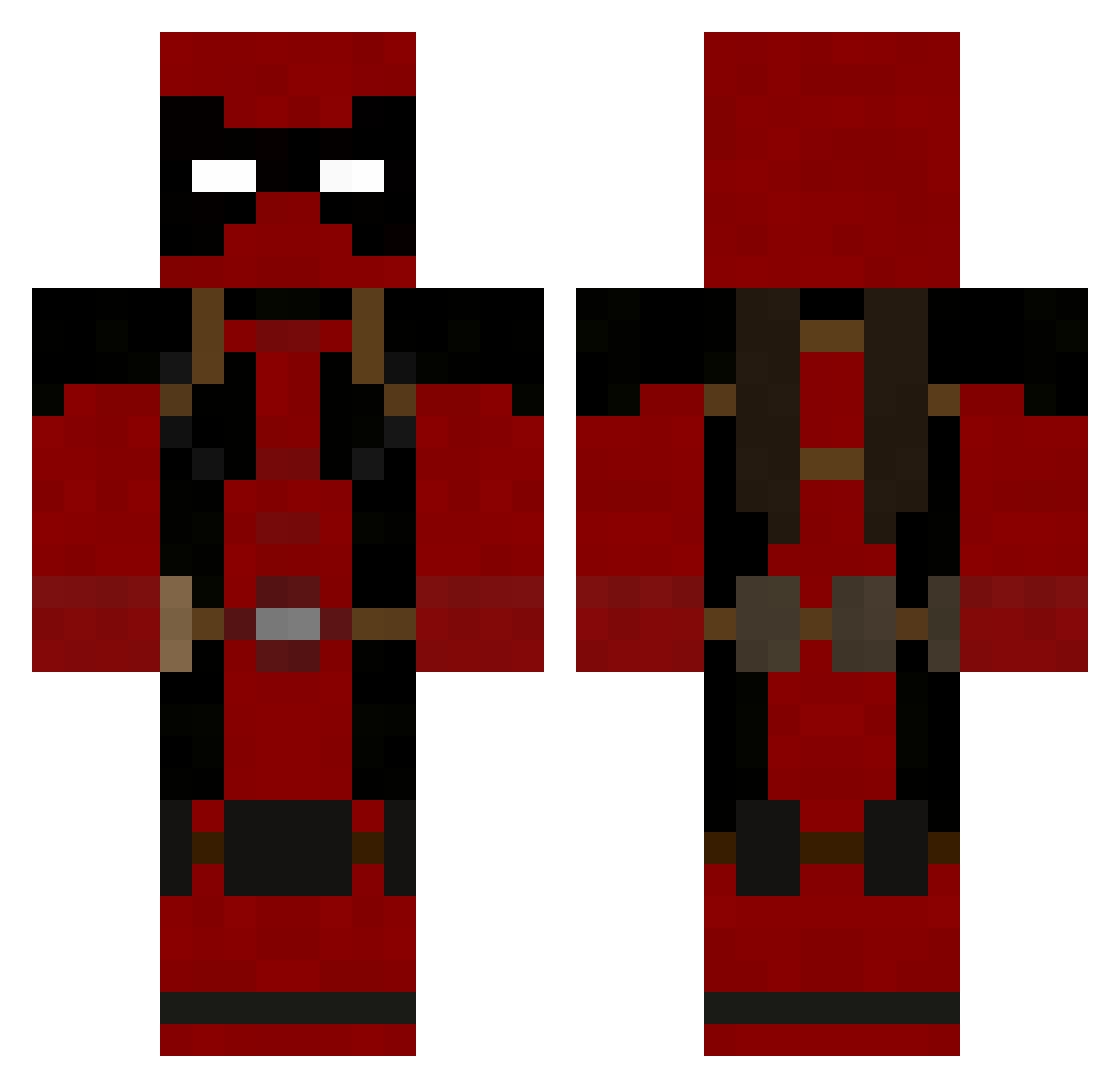
Current Minecraft skin of the player coco_canabis, loaded from the official Mojang API. Rotate the 3D model with your mouse or finger, then download the skin as a PNG file and use it in Minecraft: Bedrock Edition or Java Edition for free. When coco_canabis changes their skin, this page updates automatically and the old skin stays in the history below.
Other players with this skin (752)
coco_canabis was the 224th player we have seen with this skin, first spotted on 20.08.2026. The same skin was seen on these players. Open a nickname to see their current skin and skin history.
 ajamadio Sauronbunny Muhshuhu Department_K MisfitsMike KrAcKeD1 ultimate_shivam SenorSheepy zeratuljo129 FusRohDANCE Swammie cmort ducky240 WhoLovesBuritos emilioandrei Captainval avonamla deathrapter1 JoeMcLernon LatiasX Gforce5in06 DeadPool92600 rkmasters Gr3yF0x SuperDumb Beast_Apprentice Kencen veedubguy renegade770 captainbob79 deathbypikachu Tragicprof Balken22 awesomespike37 lazyclayzee Agricola84 Yomencmoi Panzer1993 Jake_Rose Ilax24Y PandaMatt Preece03 Bob_Jones77 Gauchong Need_ToLate minimassy Reswity MatthewBrooke21 R4G3x3cho sebbyxP CombatWombat2 SpaceGlue69 RoryBlaize RickyDeath666 leoskate11 Oupla bodhisttva sv_iceman eamasterson XERBES
More Deadpool Minecraft skins
How to install the coco_canabis skin
- Press the Download button above to save the skin as a PNG file.
- Minecraft: Bedrock Edition (PE): open the Dressing Room from the main menu (or tap your character → Edit Character), go to Classic Skins → Owned, press the + (new skin) button, choose the downloaded PNG and pick the Classic (Steve) model. Works on PC and mobile; consoles cannot import custom skins.
- Minecraft: Java Edition: open the Minecraft Launcher, go to the Skins tab, click New Skin, load the PNG, pick the Classic (Steve) model and press Save & Use. You can also upload it at minecraft.net → Profile → Change Skin.
The skin does not show up after import - what should I do?
Restart Minecraft and open the Dressing Room again - imported skins sometimes appear only after a restart. Also make sure you selected the imported skin and picked the Classic (Steve) model.
Which model should I choose, Classic or Slim?
This skin is designed for the Classic (Steve) model. If you pick the wrong model, the arms of the skin will look stretched or squeezed.
Is the skin of coco_canabis free to download?
Yes. Press Download, save the PNG file and use it in Minecraft: Bedrock Edition or Java Edition - no payment or registration needed. The skin also works on multiplayer servers and Realms.
More skins
Looking for more? Go back to all Minecraft skins and check the top skins of the week, month and all time, or find any player's skin by nickname.