
cleversheep_ - Minecraft Skins & Skin History
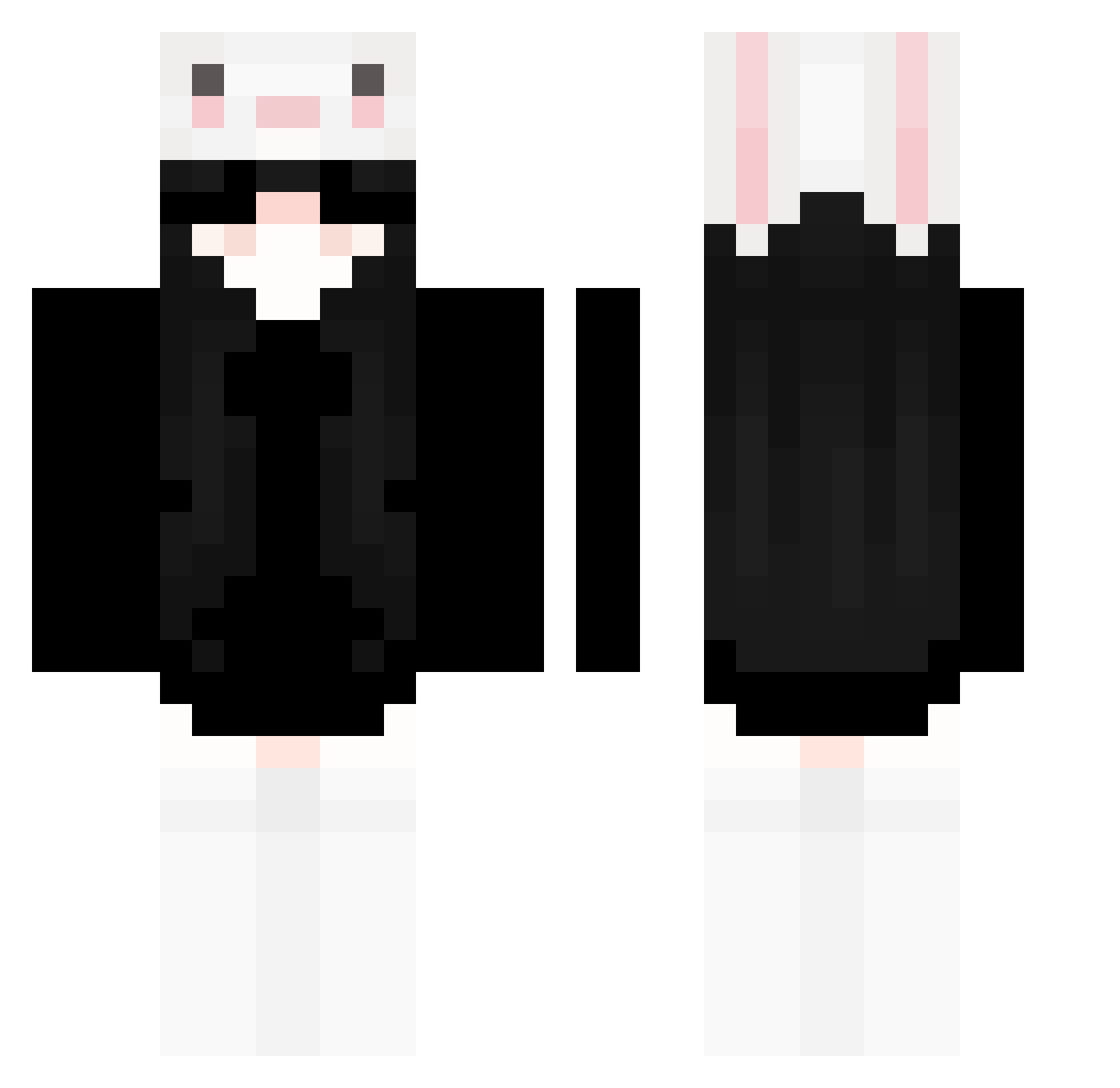
Current Minecraft skin of the player cleversheep_, loaded from the official Mojang API. Rotate the 3D model with your mouse or finger, then download the skin as a PNG file and use it in Minecraft: Bedrock Edition or Java Edition for free. When cleversheep_ changes their skin, this page updates automatically and the old skin stays in the history below.
Other players with this skin (322)
cleversheep_ was the 279th player we have seen with this skin, first spotted on 05.11.2026. The same skin was seen on these players. Open a nickname to see their current skin and skin history.
 Kittyyyyyyyyyy NewSkrr ts343 MalaRobyn PikachuLou kinarichan 7G6D Augety12345 _Ahb littleblack327 LoPaa_afb Hapiurock Dominator520 oHarri_ 0lixiaxx billiebossanovaa Lidiux Ivnight L_LQQQ AmnestyInt xin114 lyxa0 crtlive Mnx1 Oxuu phisss tudoui breeze3645 xiaoxianQAQ Lezamaa1 Vangsu sil3nth1ll Kabzel10 Nelvia HeyNatalia MrsBattleEye _xZi_YEx_ yNaori_ _jyy Assasin88LOL TheLake06 riwwley martj obbexnugget Raye0917 NoxKissKiss mandinhasxm hanjongin Pollo_13 Itz_Italian uwueror cms100325 QwertyDarkKing roun10 YcRui nataleczka321 HannJisungg Crazyme332 NaiYouSuBinG xLoczek0
More Face Mask Minecraft skins
How to install the cleversheep_ skin
- Press the Download button above to save the skin as a PNG file.
- Minecraft: Bedrock Edition (PE): open the Dressing Room from the main menu (or tap your character → Edit Character), go to Classic Skins → Owned, press the + (new skin) button, choose the downloaded PNG and pick the Classic (Steve) model. Works on PC and mobile; consoles cannot import custom skins.
- Minecraft: Java Edition: open the Minecraft Launcher, go to the Skins tab, click New Skin, load the PNG, pick the Classic (Steve) model and press Save & Use. You can also upload it at minecraft.net → Profile → Change Skin.
The skin does not show up after import - what should I do?
Restart Minecraft and open the Dressing Room again - imported skins sometimes appear only after a restart. Also make sure you selected the imported skin and picked the Classic (Steve) model.
Which model should I choose, Classic or Slim?
This skin is designed for the Classic (Steve) model. If you pick the wrong model, the arms of the skin will look stretched or squeezed.
Is the skin of cleversheep_ free to download?
Yes. Press Download, save the PNG file and use it in Minecraft: Bedrock Edition or Java Edition - no payment or registration needed. The skin also works on multiplayer servers and Realms.
More skins
Looking for more? Go back to all Minecraft skins and check the top skins of the week, month and all time, or find any player's skin by nickname.