
clairebai - Minecraft Skins & Skin History
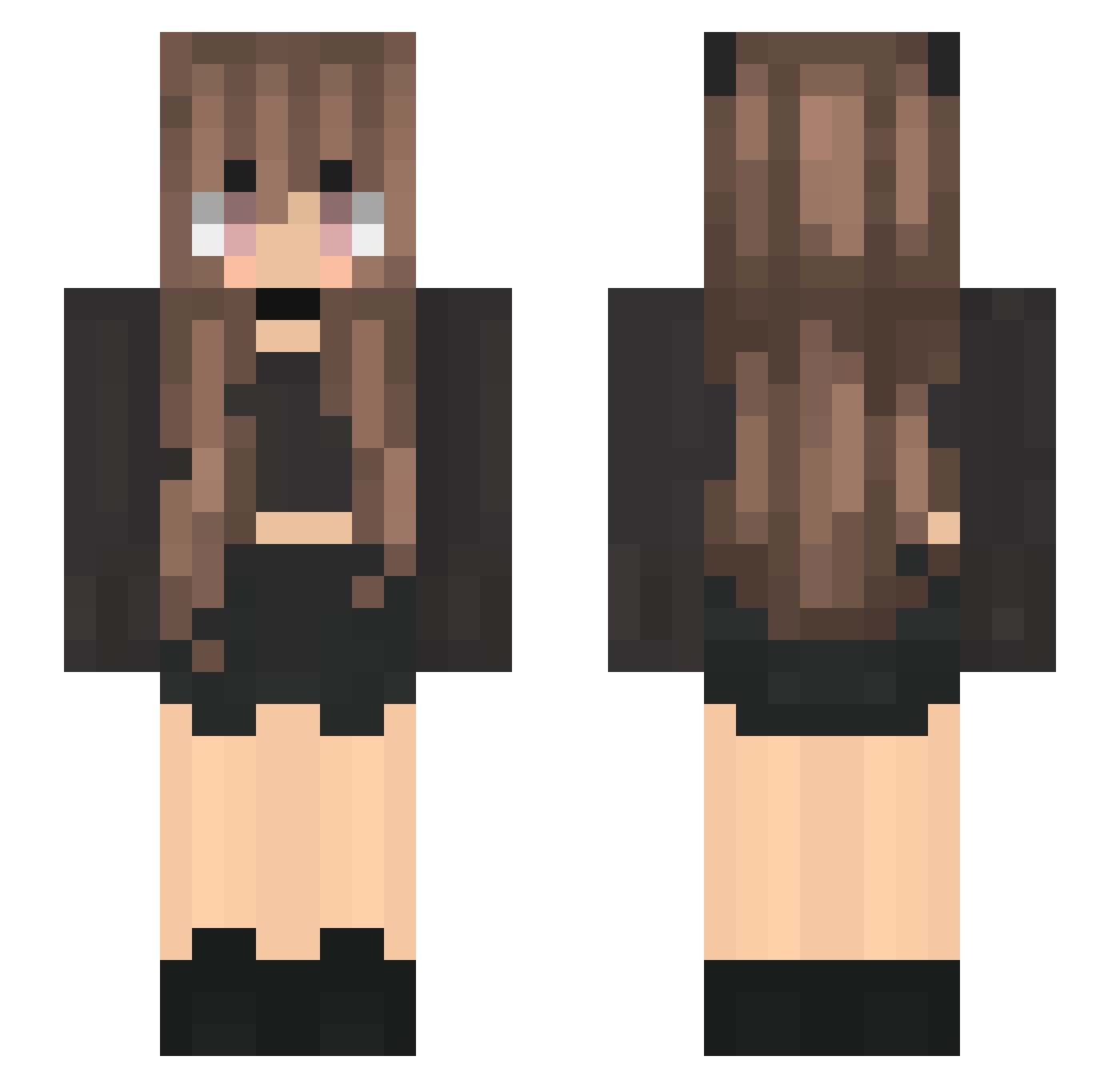
Current Minecraft skin of the player clairebai, loaded from the official Mojang API. Rotate the 3D model with your mouse or finger, then download the skin as a PNG file and use it in Minecraft: Bedrock Edition or Java Edition for free. When clairebai changes their skin, this page updates automatically and the old skin stays in the history below.
Other players with this skin (200)
clairebai was the 154th player we have seen with this skin, first spotted on 08.10.2026. The same skin was seen on these players. Open a nickname to see their current skin and skin history.
 MooMooBearBear nyoroner Joakimunchkin LiaMatapaka emily_RON _Aanya_ KittyCatOlive0H4 Siyenae ModeratYt Melaniemo liVelymarKet32 Ken_Birger Mysteora CrabCrave tolippy Dappleshade FATTOCATTO_O mokemoke_san SraTodinha daylight2656 BelletheBin _Little_Monkey_ Water___Ghost xun_02 Cloud9xD MikerMiyo _inez Tregz NightCat_05 Ka_nyaja JappoJuls lillmayo lolypup worromot KattN123 Izzyn191 bpmine13 CrazyGirl1146 kahdy01 wan_zi_ Jabberw0cky_ Shreim Jujuca_games Schninchen_ Miri_Bu trinifacha peachyjuju PizZu_ TheOfficialKiwi kikowi _Pepitax_ Kylie030 FK20 UnGrandInconnu Sovi_93 artecc kipoliu hynj sandyyas Misaka4a92
More Goth Minecraft skins
How to install the clairebai skin
- Press the Download button above to save the skin as a PNG file.
- Minecraft: Bedrock Edition (PE): open the Dressing Room from the main menu (or tap your character → Edit Character), go to Classic Skins → Owned, press the + (new skin) button, choose the downloaded PNG and pick the Slim (Alex) model. Works on PC and mobile; consoles cannot import custom skins.
- Minecraft: Java Edition: open the Minecraft Launcher, go to the Skins tab, click New Skin, load the PNG, pick the Slim (Alex) model and press Save & Use. You can also upload it at minecraft.net → Profile → Change Skin.
The skin does not show up after import - what should I do?
Restart Minecraft and open the Dressing Room again - imported skins sometimes appear only after a restart. Also make sure you selected the imported skin and picked the Slim (Alex) model.
Which model should I choose, Classic or Slim?
This skin is designed for the Slim (Alex) model. If you pick the wrong model, the arms of the skin will look stretched or squeezed.
Is the skin of clairebai free to download?
Yes. Press Download, save the PNG file and use it in Minecraft: Bedrock Edition or Java Edition - no payment or registration needed. The skin also works on multiplayer servers and Realms.
More skins
Looking for more? Go back to all Minecraft skins and check the top skins of the week, month and all time, or find any player's skin by nickname.