
chub5823 - Minecraft Skins & Skin History
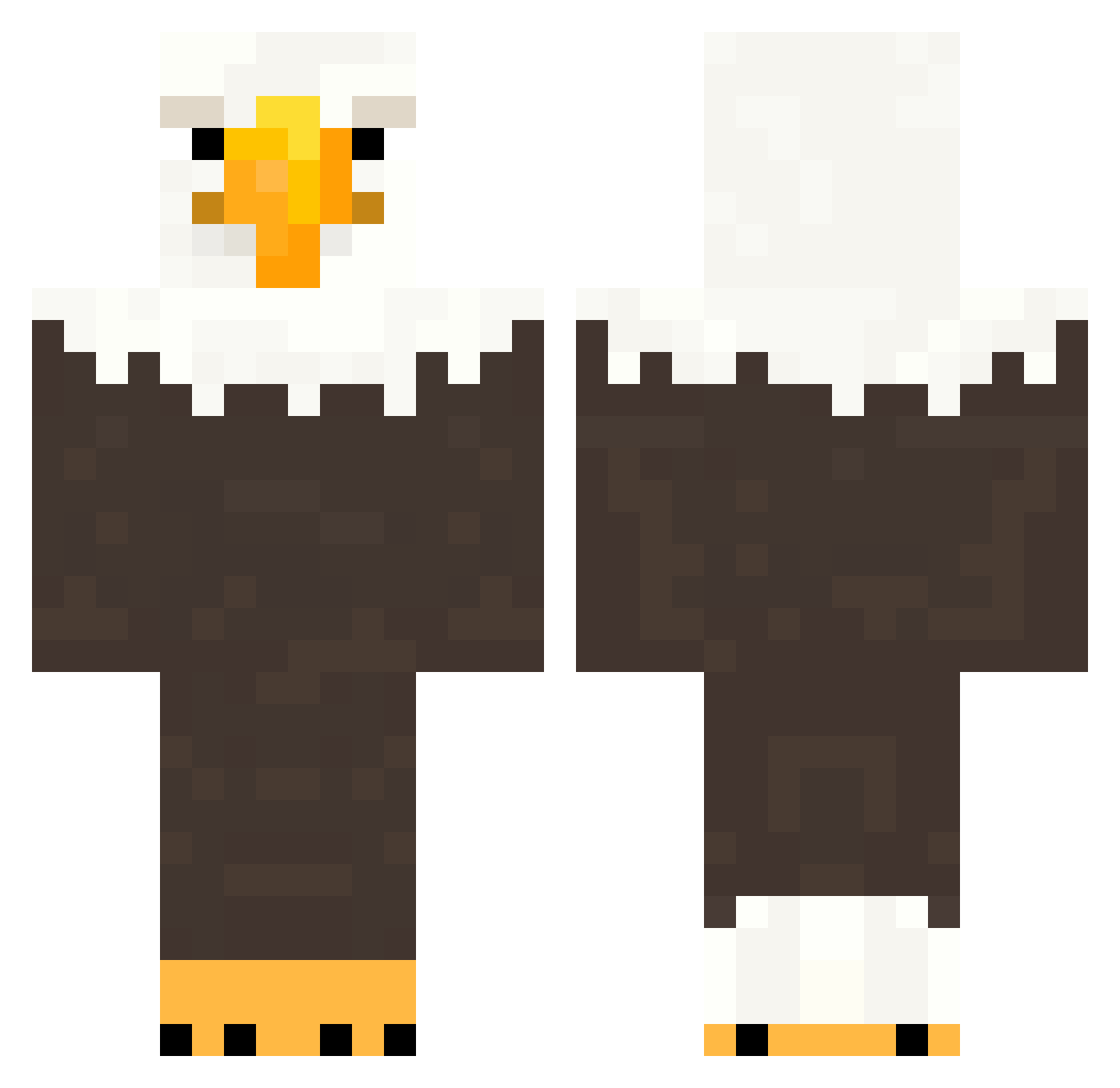
Current Minecraft skin of the player chub5823, loaded from the official Mojang API. Rotate the 3D model with your mouse or finger, then download the skin as a PNG file and use it in Minecraft: Bedrock Edition or Java Edition for free. When chub5823 changes their skin, this page updates automatically and the old skin stays in the history below.
Other players with this skin (153)
chub5823 was the 31st player we have seen with this skin, first spotted on 13.08.2026. The same skin was seen on these players. Open a nickname to see their current skin and skin history.
 Larpingmillions Xx_apple_xX69 Icravesteak traquh TheCuteLaptalo Tyxler45 window10132 327thbattalion KevinXY Inghelburgh_J10 PapaSchmupie BudBud627 luxerry yTeki miboegg Datboi1206 Mackuo Izzluke abdullahaljasir REALJONDI
 VoidEagleX Kalkurai Y0pp1 VinzCarter123 Nicoidezzz Spence_ld57 Nowpal abvorb
 anabv03 MaxRebo04 Vasill07 elt3e jajecko Carling_09 UmIII1 Mr_alibaba KertenkeleNecmii WalterWhite1312 RoboFighter800 VGN_Dragonfly 55BCN1783 AlexADM misterfloofie unturned_123 lil_acog balrighttttttttt GuitarSamuraii BonczeeeK MoneyFries0906 outpizzahutt Kryst4lazz Felek089 cucxilauongbelac bruno_n1f
 Cross_daeyoon
 rip_BadKarma kevsann badge613 Phexro ___KAWS___
More Eagle Minecraft skins
How to install the chub5823 skin
- Press the Download button above to save the skin as a PNG file.
- Minecraft: Bedrock Edition (PE): open the Dressing Room from the main menu (or tap your character → Edit Character), go to Classic Skins → Owned, press the + (new skin) button, choose the downloaded PNG and pick the Classic (Steve) model. Works on PC and mobile; consoles cannot import custom skins.
- Minecraft: Java Edition: open the Minecraft Launcher, go to the Skins tab, click New Skin, load the PNG, pick the Classic (Steve) model and press Save & Use. You can also upload it at minecraft.net → Profile → Change Skin.
The skin does not show up after import - what should I do?
Restart Minecraft and open the Dressing Room again - imported skins sometimes appear only after a restart. Also make sure you selected the imported skin and picked the Classic (Steve) model.
Which model should I choose, Classic or Slim?
This skin is designed for the Classic (Steve) model. If you pick the wrong model, the arms of the skin will look stretched or squeezed.
Is the skin of chub5823 free to download?
Yes. Press Download, save the PNG file and use it in Minecraft: Bedrock Edition or Java Edition - no payment or registration needed. The skin also works on multiplayer servers and Realms.
More skins
Looking for more? Go back to all Minecraft skins and check the top skins of the week, month and all time, or find any player's skin by nickname.