
chrisperalez2087 - Minecraft Skins & Skin History
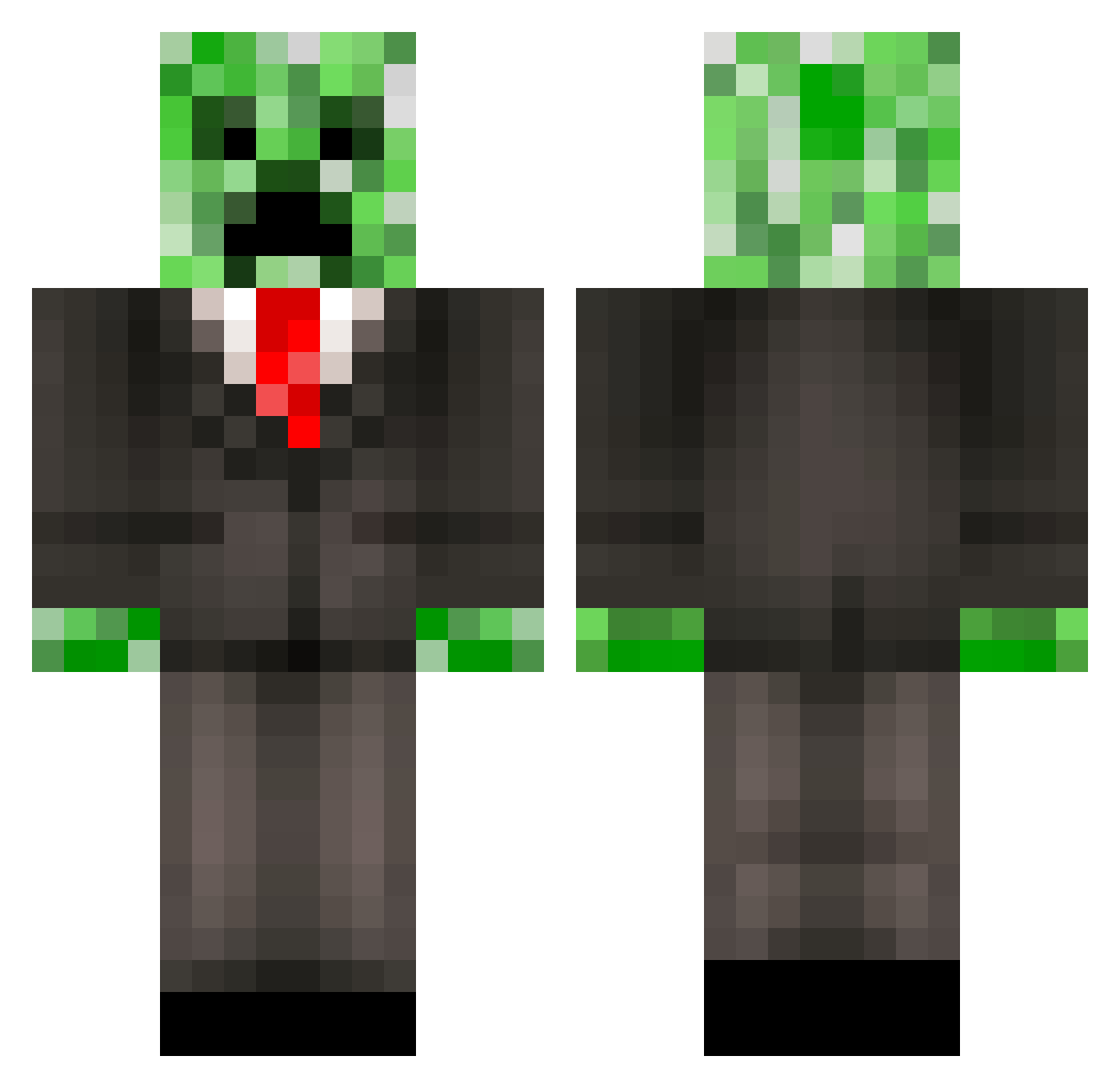
Current Minecraft skin of the player chrisperalez2087, loaded from the official Mojang API. Rotate the 3D model with your mouse or finger, then download the skin as a PNG file and use it in Minecraft: Bedrock Edition or Java Edition for free. When chrisperalez2087 changes their skin, this page updates automatically and the old skin stays in the history below.
Other players with this skin (543)
chrisperalez2087 was the 422nd player we have seen with this skin, first spotted on 22.10.2026. The same skin was seen on these players. Open a nickname to see their current skin and skin history.
 ew2004 fieryyeller Agge_1337 acepilot113 GreenCreeperMan8 Tranexe Cryptess011201 battelspeed mcwhe Chr1ssp Dacen TravisBear99 VideoFreak123 JeagerPrime Mr_Creeper stinkyGT Hagroso MasterCreeper92 Raxnn viper_2002 Wolffaith Acrninja234 ClassyCreeper1 CreeperDoomsday _Kama_Q Lt_Santa frost32 sammyglaze Stoeppel74 S_mithy_21 Wiener36 ncreeper44 florian1368 Doenerbote LiamDSI Blakeed13 hottmat skepto Baby69Knight IdioticSmartness Coleman90 99Creepers FabulousPasta LUKEY3117 laser405 Spzz robomonkeyboy Chilly_Mayo FRUITLESSDUCK Smartyboy15 takeru1124 huntingman101 Pokeminer500 paraxsystemz AvatarDragon100 FadedLake719508 powerofponys LoganWolverineA martinmartin412 creeping_killer
More Creeper Minecraft skins
How to install the chrisperalez2087 skin
- Press the Download button above to save the skin as a PNG file.
- Minecraft: Bedrock Edition (PE): open the Dressing Room from the main menu (or tap your character → Edit Character), go to Classic Skins → Owned, press the + (new skin) button, choose the downloaded PNG and pick the Classic (Steve) model. Works on PC and mobile; consoles cannot import custom skins.
- Minecraft: Java Edition: open the Minecraft Launcher, go to the Skins tab, click New Skin, load the PNG, pick the Classic (Steve) model and press Save & Use. You can also upload it at minecraft.net → Profile → Change Skin.
The skin does not show up after import - what should I do?
Restart Minecraft and open the Dressing Room again - imported skins sometimes appear only after a restart. Also make sure you selected the imported skin and picked the Classic (Steve) model.
Which model should I choose, Classic or Slim?
This skin is designed for the Classic (Steve) model. If you pick the wrong model, the arms of the skin will look stretched or squeezed.
Is the skin of chrisperalez2087 free to download?
Yes. Press Download, save the PNG file and use it in Minecraft: Bedrock Edition or Java Edition - no payment or registration needed. The skin also works on multiplayer servers and Realms.
More skins
Looking for more? Go back to all Minecraft skins and check the top skins of the week, month and all time, or find any player's skin by nickname.