
chipotlecat2020 - Minecraft Skins & Skin History
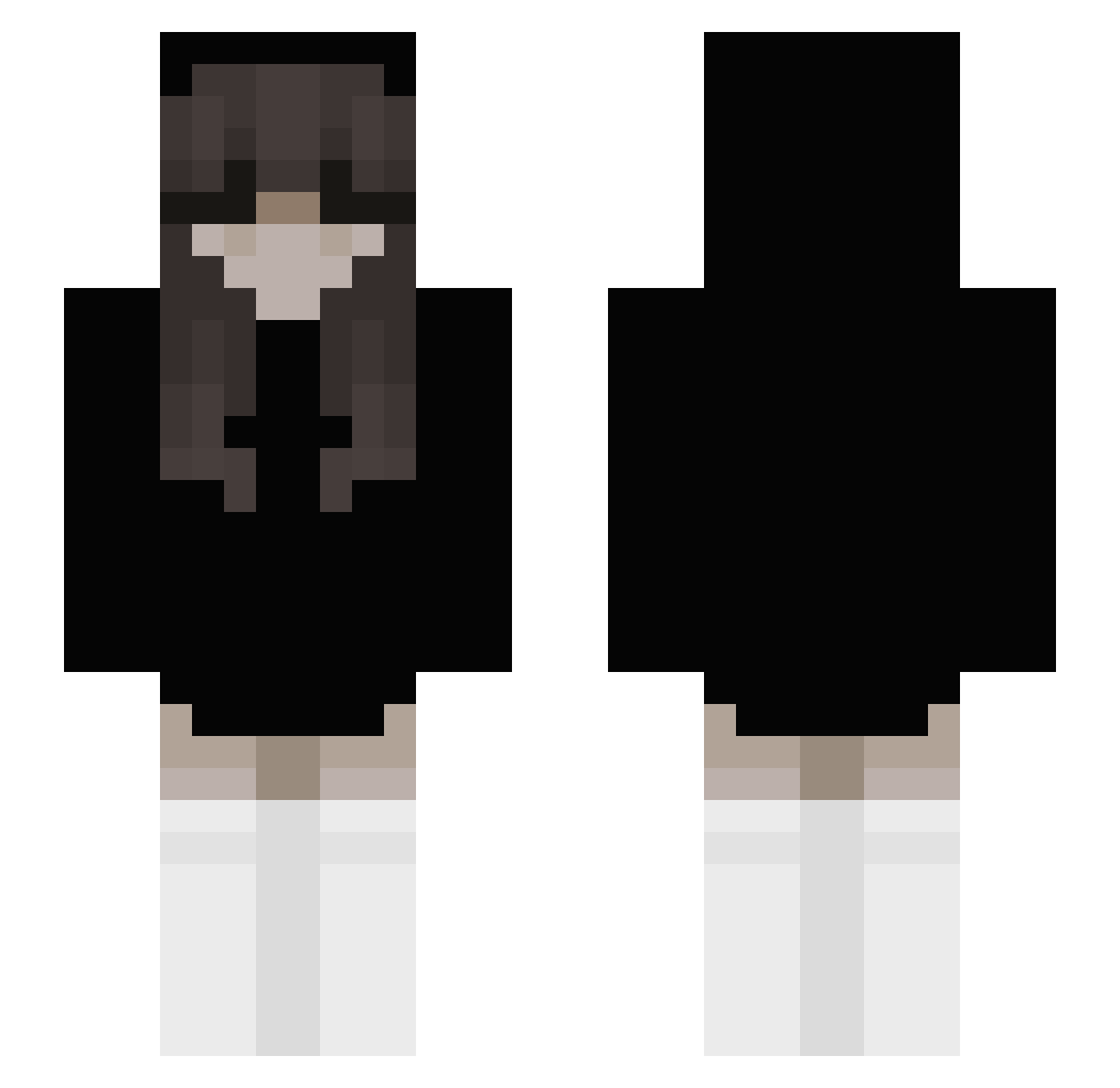
Current Minecraft skin of the player chipotlecat2020, loaded from the official Mojang API. Rotate the 3D model with your mouse or finger, then download the skin as a PNG file and use it in Minecraft: Bedrock Edition or Java Edition for free. When chipotlecat2020 changes their skin, this page updates automatically and the old skin stays in the history below.
Other players with this skin (240)
chipotlecat2020 was the 132nd player we have seen with this skin, first spotted on 30.09.2026. The same skin was seen on these players. Open a nickname to see their current skin and skin history.
 A_SUNNY Scarlettt__ MissMiriam999 North_West ilovegamerboy80 Wrobelek0 AriSayWhat lethia_chan blaxyzz maddieluvsu star495 tori325 Xvee26 Stwuz bluemisttt Nicko_Dreik undertaker_66 lenxa_ Valxty turki711 esohack Mindezz DarkBenis froggyfingers noi_luvbr Pestimistics naturalemssea1 Egysisi Ace_1633 patres_00 ximfragilebabyx 1c3r_ eron_ma jjapdook amelciaaaaaaa 418ekira blackcat156 iiSword Zulina08 mzsiema Ellena6461 Maii_95 NaylaJo NotMilexey BOUKS trolldude101010 OliviaPekki snowstomy nulmn_ Zapaz erectimport6ant dvoaYT Uhzyy T_233_T Gleb_Danger JATHAN123 npqx Valbanak KnifeHit KiSSfresh
More Emo Minecraft skins
How to install the chipotlecat2020 skin
- Press the Download button above to save the skin as a PNG file.
- Minecraft: Bedrock Edition (PE): open the Dressing Room from the main menu (or tap your character → Edit Character), go to Classic Skins → Owned, press the + (new skin) button, choose the downloaded PNG and pick the Slim (Alex) model. Works on PC and mobile; consoles cannot import custom skins.
- Minecraft: Java Edition: open the Minecraft Launcher, go to the Skins tab, click New Skin, load the PNG, pick the Slim (Alex) model and press Save & Use. You can also upload it at minecraft.net → Profile → Change Skin.
The skin does not show up after import - what should I do?
Restart Minecraft and open the Dressing Room again - imported skins sometimes appear only after a restart. Also make sure you selected the imported skin and picked the Slim (Alex) model.
Which model should I choose, Classic or Slim?
This skin is designed for the Slim (Alex) model. If you pick the wrong model, the arms of the skin will look stretched or squeezed.
Is the skin of chipotlecat2020 free to download?
Yes. Press Download, save the PNG file and use it in Minecraft: Bedrock Edition or Java Edition - no payment or registration needed. The skin also works on multiplayer servers and Realms.
More skins
Looking for more? Go back to all Minecraft skins and check the top skins of the week, month and all time, or find any player's skin by nickname.