
chillzax - Minecraft Skins & Skin History
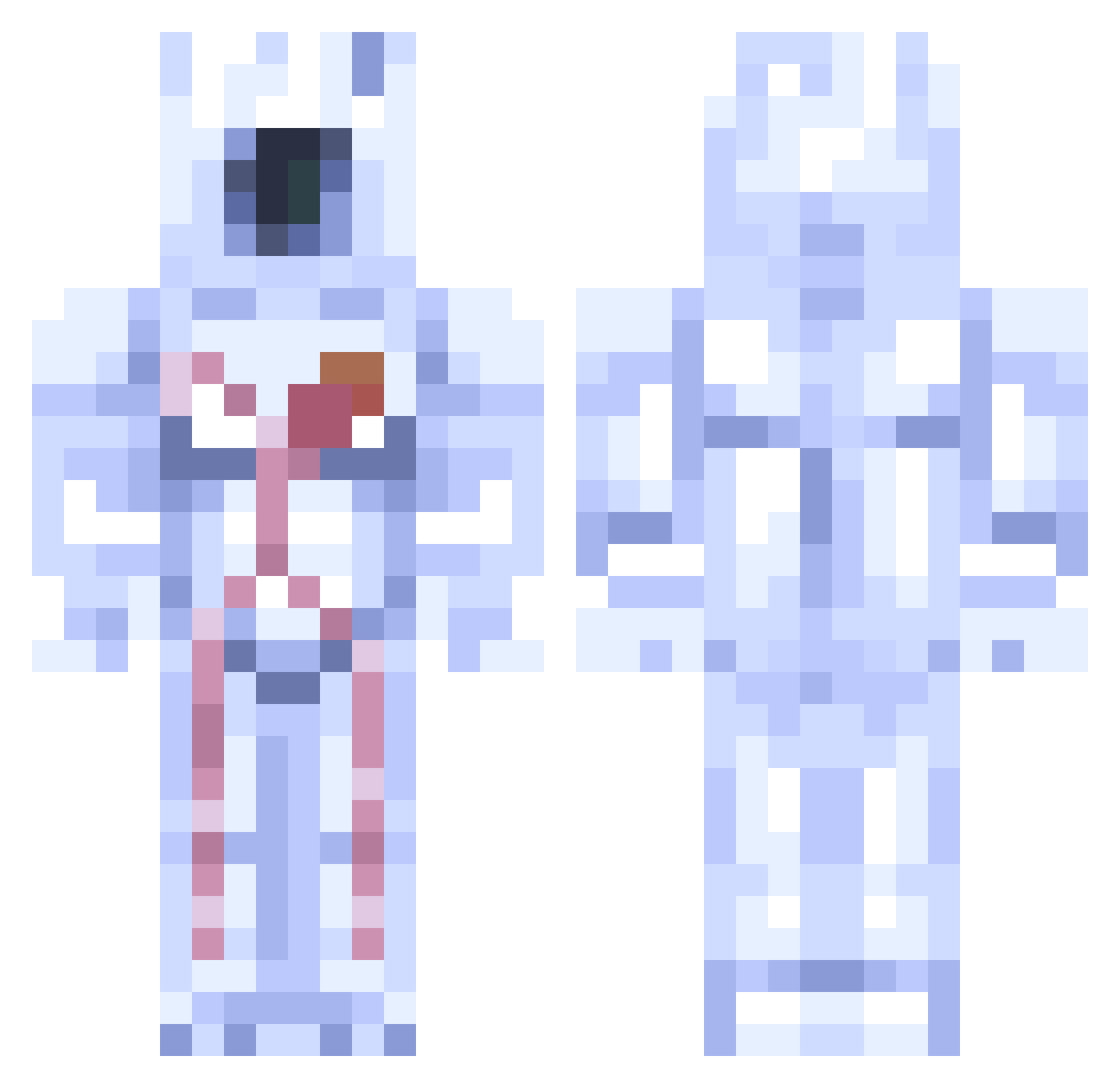
Current Minecraft skin of the player chillzax, loaded from the official Mojang API. Rotate the 3D model with your mouse or finger, then download the skin as a PNG file and use it in Minecraft: Bedrock Edition or Java Edition for free. When chillzax changes their skin, this page updates automatically and the old skin stays in the history below.
Other players with this skin (192)
chillzax was the 119th player we have seen with this skin, first spotted on 25.09.2026. The same skin was seen on these players. Open a nickname to see their current skin and skin history.
 catyour kograit Adrianko_ ItsWafls Pyro_237 zJytr MemesAreLife003 Minos_prime_real Riden_0007 IronJusticeX melon03241 CHAOSBUGCODE277 neoisomenthol Yo_yo Riksimer BlipFlop KABAN_2014 Samsuper88 MikiMikolajek Stachuuiu pogman420 Br3adward eeccaar OakPower4613160 adamMapua lov1ng_23 TheDiamondFlames _BigHulox_ tsubol_ TurkeyChad Cosmic_Hype RuslanChikatilo Brandino115 Dylliebird059 ThoriumKnife ChelovekGosling bannanaboi23 adam120610 green_vomit Skrappee Minos_Phrime Mlnos_Prlme MMorti Nickthebomb556 CreeperReapr574 Dookie_Crafter55 MintMantella892 13Silverstar Treefits Spinosuns Noob54321101 AlphaBattalion Stevej4ck8 Overdrive456217
 Mega_Jaba Tech_Support_Raj M0daak tayio29 Sillypotato5 Xowomors
More Astronaut Minecraft skins
How to install the chillzax skin
- Press the Download button above to save the skin as a PNG file.
- Minecraft: Bedrock Edition (PE): open the Dressing Room from the main menu (or tap your character → Edit Character), go to Classic Skins → Owned, press the + (new skin) button, choose the downloaded PNG and pick the Classic (Steve) model. Works on PC and mobile; consoles cannot import custom skins.
- Minecraft: Java Edition: open the Minecraft Launcher, go to the Skins tab, click New Skin, load the PNG, pick the Classic (Steve) model and press Save & Use. You can also upload it at minecraft.net → Profile → Change Skin.
The skin does not show up after import - what should I do?
Restart Minecraft and open the Dressing Room again - imported skins sometimes appear only after a restart. Also make sure you selected the imported skin and picked the Classic (Steve) model.
Which model should I choose, Classic or Slim?
This skin is designed for the Classic (Steve) model. If you pick the wrong model, the arms of the skin will look stretched or squeezed.
Is the skin of chillzax free to download?
Yes. Press Download, save the PNG file and use it in Minecraft: Bedrock Edition or Java Edition - no payment or registration needed. The skin also works on multiplayer servers and Realms.
More skins
Looking for more? Go back to all Minecraft skins and check the top skins of the week, month and all time, or find any player's skin by nickname.