
 taykirbycow Mate201111 minos_prime37049 Elikopter79 gameriel25 Woltuh Lachmania_Retuva Izakdaturtal MinosPrimeSoul MagmaHell CharlieTrux JTNeo leewoke falco_prime Ak_1213 Ninjapup26 silver_reaver777 Best_B0i Kvvark ReaperKing51 _P1asma_ aku_reo The_Flax fartbomber3000 xureya ElBando32 epicman787 Soul_SurvivorP1 Sun_harvester Coloradow rockyery AzatotMoonwalker blackknight8787 SuperEpic_Gamer2 le_tomas1 ScreamingFrog999 AxeBodySprayTM Mi_cara MinosPrime150 wedge___ Mlnos_Prlme Dookie_Crafter55 Idontgobypedro borisbelokonev99 SharkLag ninjanate6 ManggaMan34 Enderdad156 AlphaBattalion SATAN2807 Phenox1de Flamesilk Tech_Support_Raj Mummfler ForeverBored169 chickencrafting Xowomors Hydro469 Sillypotato5 speedycon
Minecraft skin of Flamesilk. Rotate the 3D model with your mouse or finger to view the skin from every angle, then download it as a PNG file and use it in Minecraft: Bedrock Edition or Java Edition for free. Rate the skin with stars to help other players find the best skins in our collection.
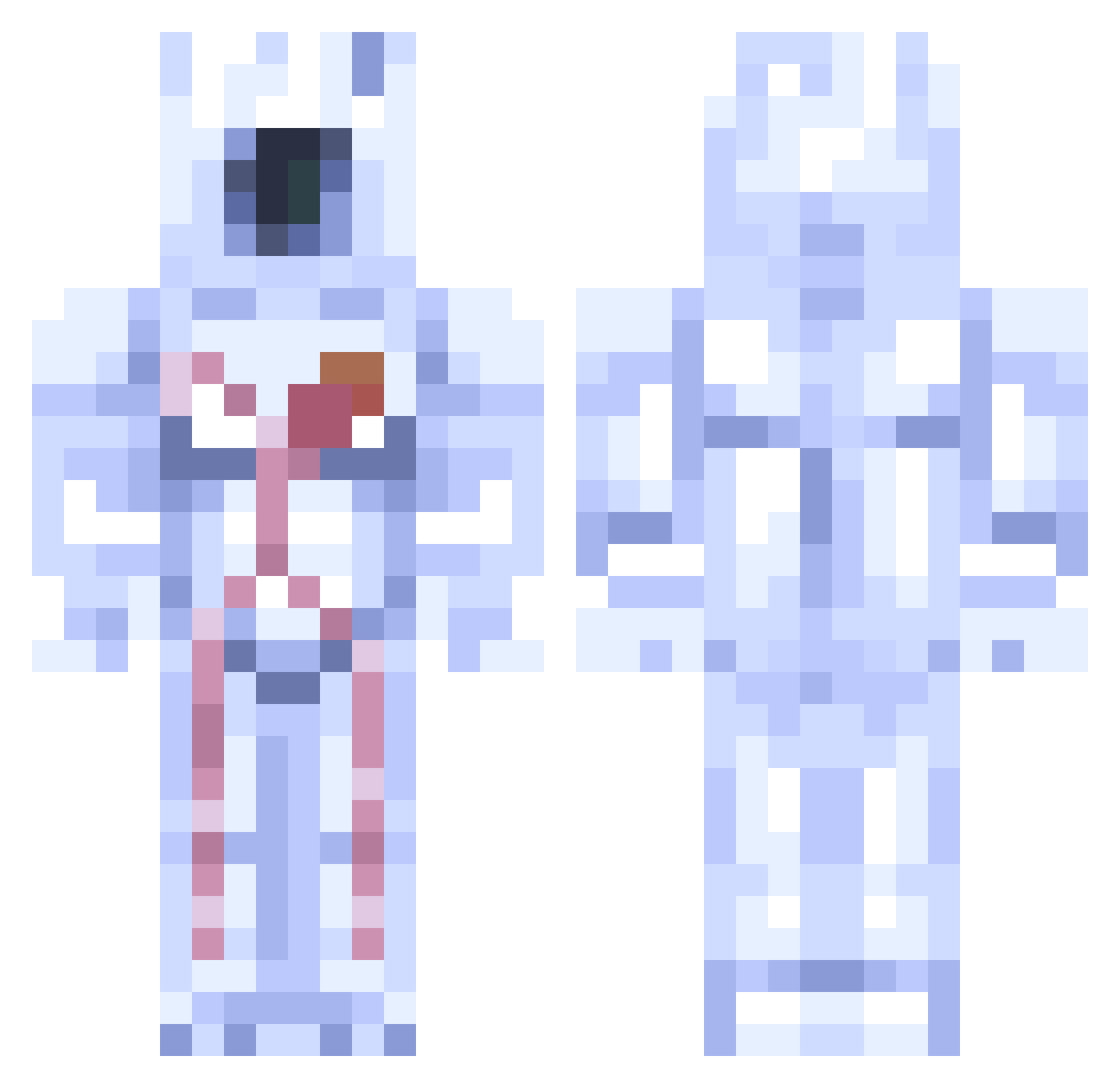
How to install the Flamesilk skin
- Press the Download button above to save the skin as a PNG file.
- Minecraft: Bedrock Edition (PE): open the Dressing Room from the main menu (or tap your character → Edit Character), go to Classic Skins → Owned, press the + (new skin) button, choose the downloaded PNG and pick the Classic (Steve) model. Works on PC and mobile; consoles cannot import custom skins.
- Minecraft: Java Edition: open the Minecraft Launcher, go to the Skins tab, click New Skin, load the PNG, pick the Classic (Steve) model and press Save & Use. You can also upload it at minecraft.net → Profile → Change Skin.
The skin does not show up after import - what should I do?
Restart Minecraft and open the Dressing Room again - imported skins sometimes appear only after a restart. Also make sure you selected the imported skin and picked the Classic (Steve) model.
Which model should I choose, Classic or Slim?
This skin is designed for the Classic (Steve) model. If you pick the wrong model, the arms of the skin will look stretched or squeezed.
Is this skin free to use?
Yes. Press Download, save the PNG file and use it in Minecraft: Bedrock Edition or Java Edition - no payment or registration needed. The skin also works on multiplayer servers and Realms.
More Astronaut Minecraft skins
More skins
Looking for more? Go back to all Minecraft skins and check the top skins of the week, month and all time, or find any player's skin by nickname.