
chillpred42 - Minecraft Skins & Skin History
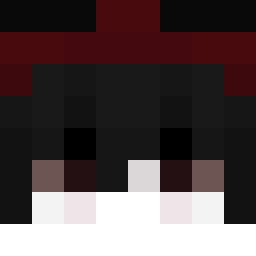
Current Minecraft skin of the player chillpred42, loaded from the official Mojang API. Rotate the 3D model with your mouse or finger, then download the skin as a PNG file and use it in Minecraft: Bedrock Edition or Java Edition for free. When chillpred42 changes their skin, this page updates automatically and the old skin stays in the history below.

Other players with this skin (84)
chillpred42 was the 37th player we have seen with this skin, first spotted on 22.09.2026. The same skin was seen on these players. Open a nickname to see their current skin and skin history.
 woosanguk Pavlitus887 puuix jannnis10 Bartix3931 mateus14f X1ao_aa choconomiyaki derponcecabulus R_u_ru Ziomek3314 I_am_Noooob11 LlammaDaB3st marce1_2384 ImKnoxyJr Priveight Theo_super HavocGz ceyto1 aywhite_ Preaks_3 Wokez_ RADX505 rladmsgh0210 Kreciola _view CatsBar enqaa asdasdsadsad RedNetherStar nael_456 Shewcio _envvy_ Zhuoer_QWQ
 SIMSnatcher chu_1209 TeteJ LeKiller6259 fanscy MikNaKacu Mysterious___
 RyZe_aynon Tepania pochit0 mar1u531 Bedskin ChippyOrca1234 Kamyss bbbbboom aujoy
 BalleDeBasket ndsccc_fps GelatinS lukasblr2 BasicallyRavi Krallexx Shulty5 Xptt nexo0005 Blackscopes
How to install the chillpred42 skin
- Press the Download button above to save the skin as a PNG file.
- Minecraft: Bedrock Edition (PE): open the Dressing Room from the main menu (or tap your character → Edit Character), go to Classic Skins → Owned, press the + (new skin) button, choose the downloaded PNG and pick the Classic (Steve) model. Works on PC and mobile; consoles cannot import custom skins.
- Minecraft: Java Edition: open the Minecraft Launcher, go to the Skins tab, click New Skin, load the PNG, pick the Classic (Steve) model and press Save & Use. You can also upload it at minecraft.net → Profile → Change Skin.
The skin does not show up after import - what should I do?
Restart Minecraft and open the Dressing Room again - imported skins sometimes appear only after a restart. Also make sure you selected the imported skin and picked the Classic (Steve) model.
Which model should I choose, Classic or Slim?
This skin is designed for the Classic (Steve) model. If you pick the wrong model, the arms of the skin will look stretched or squeezed.
Is the skin of chillpred42 free to download?
Yes. Press Download, save the PNG file and use it in Minecraft: Bedrock Edition or Java Edition - no payment or registration needed. The skin also works on multiplayer servers and Realms.
More skins
Looking for more? Go back to all Minecraft skins and check the top skins of the week, month and all time, or find any player's skin by nickname.