
catlover0512 - Minecraft Skins & Skin History
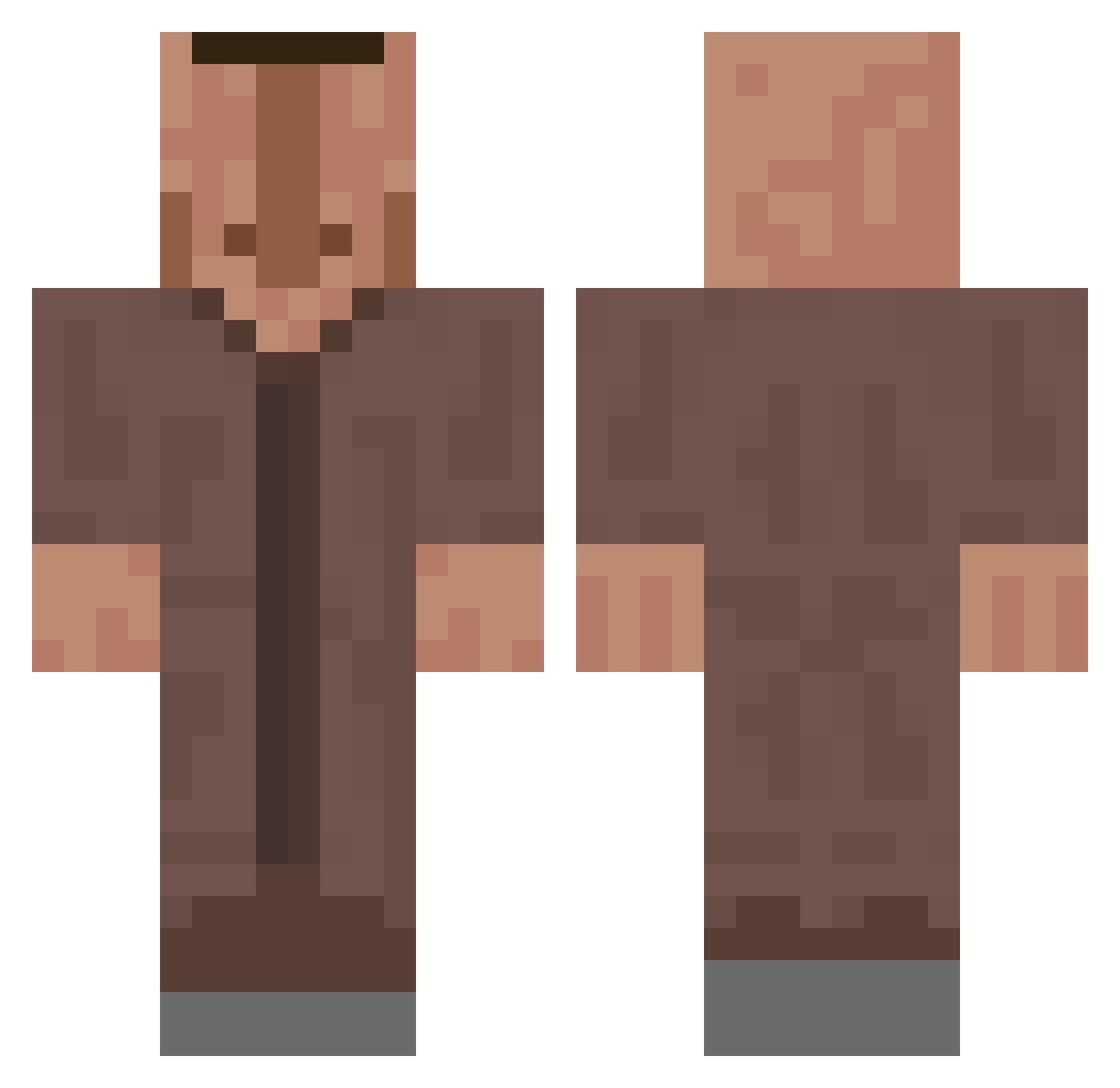
Current Minecraft skin of the player catlover0512, loaded from the official Mojang API. Rotate the 3D model with your mouse or finger, then download the skin as a PNG file and use it in Minecraft: Bedrock Edition or Java Edition for free. When catlover0512 changes their skin, this page updates automatically and the old skin stays in the history below.
Other players with this skin (660)
catlover0512 was the 335th player we have seen with this skin, first spotted on 19.09.2026. The same skin was seen on these players. Open a nickname to see their current skin and skin history.
 sprm_kmi TlMTHAN Bakaczek SwagSaint verdecasino tamita93 Flavory_ mush2006 Lomkitok Leoopro Linkaba radenbtt TheKremit zazarty Waffelsgaming KarolekPros numa111 Sipso ethan0630 Jojocrafter_TV D3ziu ChickenToast2 mini2006 Pierre255 Suguskun GewoonCunk william17555 QuigsArt Even_01 KERMITo_o BananaWRLDx Afridqvist ImHector55 VapeCilent HumongousAss Sigmairox ChugCannon Poseiidonn Tantitito Bobzillman GermanyFTWW csmnct lil2lit ssilesg001 PlenckGG ScorpionV2017 willmin151 cawach pat1014 Casinao Vive_les_Naine fizk childnapper387 Artsmah SmoothGary Marco2352 lemur_11 MatiST22 FengsYes CurdSquirt
More Villager Minecraft skins
How to install the catlover0512 skin
- Press the Download button above to save the skin as a PNG file.
- Minecraft: Bedrock Edition (PE): open the Dressing Room from the main menu (or tap your character → Edit Character), go to Classic Skins → Owned, press the + (new skin) button, choose the downloaded PNG and pick the Classic (Steve) model. Works on PC and mobile; consoles cannot import custom skins.
- Minecraft: Java Edition: open the Minecraft Launcher, go to the Skins tab, click New Skin, load the PNG, pick the Classic (Steve) model and press Save & Use. You can also upload it at minecraft.net → Profile → Change Skin.
The skin does not show up after import - what should I do?
Restart Minecraft and open the Dressing Room again - imported skins sometimes appear only after a restart. Also make sure you selected the imported skin and picked the Classic (Steve) model.
Which model should I choose, Classic or Slim?
This skin is designed for the Classic (Steve) model. If you pick the wrong model, the arms of the skin will look stretched or squeezed.
Is the skin of catlover0512 free to download?
Yes. Press Download, save the PNG file and use it in Minecraft: Bedrock Edition or Java Edition - no payment or registration needed. The skin also works on multiplayer servers and Realms.
More skins
Looking for more? Go back to all Minecraft skins and check the top skins of the week, month and all time, or find any player's skin by nickname.