
carter9393 - Minecraft Skins & Skin History
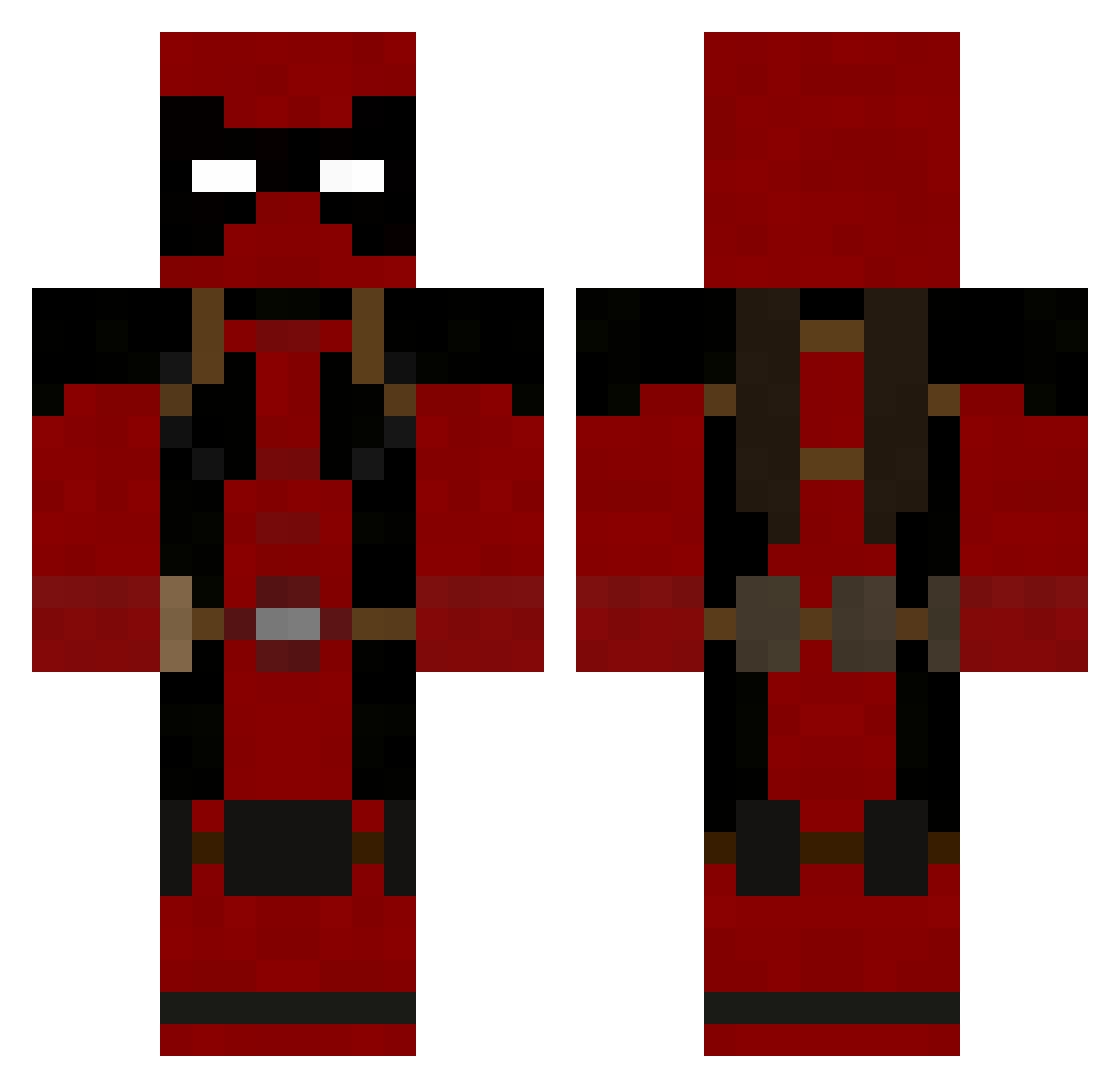
Current Minecraft skin of the player carter9393, loaded from the official Mojang API. Rotate the 3D model with your mouse or finger, then download the skin as a PNG file and use it in Minecraft: Bedrock Edition or Java Edition for free. When carter9393 changes their skin, this page updates automatically and the old skin stays in the history below.
Other players with this skin (752)
carter9393 was the 711th player we have seen with this skin, first spotted on 18.10.2026. The same skin was seen on these players. Open a nickname to see their current skin and skin history.
 Whitey818 Dcalibur hillf9 KeysGaming maximus3456 littletutle deven655 Nani_hart Zephiel13 jw7d miticolimit ZeRoS99 Ludw1G RedneckTyler Jack_Tanner Krag5947 nitsu896 Aguarez GetSwatted6 Earthwormjim83 Zexxi MattallicA83 The_Dark_Wolf1 pieguyy Thossibossi BlowMeBaby69 clqymore kravenex Android40 supachimp31 ChuckyChan24 yuuko08 TickingCrocodile Apachest Titegadae Garlimidon Ricardo_Eduard SlimThickAlt16 oaksalex robotmonkey15 Graveljaw mister_briches8 incomprehension Daveed802 Mysticmunch AtomicWaffles SheepKiller007 xl3onez _walach_ DeathReapers13 trubb Callofanand taz_zero TRAW99 Socat aygis Iammax45 discharged OddFellowDom Nighthawk4123
More Deadpool Minecraft skins
How to install the carter9393 skin
- Press the Download button above to save the skin as a PNG file.
- Minecraft: Bedrock Edition (PE): open the Dressing Room from the main menu (or tap your character → Edit Character), go to Classic Skins → Owned, press the + (new skin) button, choose the downloaded PNG and pick the Classic (Steve) model. Works on PC and mobile; consoles cannot import custom skins.
- Minecraft: Java Edition: open the Minecraft Launcher, go to the Skins tab, click New Skin, load the PNG, pick the Classic (Steve) model and press Save & Use. You can also upload it at minecraft.net → Profile → Change Skin.
The skin does not show up after import - what should I do?
Restart Minecraft and open the Dressing Room again - imported skins sometimes appear only after a restart. Also make sure you selected the imported skin and picked the Classic (Steve) model.
Which model should I choose, Classic or Slim?
This skin is designed for the Classic (Steve) model. If you pick the wrong model, the arms of the skin will look stretched or squeezed.
Is the skin of carter9393 free to download?
Yes. Press Download, save the PNG file and use it in Minecraft: Bedrock Edition or Java Edition - no payment or registration needed. The skin also works on multiplayer servers and Realms.
More skins
Looking for more? Go back to all Minecraft skins and check the top skins of the week, month and all time, or find any player's skin by nickname.