
callofpapeur - Minecraft Skins & Skin History
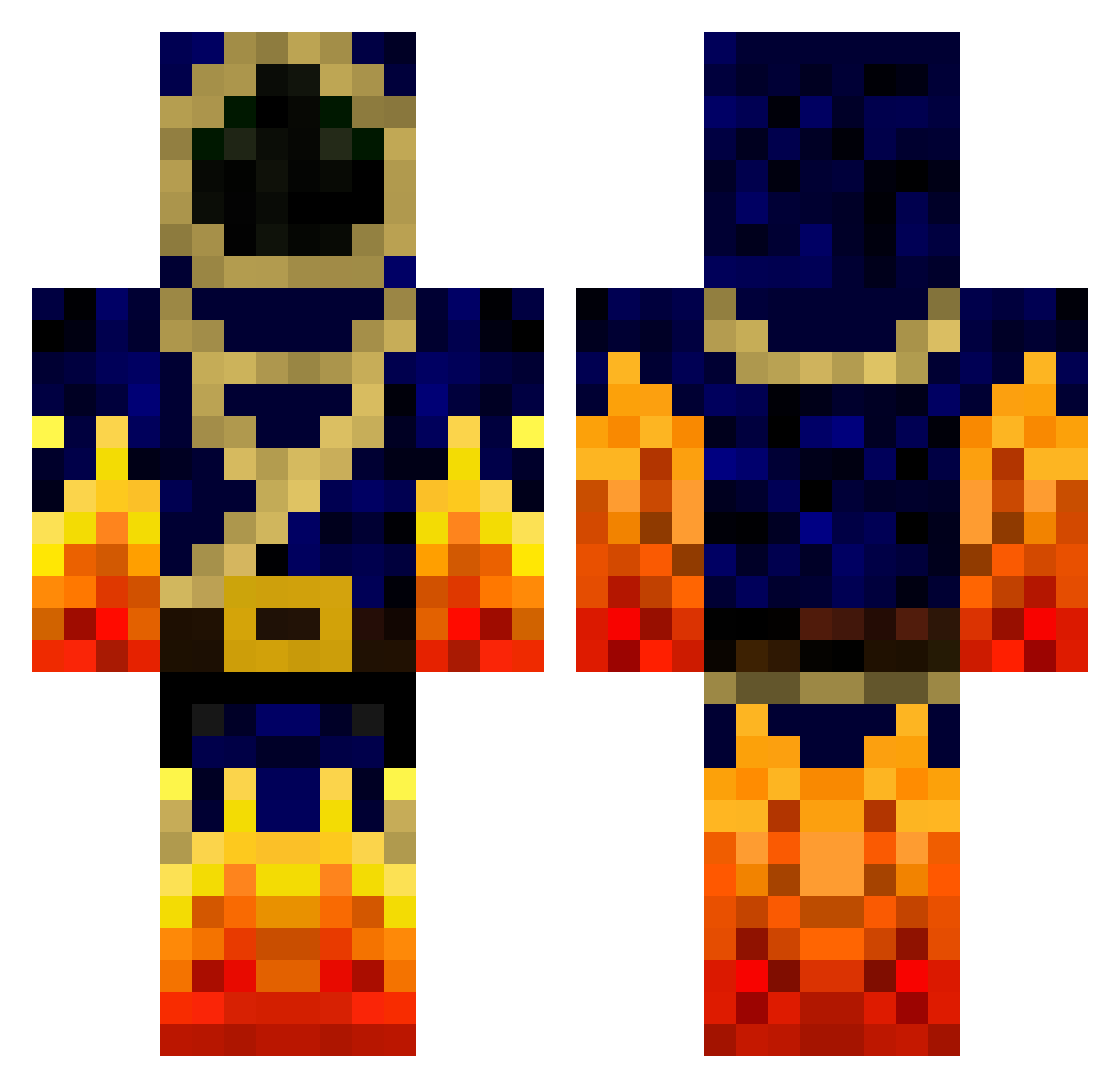
Current Minecraft skin of the player callofpapeur, loaded from the official Mojang API. Rotate the 3D model with your mouse or finger, then download the skin as a PNG file and use it in Minecraft: Bedrock Edition or Java Edition for free. When callofpapeur changes their skin, this page updates automatically and the old skin stays in the history below.
Other players with this skin (778)
callofpapeur was the 466th player we have seen with this skin, first spotted on 30.09.2026. The same skin was seen on these players. Open a nickname to see their current skin and skin history.
 Smerkling SoCreamy_ Wisp_Slayer Joker420Toker kleborp100 ShannsterB Minecraft_Boss Liridon SpaceRabbit goudwin camjameron The_Red_Hood32 andych98 CravenTheHunter1 Dareleek Pizzaforever xxfireblazexx01 yedoc5 brayman2001 Raging_fire TimmyLeMacon zetagundamexia loperlouis Crysis_Hunter Redknight2015 legoduck20000000 VincentJenr AkhiraZion adishpan Jas83 The_Pretzel29 umutinler chris_boy20 Laudatio Kikokel arroncoe kcajlong Pigeon97X Creeptokill21 Andryx777 sweety89 MagicThunder99 alessandro3830 shqdow daniel41 Sam_ADTR Deanho18 TheLionCrafter Hobbes8 tommy7152 Sonic_Blast18 salama199 ElementProdigy Giga102pl Athairne rubberduck34 Pzomer PeawG L_as ttemrowski1
More Mage Minecraft skins
How to install the callofpapeur skin
- Press the Download button above to save the skin as a PNG file.
- Minecraft: Bedrock Edition (PE): open the Dressing Room from the main menu (or tap your character → Edit Character), go to Classic Skins → Owned, press the + (new skin) button, choose the downloaded PNG and pick the Classic (Steve) model. Works on PC and mobile; consoles cannot import custom skins.
- Minecraft: Java Edition: open the Minecraft Launcher, go to the Skins tab, click New Skin, load the PNG, pick the Classic (Steve) model and press Save & Use. You can also upload it at minecraft.net → Profile → Change Skin.
The skin does not show up after import - what should I do?
Restart Minecraft and open the Dressing Room again - imported skins sometimes appear only after a restart. Also make sure you selected the imported skin and picked the Classic (Steve) model.
Which model should I choose, Classic or Slim?
This skin is designed for the Classic (Steve) model. If you pick the wrong model, the arms of the skin will look stretched or squeezed.
Is the skin of callofpapeur free to download?
Yes. Press Download, save the PNG file and use it in Minecraft: Bedrock Edition or Java Edition - no payment or registration needed. The skin also works on multiplayer servers and Realms.
More skins
Looking for more? Go back to all Minecraft skins and check the top skins of the week, month and all time, or find any player's skin by nickname.