
calebevasion - Minecraft Skins & Skin History
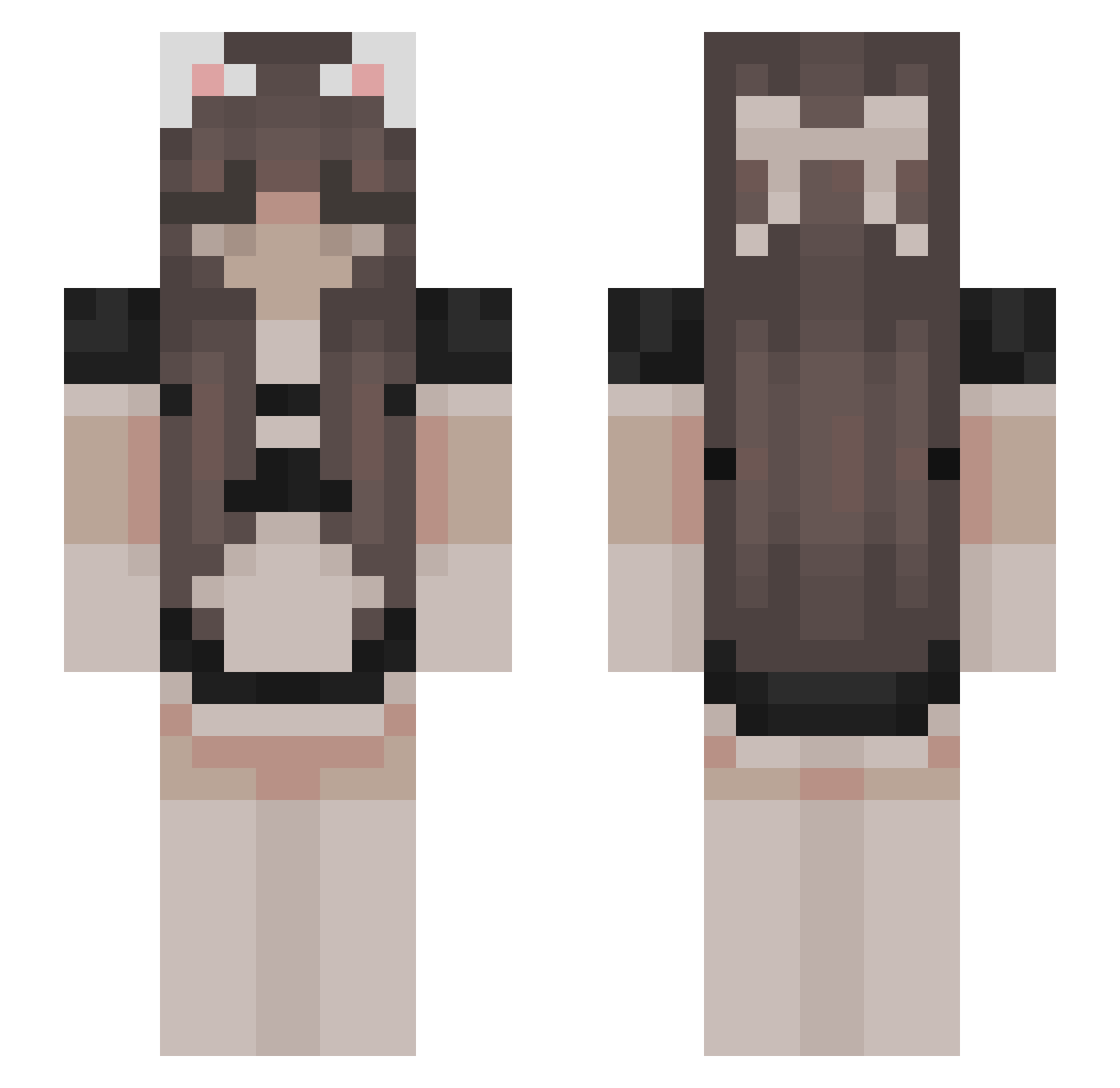
Current Minecraft skin of the player calebevasion, loaded from the official Mojang API. Rotate the 3D model with your mouse or finger, then download the skin as a PNG file and use it in Minecraft: Bedrock Edition or Java Edition for free. When calebevasion changes their skin, this page updates automatically and the old skin stays in the history below.
Other players with this skin (626)
calebevasion was the 561st player we have seen with this skin, first spotted on 07.11.2026. The same skin was seen on these players. Open a nickname to see their current skin and skin history.
 CJY_1213 IgarashiYuta GamingWithLag adameQ67 haniaandhorses leeches666 zgxf GetMeCono tinykaiya PaigeJadey SKALEITE RoseyApricot naddddia Siwol_J LilLoy0 WYZEN777 ii_moka froyotech thisgirlemptyeet ayafub salmon0105 aumofficial shehadagun DetectivePikaboo fowr Callista3411 iota31 jkingsta pixelmaster1202 xzcbvcx SoyBadZzZ ILuvFroggy ManekoRey maluqmiranda TheAwesomeAmy34 skinnykacper dimo146 bunny_lv Kyuion02 x_vividshadow_x demons_alive fifdoCZ floptron2 KaaosComestible nikip2012 Turtz_ mismismismismis ReoreaL WUUUUUU555 11_k JennyHNI chnairo GusteC Umiushi_GM sleepyjoemaga 33natalka Mrs_Paulix 2curry bigduckdonnelly 999george
More Bow Minecraft skins
How to install the calebevasion skin
- Press the Download button above to save the skin as a PNG file.
- Minecraft: Bedrock Edition (PE): open the Dressing Room from the main menu (or tap your character → Edit Character), go to Classic Skins → Owned, press the + (new skin) button, choose the downloaded PNG and pick the Slim (Alex) model. Works on PC and mobile; consoles cannot import custom skins.
- Minecraft: Java Edition: open the Minecraft Launcher, go to the Skins tab, click New Skin, load the PNG, pick the Slim (Alex) model and press Save & Use. You can also upload it at minecraft.net → Profile → Change Skin.
The skin does not show up after import - what should I do?
Restart Minecraft and open the Dressing Room again - imported skins sometimes appear only after a restart. Also make sure you selected the imported skin and picked the Slim (Alex) model.
Which model should I choose, Classic or Slim?
This skin is designed for the Slim (Alex) model. If you pick the wrong model, the arms of the skin will look stretched or squeezed.
Is the skin of calebevasion free to download?
Yes. Press Download, save the PNG file and use it in Minecraft: Bedrock Edition or Java Edition - no payment or registration needed. The skin also works on multiplayer servers and Realms.
More skins
Looking for more? Go back to all Minecraft skins and check the top skins of the week, month and all time, or find any player's skin by nickname.